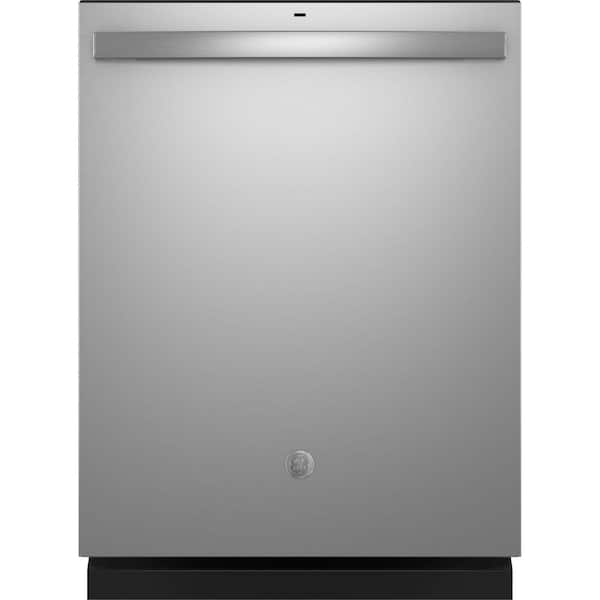
GE dishwashers display error codes to alert users of specific issues. These codes help diagnose problems quickly and accurately. Understanding GE dishwasher error codes can save time and money on repairs.
The error codes appear on the dishwasher’s display panel as alphanumeric combinations. Common codes include C1 for drain issues, C3 for filling problems, and C4 for float switch malfunctions. Knowing what these codes mean allows users to troubleshoot effectively.
Resolving dishwasher issues often starts with a simple reset. Unplugging the appliance or switching off its circuit breaker for 30 seconds can clear minor glitches. For persistent problems, the error code guides users to the appropriate solution or indicates when professional service is needed.
How to Read GE Dishwasher Error Codes
GE dishwashers use error codes to tell you when something isn’t working correctly. These codes appear on the control panel display or through blinking lights, depending on the model. Understanding what each code means can help you fix the problem yourself, know when to reset the dishwasher, or decide when to call for service.
This guide explains how to read GE dishwasher error codes, what the most common codes mean, and what to do next.
Where GE Dishwasher Error Codes Appear
Digital Display Models
- Codes appear as letters and numbers (for example:
H2O,C1,E24) - Usually shown mid‑cycle when a problem occurs
Models Without a Display
- Errors appear as blinking or flashing lights
- The number or pattern of flashes corresponds to a specific error
Tip: Always check your dishwasher’s model number, as codes can vary slightly between GE, GE Profile, and older models.
Common GE Dishwasher Error Codes & Meanings
H2O – Water Supply Error
What it means: The dishwasher is not filling with enough water.
Possible causes:
- Water supply valve is turned off
- Kinked or blocked inlet hose
- Clogged inlet screen
- Low water pressure
What to try:
- Ensure the water valve under the sink is fully open
- Straighten the water hose
- Clean the inlet filter
- Restart the dishwasher
C1 – Pump Out / Drain Error
What it means: The dishwasher is not draining properly.
Possible causes:
- Clogged drain hose or air gap
- Blocked filter or food debris
- Garbage disposal plug not removed (new installations)
What to try:
- Clean the filter and sump area
- Check the drain hose for clogs or kinks
- Run the drain cycle again
E1 / E2 – Heating Errors
What it means: Water is not heating to the correct temperature.
Possible causes:
- Faulty heating element
- Bad thermostat or control board
- Incoming water too cold
What to try:
- Run hot water at the sink before starting
- Check household water heater temperature (120°F / 49°C recommended)
- Reset the dishwasher
FTD or F1 – Drying System Error
What it means: The dishwasher has trouble drying dishes.
Possible causes:
- Fan or vent failure
- Moisture sensor issue
- Control board malfunction
What to try:
- Clean the vent area
- Ensure rinse aid is filled
- Reset the unit
LE – Leak Detected
What it means: Water is detected in the base pan.
Possible causes:
- Loose hose connections
- Door seal damage
- Over‑sudsing from incorrect detergent
What to try:
- Check for visible leaks
- Use only dishwasher detergent
- Allow the unit to dry for 24 hours, then restart
PF – Power Failure
What it means: Power was interrupted during a cycle.
What to do:
- Press Start to resume
- Restart the cycle if needed
999 or 888 – Control Board Test Mode
What it means: The dishwasher is in diagnostic or test mode.
What to do:
- Turn the dishwasher off
- Restore power
- Restart normally
How to Reset a GE Dishwasher
Resetting often clears temporary error codes.
Standard Reset Method
- Turn the dishwasher off
- Unplug it or turn off the circuit breaker
- Wait 5–10 minutes
- Restore power and restart
Control Panel Reset (Some Models)
- Press and hold Start or Start + Cycle for 5 seconds
Why GE Dishwasher Error Codes Appear
- Clogged filters or hoses
- Water supply issues
- Electrical interruptions
- Faulty sensors or components
- Improper installation
Regular cleaning and proper loading can prevent many errors.
Related Topics You Might Find Helpful
Why My GE Dishwasher Won’t Start
- Door not latched
- Control lock enabled
- Error code preventing operation
How to Clean a GE Dishwasher Filter
- Helps prevent drain and pump errors
- Improves cleaning performance
Why My Dishwasher Smells Bad
- Trapped food debris
- Standing water
- Clogged drain
When to Call a Technician
You should seek professional service if:
- The same error returns repeatedly
- You see electrical or heating errors
- Water is leaking from underneath
- Resetting doesn’t clear the code
Final Tips
- Always write down the exact error code
- Check your dishwasher’s model‑specific manual
- Address simple issues early to avoid costly repairs
If you want, I can:
- Look up error codes for your exact GE model
- Walk you through step‑by‑step fixes
- Help determine DIY vs. professional repair
Key Takeaways
- Error codes on GE dishwashers identify specific issues for quick troubleshooting
- A simple reset can often resolve minor dishwasher problems
- Persistent error codes may require professional service
Understanding GE Dishwasher Error Codes
GE dishwashers use error codes to communicate specific issues. These codes help users and technicians identify and resolve problems quickly.
Decoding Common Error Codes
C1 indicates a temperature sensor failure. C2 suggests a keypad or control board problem. C3 points to drainage issues, often resolved by resetting the dishwasher. C4 signals overfilling, possibly due to a stuck float switch. C5 and C6 relate to water heating problems.
C7 indicates a faulty water temperature sensor circuit. C8 shows the detergent cup is blocked. The PF code appears after a power failure. A 999 error code typically means a software glitch.
Users can perform a diagnostic test by pressing “Start” for 3 seconds, then quickly pressing “Heated Dry,” “Normal Wash,” “Heated Dry,” “Normal Wash” in sequence.
Specifics of GE Error Codes
F56 often signifies a circulation pump issue. The “Cup Open” message reminds users to add detergent and close the cup. Some codes require professional attention, while others have simple fixes.
For C3 errors, users can try disconnecting power for 30 seconds. C4 might need drain or sump cleaning. C7 and C8 usually require a technician’s expertise.
GE provides online resources and customer support for error code interpretation. Regular maintenance can prevent many common issues that trigger these codes.
Diagnostic and Troubleshooting Procedures
GE dishwashers have built-in diagnostic features to help identify and resolve issues. These tools allow users to run tests and interpret error codes for efficient troubleshooting.
Running Diagnostic Tests
To enter diagnostic mode on most GE dishwasher models:
- Press and hold the “Start/Reset” button for 5 seconds
- Press “Normal Wash” and “Heated Dry” buttons simultaneously for 3 seconds
- All lights should flash, indicating diagnostic mode is active
Users can now run various tests by pressing specific button combinations. Common tests include:
- Water valve test: Press “Normal Wash”
- Drain pump test: Press “Heavy Wash”
- Detergent dispenser test: Press “Light Wash”
To exit diagnostic mode, press “Start/Reset” or unplug the dishwasher.
Following Troubleshooting Steps
When encountering issues, users should:
- Check the user manual for model-specific error codes
- Ensure proper power and water supply
- Inspect for clogs in filters, spray arms, and drain hose
- Verify door latch is secure
For common error codes:
- C1: Check water supply and inlet valve
- C3: Clear drain path and check drain pump
- C4: Inspect float switch for obstructions
If problems persist after basic troubleshooting, contacting GE customer support or a qualified technician is recommended. They can provide more advanced diagnostic procedures and repairs as needed.
Resolving Technical Issues
GE dishwasher error codes help pinpoint specific problems. Addressing these issues often requires systematic troubleshooting and targeted solutions.
Handling Power-Related Issues
Power failures can disrupt dishwasher operation. If the appliance won’t start, check the power supply. Ensure the dishwasher is properly plugged in and the circuit breaker hasn’t tripped.
For intermittent power issues, reset the dishwasher. Unplug it for 30 seconds, then reconnect. This often clears minor electrical glitches.
If problems persist after a reset, inspect the power cord for damage. Replace frayed or worn cords to prevent safety hazards.
Frequent power-related errors may indicate a faulty control board. In such cases, professional diagnosis is recommended.
Fixing Drainage Complications
Drainage problems often trigger error codes. Check the drain hose for kinks or clogs. Straighten any bends and clear blockages.
Inspect the sump filter for debris. Clean it thoroughly to ensure proper water flow. A clogged filter can cause drainage issues and trigger error codes.
Examine the drain pump for obstructions. Remove any foreign objects that may impede its operation. Listen for unusual noises during the drain cycle, as these can indicate pump problems.
If drainage issues continue, the float switch may be stuck. Gently clean and test the switch to restore proper function.
Addressing Water Supply and Temperature Concerns
Water supply problems can trigger various error codes. Check if the water inlet valve is fully open. Inspect the supply line for kinks or blockages.
Low water pressure can cause filling issues. Test household water pressure and contact a plumber if it’s consistently low.
Water temperature errors may occur if the heater malfunctions. Verify that hot water is reaching the dishwasher. If not, the water heater or inlet valve may need attention.
For temperature sensor errors, professional diagnosis is often necessary. These sensors are crucial for proper dishwasher operation and efficiency.
Troubleshooting Sensor and Electronic Failures
Sensor malfunctions can lead to various error codes. Common culprits include the pressure sensor and temperature sensor. These components monitor water levels and temperature.
To troubleshoot sensor issues, start with a dishwasher reset. If problems persist, inspect visible sensors for damage or loose connections.
Electronic control board failures can cause multiple error codes. Signs include unresponsive buttons or a blank display. In such cases, the board may need replacement.
For complex electronic issues, contacting GE customer support or a certified technician is advisable. They can provide accurate diagnosis and repair options.
Preventive Measures and Maintenance Tips
Regular upkeep and proactive care can significantly extend the life of your GE dishwasher and prevent error codes. These practices help ensure optimal performance and reduce the likelihood of issues.
Routine Cleaning and Inspections
Clean the dishwasher’s interior monthly with a mixture of vinegar and baking soda. This removes buildup and keeps the appliance fresh. Wipe down the door seals with a damp cloth to prevent leaks. Check the spray arms for clogs and clean them if necessary.
Inspect the filter system regularly. Remove and rinse it under running water to clear debris. A clean filter improves water circulation and cleaning efficiency.
Examine the dishwasher’s exterior for signs of wear or damage. Look for loose connections or worn hoses. Replace parts as needed to prevent future problems.
Preventing Clogs and Leaks
Scrape plates before loading to reduce food particles entering the system. Use the right amount of detergent to avoid excess suds that can cause leaks.
Check the drain hose for kinks or bends. Ensure it’s properly connected and not blocked. A clear path for water drainage prevents backups and potential error codes.
Run hot water in the sink before starting the dishwasher. This ensures the initial fill is hot, improving cleaning performance and reducing the risk of temperature-related errors.
Regularly Updating Settings and Controls
Review your dishwasher’s settings periodically. Adjust the water hardness level if needed to optimize detergent use and prevent mineral buildup.
Test the buttons on the control panel to ensure they’re responsive. Clean the panel gently with a damp cloth to remove any residue that might interfere with operation.
Update any programmable features, like delayed start times, to match your current needs. This can improve energy efficiency and convenience.
Consider running a cleaning cycle with a dishwasher cleaner monthly. This helps maintain internal components and prevents the buildup of residues that can trigger error codes.
Frequently Asked Questions
GE dishwasher error codes can be confusing. These common questions address resetting, interpreting, and clearing various error codes on GE dishwashers.
What steps are involved in resetting the error code on a GE dishwasher?
To reset an error code on a GE dishwasher, users should first unplug the appliance or turn off its circuit breaker. After waiting for a few minutes, they can restore power by plugging it back in or switching the breaker on. This process often clears minor errors and resets the control board.
For persistent issues, pressing the Start/Reset button for 3 seconds may initiate a reset. If problems continue, running a diagnostic test can help identify the root cause.
How can you interpret the GE dishwasher error code ‘FED’?
The ‘FED’ error code on a GE dishwasher typically indicates a flood or excess water detection issue. This can occur due to a faulty float switch or water inlet valve.
Checking for leaks around the dishwasher and ensuring the float assembly moves freely can help diagnose the problem. If no visible issues are found, a technician may need to inspect the water inlet valve or control board.
What does the error code ‘888’ indicate on a GE dishwasher?
The ‘888’ error code on a GE dishwasher usually signifies a problem with the control panel or its connections. This code often appears when all display segments are illuminated simultaneously.
Resetting the dishwasher by disconnecting it from power for a few minutes may resolve the issue. If the error persists, the control panel might need replacement by a qualified technician.
How can one clear a ‘FTD’ code on a GE dishwasher?
The ‘FTD’ code on a GE dishwasher stands for ‘Failed to Drain.’ This error occurs when the dishwasher cannot properly evacuate water after a cycle.
To clear this code, users should check for clogs in the drain hose or filter. Ensuring the drain hose is not kinked and the garbage disposal (if connected) is clear can also help. Running a drain cycle or manually emptying the dishwasher may resolve the issue.
What does the error code ‘371’ signify on a GE dishwasher?
Error code ‘371’ on a GE dishwasher indicates a problem with the drain pump circuit. This could mean the drain pump is malfunctioning or there’s an issue with its electrical connection.
Checking the drain pump for obstructions and ensuring its electrical connections are secure can help. If these steps don’t resolve the issue, the drain pump may need replacement.
Why is my GE dishwasher displaying an ‘h20’ error and beeping?
The ‘h20’ error on a GE dishwasher, often accompanied by beeping, indicates a water supply problem. This could mean the dishwasher is not receiving enough water to operate correctly.
Users should check if the water supply valve is fully open and the supply line is not kinked. Ensuring the water pressure is adequate and the inlet valve screen is clean can also help resolve this error.