Thinking about a smart security camera system for your home or business can feel overwhelming. With so many options available, from wireless to wired cameras and indoor to outdoor models, finding the right fit requires some research. The best smart security camera system should balance quality features like motion detection, night vision, and weather resistance with your specific security needs and budget.
Modern security cameras offer impressive capabilities beyond basic recording. Many systems now include two-way audio, customizable motion zones, and integration with other smart home devices. According to Security.org, these advanced features can significantly enhance your property’s protection while providing convenient remote monitoring through smartphone apps.
Before investing in a security camera system, consider factors like power sources, storage options, and installation requirements. Whether you’re looking to secure your family home or protect your business assets, the right camera system delivers both security coverage and the peace of mind that comes from knowing your property is protected even when you’re away.
Smart Security Camera System Guide
Smart security camera systems provide real‑time monitoring, remote access, and intelligent alerts to help protect homes and businesses. This guide explains how these systems work, key features to look for, and how to set one up effectively.
1. What Is a Smart Security Camera System?
A smart security camera system is a network of cameras connected to the internet that allows you to:
- Monitor live video remotely
- Record and store footage
- Receive alerts for motion or unusual activity
- Integrate with other smart home devices
Unlike traditional CCTV, smart systems use apps, cloud services, and AI‑based detection for greater control and convenience.
2. Types of Smart Security Cameras
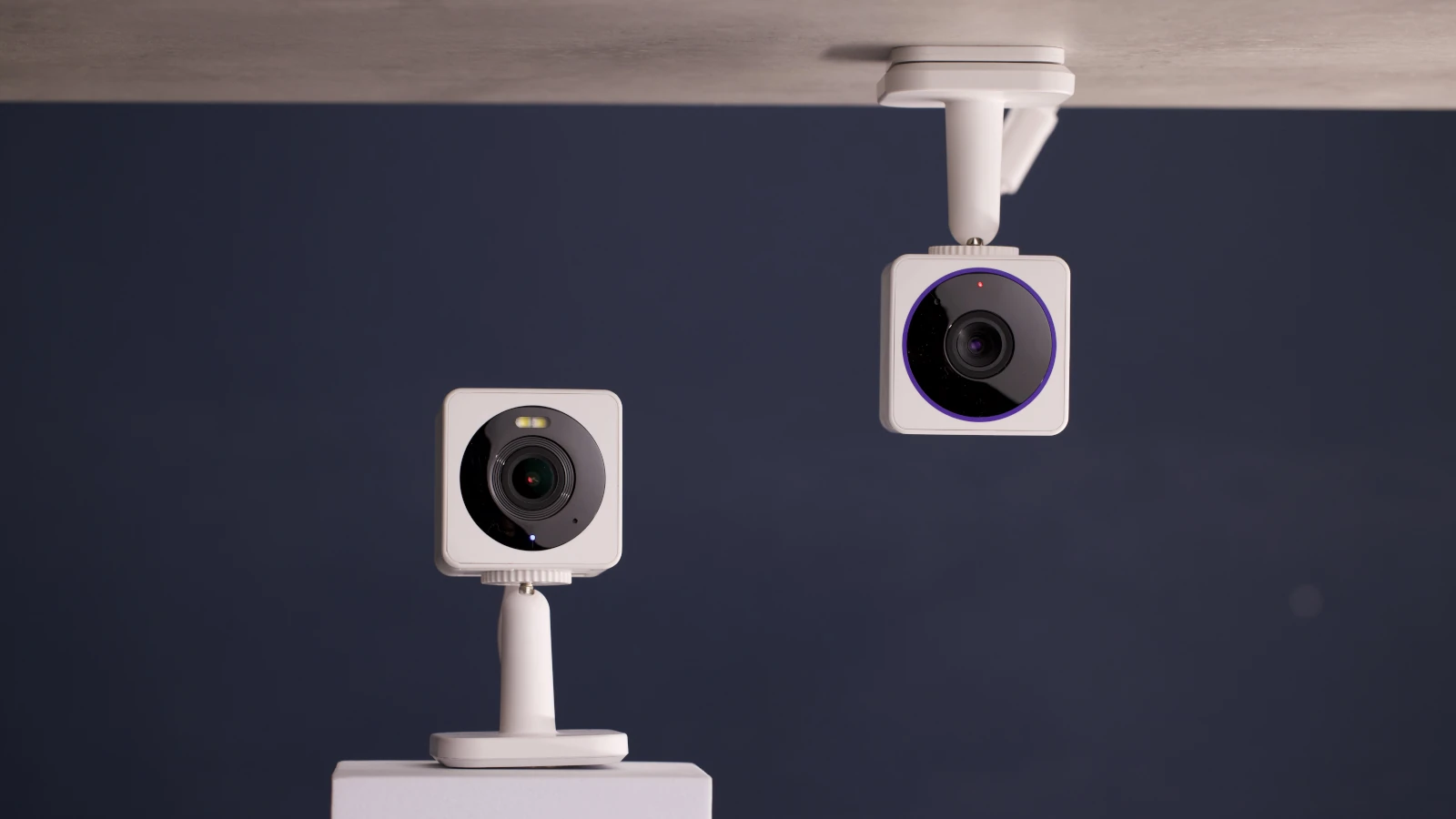
Indoor Cameras
- Designed for indoor monitoring
- Often compact with wide‑angle lenses
- Commonly used for entryways, living rooms, or offices
Outdoor Cameras
- Weather‑resistant (IP65 or higher)
- Night vision and infrared LEDs
- Often include spotlights or sirens
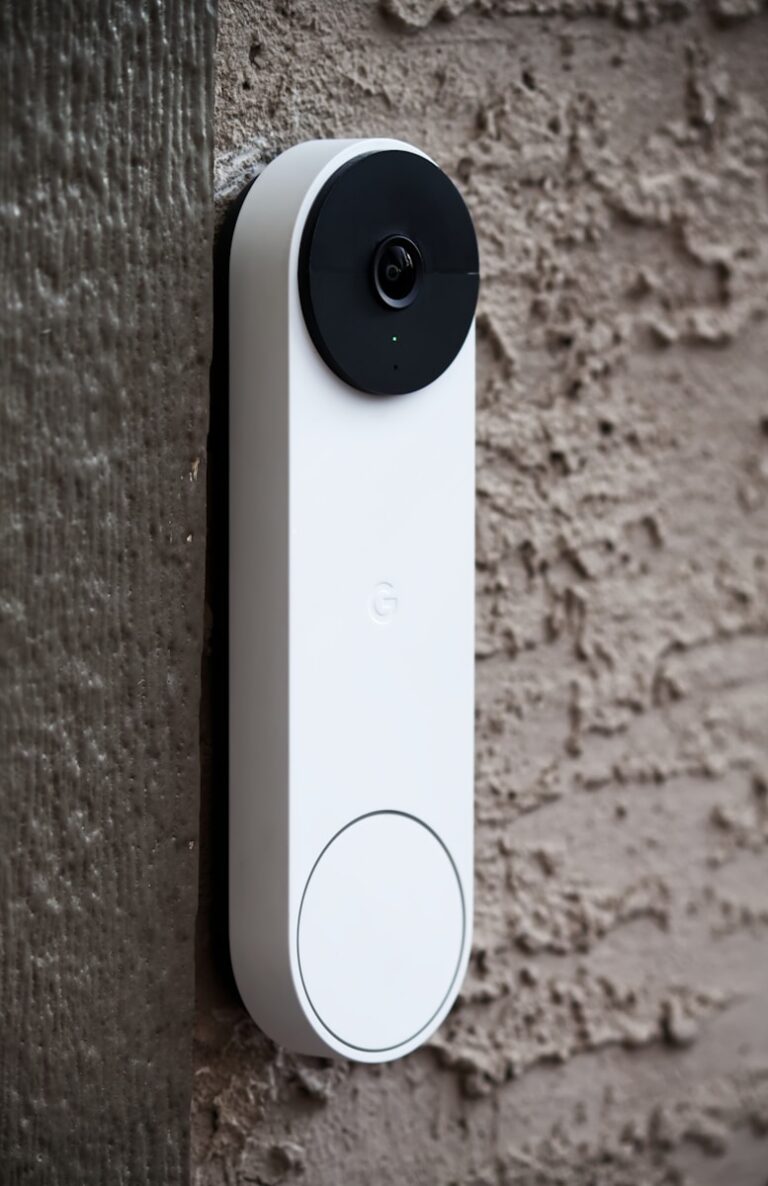
Doorbell Cameras
- Installed near entrances
- Provide two‑way audio
- Motion detection and visitor alerts
Wireless vs Wired
- Wireless: Easy installation, battery-powered, flexible placement
- Wired: More reliable power and connectivity, ideal for permanent setups
3. Key Features to Look For
Video Quality
- Minimum: 1080p HD
- Recommended: 2K or 4K for larger areas
Night Vision
- Infrared for low‑light recording
- Color night vision with spotlight support (advanced models)
Motion Detection & AI
- Motion zones customization
- AI detection for people, vehicles, pets, or packages
- Reduced false alerts
Audio Features
- Two‑way talk for communication
- Noise and echo cancellation
Storage Options
- Cloud storage (subscription-based)
- Local storage (SD card, NVR, or NAS)
- Hybrid options for redundancy
App & Remote Access
- Mobile and web app support
- Live view, playback, and alerts
- Multi‑camera management
4. Installation & Setup
Step 1: Plan Camera Placement
- Cover entry points (doors, windows)
- Avoid direct sunlight or reflective surfaces
- Ensure strong Wi‑Fi signal coverage
Step 2: Install Hardware
- Mount cameras securely
- Adjust angle for optimal coverage
- Connect to power or insert batteries
Step 3: Connect to Network
- Use the manufacturer’s app
- Connect cameras to Wi‑Fi or Ethernet
- Update firmware for security
Step 4: Configure Settings
- Set motion zones and sensitivity
- Enable notifications
- Choose storage preferences
5. Smart Home Integration
Most smart camera systems integrate with:
- Voice assistants (Alexa, Google Assistant)
- Smart displays and TVs
- Smart locks, lights, and alarms
Automation examples:
- Turn on lights when motion is detected
- Display camera feed on a smart screen
- Arm cameras automatically when leaving home
6. Privacy & Security Best Practices
- Use strong, unique passwords
- Enable two‑factor authentication
- Regularly update firmware
- Disable unnecessary cloud sharing
- Position cameras to respect privacy (avoid neighbors’ property)
7. Maintenance Tips
- Clean lenses regularly
- Check battery levels
- Test alerts and motion detection
- Review footage periodically
- Inspect mounts and wiring
8. Who Should Use Smart Security Cameras?
Smart security camera systems are ideal for:
- Homeowners and renters
- Small business owners
- Property managers
- Parents and caregivers
- Anyone seeking peace of mind and remote monitoring
9. Final Thoughts
A smart security camera system is a powerful tool for modern security. By choosing the right camera types, configuring features correctly, and maintaining good privacy practices, you can significantly enhance safety and awareness for your home or business.
Key Takeaways
- Smart security cameras with features like night vision, two-way audio, and motion detection provide comprehensive protection for homes and businesses.
- Consider weather resistance and power options when selecting outdoor cameras to ensure reliable performance in all conditions.
- Cloud storage plans and smart home integration capabilities are essential factors that affect both functionality and long-term costs of security systems.
Understanding Security Camera Basics
Security cameras form the foundation of any effective surveillance system. These devices capture and record video footage to monitor and protect property, with various options designed for different security needs.
Camera Types and Their Functions
Indoor Cameras: These cameras are designed specifically for indoor environments. They typically don’t need weatherproofing and are often more affordable than outdoor models. Many indoor cameras include two-way audio features, allowing for communication through the device.
Outdoor Cameras: Built to withstand harsh weather conditions, these cameras feature durable housings and weatherproof ratings (usually IP65 or higher). Outdoor models often include additional features like:
- Motion-activated spotlights
- Sirens for deterrence
- Higher resolution for capturing details at greater distances
PTZ Cameras: Pan-Tilt-Zoom cameras offer remote directional control and can cover larger areas with a single device. These surveillance cameras are ideal for monitoring large spaces like parking lots or warehouses.
Dome Cameras: With their discreet design, dome cameras blend into ceilings and are difficult for intruders to tell which direction they’re pointing.
Bullet Cameras: These long, cylindrical cameras are highly visible deterrents and typically offer excellent range for monitoring distant areas.
Resolution and Image Quality
Resolution directly affects how clear your camera footage will be. Higher resolution means more detail but requires more storage space and bandwidth.
Common Resolution Options:
- 720p HD: Entry-level resolution (1280×720 pixels)
- 1080p Full HD: Standard for most security needs (1920×1080 pixels)
- 4K Ultra HD: Premium clarity with maximum detail (3840×2160 pixels)
Image quality depends on more than just resolution. Other factors include:
HDR (High Dynamic Range): Balances light and dark areas in the same frame, preventing washout from bright sunlight or loss of detail in shadows.
Low-light Performance: Cameras with larger sensors and IR (infrared) capabilities provide better footage in dim conditions or complete darkness.
Frame rate affects how smooth motion appears in video. Most security cameras record at 30fps (frames per second), while some budget options may use 15fps.
Fields of View and Lens Specifications
The field of view (FOV) determines how much area a camera can monitor. This is primarily controlled by the camera’s lens specifications.
Narrow FOV (30-60 degrees): Provides detailed views of specific areas like entrances or cash registers. These focused views capture better facial details but cover less area.
Wide FOV (90-180 degrees): Monitors larger areas with a single camera. Wide-angle lenses are ideal for open spaces like living rooms or small retail floors.
Lens specifications typically measure in millimeters (mm), with smaller numbers indicating wider views:
- 2.8mm lens: Approximately 90° field of view
- 4mm lens: Approximately 80° field of view
- 8mm lens: Approximately 40° field of view
Fixed lenses cannot change their zoom or focus after installation. Varifocal lenses allow adjustment of zoom and focus, making them more versatile but typically more expensive.
Key Features of Smart Security Cameras
Modern smart security cameras come with several essential features that enhance home security and provide peace of mind. These features work together to create a comprehensive monitoring system that keeps you connected to your home no matter where you are.
Night Vision Capabilities
Most smart security cameras offer night vision capabilities, allowing them to capture clear footage even in low-light or completely dark environments. This feature typically uses infrared (IR) LEDs that illuminate the area invisible to the human eye but visible to the camera sensor.
Standard IR night vision produces black and white footage, which is sufficient for identifying movement and basic shapes. However, premium models now offer color night vision technology that maintains color accuracy even in darkness, providing more detailed information about potential intruders.
The range of night vision varies by model, with most residential cameras covering 15-30 feet effectively. Higher-end security cameras might offer adjustable sensitivity settings to optimize performance based on your specific environment.
For outdoor cameras, weather-resistant night vision ensures consistent performance regardless of environmental conditions.
Motion Detection and Alerts
Motion detection is perhaps the most valuable feature of smart security cameras. Instead of recording continuously, these cameras start recording when they detect movement, saving storage space and making it easier to find important footage.
Advanced systems offer customizable motion zones, allowing you to focus on specific areas and reduce false alerts from pets, trees, or street traffic. Some cameras use AI-powered person detection to distinguish between humans and other moving objects.
When motion is detected, the camera sends instant alerts to your smartphone. These notifications can include snapshot previews or video clips of the detected activity.
Many newer models incorporate facial recognition technology that can identify familiar faces versus strangers, reducing unnecessary alerts when family members come home.
The sensitivity of motion detection can usually be adjusted based on your preferences and the camera’s placement.
Two-Way Audio and Communication
Two-way audio enables real-time communication through your security camera. This feature includes both a microphone to capture sound and a speaker to broadcast your voice.
With two-way talk functionality, you can:
- Speak to delivery personnel at your door
- Deter potential intruders by letting them know they’re being watched
- Communicate with family members while away from home
- Check on pets and provide verbal reassurance
The audio quality varies between models, with premium cameras offering noise cancellation and echo reduction for clearer communication.
Most systems allow you to enable or disable audio recording through the camera settings if privacy is a concern.
Some advanced cameras can even detect specific sounds like breaking glass or smoke alarms and send specialized alerts.
Remote Access and Mobile App Integration
Smart security cameras connect to your home Wi-Fi network, enabling remote viewing from anywhere with internet access. This connectivity is managed through dedicated mobile apps that provide a user-friendly interface.
These mobile apps typically offer:
- Real-time monitoring of live camera feeds
- Access to recorded footage and event history
- Camera control features (pan, tilt, zoom)
- Settings management and alert preferences
- User account controls for multiple family members
Most systems provide digital zoom capabilities through the app, allowing you to focus on specific details in the footage. Premium models might offer optical zoom for higher quality close-ups.
Cloud storage subscriptions often complement these cameras, storing footage securely online for easy access. Many apps also allow footage downloading and sharing directly from your smartphone.
Integration with smart home ecosystems like Google Home, Amazon Alexa, or Apple HomeKit enables voice controls and automated routines.
Smart Home Compatibility and Integration
Integrating security cameras with your existing smart home ecosystem creates a more powerful and convenient home monitoring solution. Modern security systems work with major platforms and can trigger other devices for enhanced functionality and safety.
Compatibility with Smart Home Devices
When choosing security cameras, check their compatibility with your preferred smart home platform. Most modern security cameras work with Amazon Alexa, Google Home, or Apple HomeKit. This integration allows users to view camera feeds on smart displays or control cameras using voice commands.
For broader device compatibility, look for cameras that support industry standards like Zigbee or Z-Wave. These protocols enable direct communication between devices without requiring internet connectivity, creating a more robust system.
Many manufacturers now offer their own apps that integrate with multiple platforms. This flexibility ensures users aren’t locked into a single ecosystem and can expand their smart home setup over time.
Before purchasing, verify specific compatibility requirements for your existing devices to avoid frustrating integration issues later.
Automation and Geofencing Features
Smart security systems shine when combined with automation rules. Users can create custom scenarios like having cameras record when motion is detected or when specific doors open. These rule-based automations transform passive cameras into proactive security solutions.
Geofencing uses smartphone location to trigger security actions based on proximity to home. The system can:
- Automatically arm cameras when everyone leaves
- Disable indoor recording when family returns
- Send special alerts when cameras detect movement while the house is empty
- Adjust recording sensitivity based on home occupancy
These features eliminate the need to manually adjust security settings when coming and going. Most systems allow multiple user profiles, ensuring the home knows when any family member arrives or departs.
Smart Locks and Lights Integration
Connecting security cameras with smart locks and lighting systems creates a comprehensive security environment. When cameras detect motion, lights can automatically illuminate the area, improving video quality and deterring potential intruders.
Smart lock integration allows more sophisticated monitoring. The system can capture video when:
- Doors unlock with specific access codes
- Unauthorized entry attempts occur
- Deliveries arrive at the front door
Lights can be programmed to simulate occupancy when homeowners are away. Combined with visible security cameras, this presents a strong deterrent to potential burglars.
For maximum effectiveness, choose devices specifically designed to work together rather than mixing brands. Many manufacturers offer security bundles with pre-configured integrations for smoother setup and operation.
Storage Solutions for Security Footage
Choosing the right storage solution is crucial for any smart security camera system. The method you select impacts not only your access to footage but also your system’s reliability and overall cost.
Cloud vs. Local Storage Options
Smart security cameras typically offer two main storage options: cloud and local storage. Cloud storage allows footage to be saved on remote servers accessed through the internet. This provides convenient remote viewing and protects footage even if cameras are damaged or stolen.
Local storage saves footage directly on physical devices like SD cards, Network Video Recorders (NVRs), or Digital Video Recorders (DVRs). This option doesn’t require monthly fees but has limited capacity and is vulnerable to theft.
Many modern systems offer hybrid solutions combining both approaches. For example, critical footage might automatically back up to the cloud while routine recordings stay local. This balanced approach maximizes security while managing costs efficiently.
Importance of Video Storage Capacity
Video storage requirements depend heavily on several factors:
- Number of cameras: Each additional camera multiplies storage needs
- Resolution settings: Higher resolution (4K vs. 720p) requires significantly more space
- Frame rate: Higher fps (frames per second) increases storage requirements
- Motion detection: Using smart detection can reduce storage by recording only when necessary
Most security professionals recommend storing footage for at least 30 days. For businesses in regulated industries, retention requirements may extend to 90 days or longer.
A hard drive calculator can help determine exact needs for your system. Without sufficient capacity, you risk losing valuable footage when you need it most.
Hard Drives and Memory Considerations
Not all hard drives are created equal when it comes to security footage. Standard computer hard drives aren’t designed for the constant writing demands of surveillance systems.
Surveillance-grade hard drives are specifically engineered for 24/7 operation with features like:
- Enhanced durability for continuous recording
- Better heat management for longer life
- Firmware optimized for simultaneous streams
For IP camera footage storage, consider these memory options:
| Storage Type | Best Use Case | Typical Capacity |
|---|---|---|
| SD Cards | Small systems, 1-2 cameras | 32GB-256GB |
| NVR/DVR | Medium systems, 4-16 cameras | 1TB-12TB |
| NAS Devices | Large systems, expandable | 4TB-40TB+ |
For cloud storage, providers typically offer tiered plans based on retention time and number of cameras. Most cloud storage for security cameras ranges from $5-30 per camera monthly, with discounts for annual subscriptions.
Installation and Setup of Camera Systems
Setting up a security camera system requires careful planning and decision-making about installation methods, camera placement, connection types, and overall system design. These factors significantly impact your system’s effectiveness and long-term performance.
DIY Installation vs. Professional Help
Many homeowners opt for DIY security camera installation to save money and maintain control over their system. DIY installations allow for customization and typically cost less than professional services.
For simpler setups with just a few cameras, the DIY approach works well. Most manufacturers provide detailed instructions, mounting hardware, and setup apps that guide users through the process.
Professional installation, while more expensive, offers several advantages. Technicians have experience with optimal placement, proper wiring techniques, and system integration. They can also navigate complex installations involving multiple cameras or challenging mounting locations.
Professional installers typically provide warranties on their work. This may be worth considering for larger properties or businesses where comprehensive coverage is essential.
Selecting the Right Locations for Cameras
Proper camera placement is critical for effective monitoring. Priority locations include:
- Entry points: Front door, back door, first-floor windows
- Driveways and garages
- Common areas: Living rooms, hallways, staircases
- Backyard and perimeter
When positioning exterior cameras, consider mounting them 8-10 feet high to prevent tampering while maintaining good visibility. Cameras should be angled slightly downward for optimal coverage.
Avoid pointing cameras directly at bright light sources or the sun. This prevents glare and backlight issues that can obscure footage.
For interior camera placement, focus on high-traffic areas and valuables. Consider privacy concerns, especially in bedrooms and bathrooms where surveillance may be inappropriate.
Wireless vs. Wired Setup Challenges
Wireless cameras offer flexibility and easier installation since they don’t require running cables. They work well for renters or historic homes where drilling and cable installation might be problematic.
However, wireless security cameras can experience connectivity issues. Wi-Fi dead zones, signal interference, and bandwidth limitations may impact performance. Battery-powered models need regular recharging or battery replacement.
Wired systems, including Power over Ethernet (PoE) units, provide more reliable connections and don’t require separate power outlets. They typically offer:
- More stable video transmission
- Higher video quality
- No battery replacement concerns
- Less vulnerability to interference
The downside is installation complexity. Cable runs require planning, drilling holes, and potentially fishing wires through walls. For larger installations, professional help may be worth the investment.
System Design and Component Selection
A comprehensive security camera system includes multiple components working together:
| Component | Purpose | Considerations |
|---|---|---|
| Cameras | Capture footage | Resolution, field of view, night vision |
| Recording device | Stores video (NVR/DVR) | Storage capacity, number of channels |
| Cables | Connect components | Length needed, video quality, durability |
| Accessories | Mounts, enclosures | Weather resistance, adjustability |
Many retailers offer custom kit builders or system design services to help select compatible components. These tools simplify the process by ensuring all parts work together properly.
When choosing cameras, consider specific features based on location needs. For example, exterior cameras should have weather resistance and night vision, while interior cameras might prioritize motion detection and two-way audio.
Storage needs depend on how many cameras you’re using, their resolution, and how long you want to keep footage. Higher resolution requires more storage space but provides clearer images for identification purposes.
Security Camera System Enhancements
Modern security camera systems offer numerous enhancement options that can significantly improve surveillance capabilities. These upgrades range from advanced camera technologies to integrated recording solutions that work together to create a comprehensive security ecosystem.
Advanced Camera Technologies
IP cameras now feature dramatically improved image sensors that capture clearer footage in various conditions. Most high-end models offer 4K resolution with enhanced focal length options, allowing for detailed monitoring of large areas.
Outdoor cameras have evolved with weatherproof ratings that withstand extreme temperatures, while some include built-in heaters to prevent fogging in cold environments. The technology gap between dome cameras and bullet cameras has narrowed, with both offering similar features but different installation benefits.
Night vision capabilities have advanced beyond basic infrared to include color night vision in low-light settings. Some cameras can now effectively capture license plates from significant distances when properly positioned and configured with the right focal length settings.
For properties with specific visibility challenges, thermal imaging options detect heat signatures even in complete darkness or through visual obstructions like fog.
Integrating Video Recorders and Doorbells
Modern security systems thrive on integration between different components. Video doorbells now connect seamlessly with CCTV cameras and video recorders to create a unified monitoring solution.
Network Video Recorders (NVRs) have largely replaced older DVR systems, offering better storage options and remote access capabilities. Many systems now support cloud storage alongside local storage, providing backup redundancy and easier access to footage from mobile devices.
Video doorbells serve as both entry monitors and communication devices. Premium models feature two-way audio, person detection, and package recognition. When connected to a comprehensive system, they trigger recording on other cameras when motion is detected.
Smart home integration allows camera systems to work with other security elements like alarm systems and smart lighting. This creates automated responses—lights activating when cameras detect movement at night, for example.
Upgrading for Business and Home System Designs
Business system design typically requires more extensive coverage with higher camera counts and specialized positioning. Important considerations include:
- Entry/exit point monitoring
- Employee and customer areas separation
- Integration with access control systems
- Secure server rooms for recording equipment
Home system design focuses on key vulnerability points while maintaining aesthetic appeal. Most residential installations prioritize:
- Front and back door coverage
- Driveway monitoring
- First-floor window views
- Property perimeter visibility
Hybrid DVR systems offer excellent upgrade paths for existing installations, allowing users to incorporate new IP cameras while retaining functional analog equipment. This provides significant cost savings during transitions.
Security professionals recommend phased upgrades rather than complete system replacements to minimize both expense and adjustment periods.
Customizing Kits and Accessories
While pre-packaged security kits offer convenience, customization provides optimal protection tailored to specific needs. Many security camera guides recommend selecting individual components based on property vulnerabilities.
Popular accessories include:
Hardware Options:
- Specialized mounting brackets for difficult angles
- Weatherproof housing for harsh environments
- Power-over-Ethernet adapters to simplify wiring
- Video baluns for transmitting over existing wiring
Software Enhancements:
- Motion zone customization
- Person/vehicle detection filters
- Mobile notification options
- Time-lapse recording features
The choice between security platforms like ProVue and Cyber Secure depends on specific needs. ProVue typically offers more user-friendly interfaces, while Cyber Secure provides advanced encryption and security features at a higher price point.
For DIY enthusiasts, building a custom system with compatible components can offer significant cost savings while still delivering professional-quality monitoring.
Maintaining and Troubleshooting Your System
Keeping your smart security camera system in top condition requires regular attention and quick problem-solving skills. Proper maintenance not only extends the life of your equipment but also ensures it performs optimally when you need it most.
Regular Maintenance Best Practices
Clean camera lenses monthly with a microfiber cloth to maintain video clarity. Dust and debris can severely impact image quality, reducing the effectiveness of your surveillance system.
Check all physical connections quarterly. Loose cables are among the most common causes of system failures. Ensure all wires are properly connected and protected from environmental damage.
Update firmware regularly as manufacturers release patches. These updates often fix security vulnerabilities and improve performance features.
Power System Checks:
- Inspect power adapters for damage
- Test battery backup systems quarterly
- Verify voltage output meets camera specifications
Document all maintenance activities in a log. This helps track recurring issues and provides valuable information if you need to claim industry warranties.
Troubleshooting Common Issues
When cameras go offline, start with the simplest solutions. About 60% of CCTV issues stem from power problems, so check power sources first before assuming hardware failure.
For connectivity issues, try the following steps:
- Reboot the recorder
- Listen for post-boot beeps
- Verify network settings
- Check for IP address conflicts
Poor image quality often results from incorrect focus or positioning. Adjust camera angles and settings during daytime hours for optimal results.
If experiencing recording problems, check storage capacity and settings. Many systems overwrite older footage automatically when space runs low.
For mobile app connection issues, ensure your home network is functioning properly. Sometimes router reboots resolve remote viewing problems.
Security System Upgrades and Replacements
Most security cameras have a useful life of 3-5 years. Planning for upgrades should begin before systems show signs of failure to maintain continuous crime deterrence.
Consider upgrading when:
- Resolution no longer meets security needs
- Storage capacity becomes insufficient
- Newer models offer significantly better features
- Repair costs approach replacement costs
When upgrading, assess compatibility with existing infrastructure. Many modern systems allow partial upgrades rather than complete replacements.
Budget for both hardware and installation costs. Professional installation often provides better results and may be required to maintain warranty coverage.
Keep old equipment as backup when possible. Functioning cameras can be repurposed for secondary areas requiring less critical monitoring.
Legal Considerations and Compliance
Installing smart security cameras requires understanding legal requirements to ensure your system follows federal and state regulations. These laws protect privacy rights while maintaining security effectiveness.
Understanding NDAA Compliance
The National Defense Authorization Act (NDAA) restricts government agencies from purchasing or using video surveillance equipment manufactured by certain companies considered security threats. This legislation affects both government facilities and contractors working with federal agencies.
NDAA compliance has become increasingly important for residential systems too, especially in buildings that may eventually contract with government entities. When purchasing security cameras, look for products specifically labeled as “NDAA compliant” to avoid future complications.
Many manufacturers now highlight their NDAA compliance status in product descriptions. This certification ensures the equipment doesn’t contain components from banned manufacturers like Hikvision, Dahua, and Huawei.
Addressing Privacy Concerns
Privacy laws vary significantly by state, with some jurisdictions imposing strict regulations on camera placement and recording practices. Always check local regulations before installation.
Key privacy considerations include:
- Consent requirements: Some states require notification or consent before recording
- Audio recording limitations: Many states prohibit audio recording without consent
- Restricted zones: Cameras cannot be placed in areas with reasonable expectation of privacy
For rental properties, landlords typically must disclose security camera locations to tenants. In California, for example, specific tenant consent may be required depending on camera placement.
Business owners should display visible signs notifying visitors of video surveillance on the premises.
Navigating Banned Security Brand Restrictions
Several security camera manufacturers have been banned from government use due to potential cybersecurity threats. These restrictions primarily affect brands with ties to certain foreign governments.
Currently restricted brands include:
- Hikvision
- Dahua
- Huawei
- ZTE
- Hytera Communications
When selecting equipment, verify that components don’t come from these manufacturers, even if assembled by another company. Many security providers now offer “clean” systems specifically designed to meet compliance requirements.
For mobile surveillance solutions like trailers, these restrictions are particularly important since they might be deployed for various purposes including temporary government contracts.
Innovations and Trends in Security Camera Systems
The security camera landscape is rapidly evolving with cutting-edge technologies reshaping how we protect our homes and businesses. Smart features and AI capabilities are becoming standard as the industry moves toward more intelligent surveillance solutions.
Emerging Technologies in Surveillance
The shift to cloud-native solutions represents one of the biggest changes in modern security systems. These platforms allow users to access footage remotely from any device without maintaining complex on-site storage infrastructure.
Wireless security cameras have greatly improved in both reliability and battery life. Many systems now operate for months on a single charge, eliminating the need for complex wiring installations.
4K and even 8K resolution cameras are becoming more affordable, providing remarkably detailed footage that makes identification much easier. This higher resolution is particularly valuable when zooming in on specific areas of interest.
Surveillance trailers offer mobile security solutions for temporary deployment at construction sites, events, and remote locations. These self-contained units typically include multiple cameras, solar power options, and cellular connectivity.
The Role of AI and Machine Learning
AI-powered video analytics have transformed security cameras from passive recording devices to active monitoring systems. Modern cameras can distinguish between people, animals, and vehicles while ignoring irrelevant motion like swaying trees or rain.
Smart alerts have become more targeted and useful. Instead of sending notifications for every movement, systems can alert homeowners specifically about package deliveries, unknown visitors, or suspicious behavior patterns.
Facial recognition technology continues to improve, allowing systems to identify family members versus strangers. Some business systems can even integrate with employee databases to manage access control automatically.
Behavior analysis algorithms can detect unusual activities like loitering, fence-climbing, or after-hours movement in restricted areas. This proactive approach helps prevent incidents rather than simply recording them.
Future Outlook for Home and Business Security
The transition from analog to fully digital systems is accelerating, with IP-based cameras offering superior image quality, integration capabilities, and remote access features. Legacy analog systems are quickly becoming obsolete.
Integration with smart home ecosystems will continue to deepen. Security cameras already work with voice assistants like Alexa and Google Home, but future systems will coordinate with smart locks, lighting, and environmental controls for comprehensive protection.
Package tracking capabilities have become particularly important as online shopping increases. Specialized doorbell cameras can now detect package deliveries, monitor for theft, and even communicate with delivery personnel.
Privacy-focused technologies like automatic face blurring and customizable recording zones will become standard features as consumers grow more concerned about surveillance ethics and data security.
Frequently Asked Questions
Security camera systems can seem complicated with many options to consider. These common questions address key concerns about connectivity, features, placement, and monitoring options to help you make informed decisions.
What are the main differences between wired and wireless security camera systems?
Wired security cameras connect directly to a recording device using physical cables for both power and video transmission. They offer reliable, uninterrupted connections and are not susceptible to wireless interference or signal drops.
Wireless cameras transmit video data via Wi-Fi and are typically easier to install since they don’t require extensive cable routing. Many wireless models use batteries for power, making them more flexible for placement.
Wired systems generally provide more stable video quality and security since they can’t be affected by Wi-Fi jamming. Wireless systems offer greater installation flexibility but may require regular battery changes and strong Wi-Fi coverage.
How do I choose the best smart security camera system for outdoor use?
Weather resistance is crucial for outdoor cameras. Look for IP65 or higher ratings to ensure protection against rain, snow, and dust. Higher ratings indicate better protection against environmental elements.
Resolution matters for capturing usable footage. Choose cameras with at least 1080p resolution, though 4K options provide much clearer images for identifying faces and license plates at greater distances.
Night vision capabilities are essential for 24/7 monitoring. Color night vision or infrared with at least 30 feet of range ensures effective surveillance after dark. Some advanced models offer built-in spotlights for color recording at night.
Field of view determines how much area a single camera can monitor. Wide-angle lenses (120° or more) cover larger areas but may distort images at the edges. Consider multiple narrower-view cameras for critical monitoring points.
What features should I look for in a home security camera system without a subscription?
Local storage options like microSD cards or network-attached storage (NAS) eliminate monthly fees. Many cameras support 128GB cards or larger, providing weeks of continuous recording without cloud storage costs.
Motion detection with customizable zones reduces false alerts from trees, traffic, or pets. Advanced systems offer person, package, and vehicle detection to further minimize unnecessary notifications.
Two-way audio allows communication through the camera, which is useful for speaking to visitors or deterring potential intruders. This feature works through the camera’s companion app.
Push notifications to your smartphone ensure you’re alerted to important events without paying for monitoring. Many systems allow you to customize which types of detected events trigger alerts.
How can I remotely monitor my security camera system?
Mobile apps provide the main interface for remote viewing. Most manufacturers offer free apps that allow live streaming, playback of recorded footage, and configuration changes from anywhere with internet access.
Multiple-user access lets family members or employees monitor cameras with individual accounts and customizable permissions. This prevents sharing primary account credentials while maintaining security.
Remote playback capability allows viewing of recorded events even when away from home. Depending on your system, footage may be accessed from cloud storage or directly from your home’s local storage device.
Internet speed requirements vary by camera resolution and quantity. For HD cameras, upload speeds of at least 3-5 Mbps are recommended for smooth remote viewing. Multiple 4K cameras may require 10+ Mbps.
What are the key considerations when selecting security cameras for business premises?
Scalability ensures your system can grow with your business. Look for platforms that support adding cameras without requiring complete system replacement or significant additional infrastructure.
Commercial-grade durability with metal housings and tamper-resistant mounting provides better protection against vandalism and unauthorized manipulation of cameras.
License plate recognition and facial recognition technologies help identify visitors and vehicles. These advanced features typically require more powerful processing and may involve additional costs.
Integration with access control systems and alarm systems creates a comprehensive security ecosystem. This allows cameras to trigger or be triggered by other security events for coordinated responses.
Do all smart security cameras require a Wi-Fi connection, and what are the alternatives?
Cellular-connected cameras use 4G/5G networks instead of Wi-Fi, making them ideal for remote locations or as backup during internet outages. These typically require monthly data plans but can operate completely independently.
Power-over-Ethernet (PoE) cameras receive both power and network connectivity through a single Ethernet cable. This wired connection type offers reliability and simplified installation compared to separate power and network cables.
Offline recording capabilities allow some cameras to function without internet by storing footage locally. When connectivity returns, these systems can upload stored footage to cloud services.
Mesh network cameras can create their own wireless network between devices, extending range beyond a single Wi-Fi router’s coverage. This is particularly useful for large properties where Wi-Fi signals may not reach all areas.