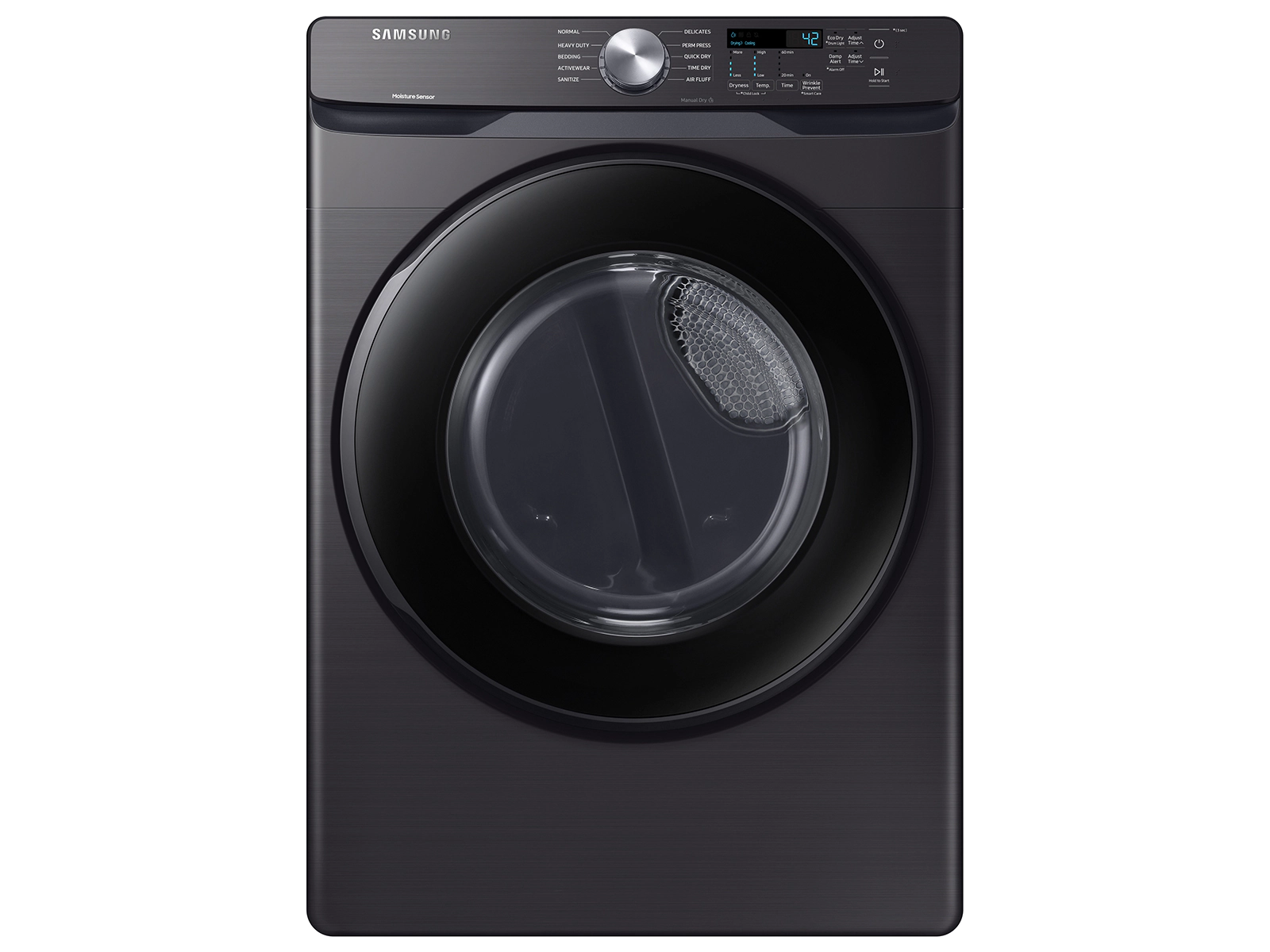
Samsung dryer owners may encounter the bE2 error code, causing frustration and concern. This code indicates a button error detected by the dryer’s internal diagnostics. The bE2 error typically means a button on the control panel is stuck or continuously pressed.
Understanding error codes helps troubleshoot Samsung dryer issues quickly. The bE2 code falls under the category of jammed button errors, which include similar codes like bC2, 6E, and 6E2. These errors can disrupt the dryer’s normal operation and require attention to resolve.
Addressing a bE2 error often involves examining the control panel for visible issues or debris. Sometimes, a simple cleaning or button reset can solve the problem. In other cases, professional repair may be necessary to replace faulty components and restore the dryer’s functionality.
1. The “Massage” Technique (The Quickest Fix)
Most of the time, a button is simply caught on the edge of the control panel housing.
- Identify the stuck button: Look closely at the control panel. Does one button look lower than the others? Is one tilted to the side?
- The Fix: Press every single button on the control panel repeatedly. Give them a firm “tap” or a wiggle to ensure they are popping back out fully.
- Pay attention to the Power and Start/Pause buttons, as these are the most frequently used and the most likely to stick.
2. Clean the Control Panel
Residue from laundry detergent, fabric softener, or even simple household dust can create a “sticky” film around the buttons, preventing them from returning to their neutral position.
- The Fix: Use a damp (not dripping) microfiber cloth with a small amount of rubbing alcohol or mild dish soap. Wipe thoroughly around the edges of every button.
- Pro Tip: Use a can of compressed air to blow out any debris that might be lodged in the tiny gaps between the buttons and the panel.
3. Perform a Hard Reset
If the buttons feel physically fine, the dryer’s computer might simply be “stuck” in a software loop.
- The Fix:
- Unplug the dryer from the wall (or flip the circuit breaker in your electrical panel).
- Wait at least 60 seconds.
- Plug the dryer back in.
- Try to start a cycle. This often clears temporary electronic glitches.
4. Loosen the Control Board Screws (Advanced)
Sometimes, the screws holding the control board to the front panel are tightened too much at the factory. This can cause the plastic to flex, which puts pressure on the buttons and makes them stick.
- The Fix:
- Unplug the dryer.
- Remove the top panel of the dryer (usually held by two screws at the back).
- Locate the screws holding the control board (the PCB) to the front interface.
- Loosen these screws by just half a turn. This slight release of tension often allows the buttons to move freely again.
5. Check the Ribbon Cable
If the dryer has been vibrating heavily, the ribbon cable that connects the display to the main power board might have wiggled loose.
- The Fix: While you have the top panel off (Step 4), locate the wide, flat ribbon cable. Unplug it and plug it back in firmly to ensure a solid connection. Look for any signs of corrosion or “burn” marks on the cable.
When to Replace Parts
If you have cleaned the buttons, reset the power, and checked the connections but the Be2 code keeps returning, one of two parts has likely failed:
- The User Interface (UI) Board: This is the part with the actual buttons. If a tactile switch on the board has failed internally, the whole board usually needs to be replaced.
- The Main Control Board: If the UI board is fine, the main “brain” of the dryer may be misinterpreting signals.
Model Number Tip: Before ordering parts, find your model number on the sticker inside the dryer door or on the back of the unit. Samsung has many similar-looking models, but the control boards are rarely interchangeable.
Summary Checklist
- Press and wiggle every button to unstick them.
- Clean around the buttons with rubbing alcohol.
- Unplug for 1 minute to reset the logic.
- Loosen control board screws if the panel feels too tight.
If the dryer is less than a year old, this issue is covered under the Samsung manufacturer warranty. Do not open the unit yourself, as this may void your warranty; contact Samsung support for a professional repair.
Key Takeaways
- The bE2 error on Samsung dryers signals a stuck or continuously pressed button
- Error codes help identify specific issues for faster troubleshooting
- Resolving bE2 errors may require cleaning, resetting, or professional repair
Overview of Samsung Dryer
Samsung dryers offer efficient laundry solutions with advanced features and reliable performance. These appliances cater to various household needs through innovative technology and user-friendly designs.
Samsung Dryer Features and Functions
Samsung dryers come equipped with multiple drying cycles to handle different fabric types. The Sensor Dry technology adjusts drying time and temperature based on moisture levels. Multi-Steam technology helps remove wrinkles and odors. Some models feature Smart Care, allowing users to troubleshoot issues via smartphone apps.
Wi-Fi connectivity enables remote control and monitoring. The Vent Sensor alerts users to potential blockages, ensuring optimal performance. Energy-efficient models help reduce electricity costs. Many Samsung dryers offer large capacity drums, accommodating bulky items like comforters.
Common Samsung Dryer Models
Samsung’s product line includes electric and gas dryers in various sizes and styles. The DVE45R6100 electric dryer offers a 7.5 cu. ft. capacity and 10 preset drying cycles. The DV50K7500 model features FlexDry technology, allowing simultaneous drying of delicates and regular laundry.
The DVG45R6300 gas dryer provides energy-efficient performance with its Eco Dry setting. For those seeking compact solutions, the DV22K6800 fits in tight spaces while offering a 4.0 cu. ft. capacity. The DV9900 series showcases AI-powered Smart Dial controls for personalized drying experiences.
Understanding Samsung Dryer Error Codes
Samsung dryers use error codes to communicate specific issues. These codes help users and technicians identify and resolve problems quickly.
BE2 Error Code Diagnosis
The BE2 error code on Samsung dryers indicates a button error. This typically means a button on the control panel is stuck or appears to be continuously pressed. Possible causes include:
- Debris or moisture causing a button to stick
- Faulty control panel
To resolve this issue:
- Unplug the dryer for 5 minutes
- Clean the control panel with a dry cloth
- Check for any visible damage or obstruction
- If the problem persists, contact a technician
Interpreting Vent Blockage Test Results
Samsung dryers perform vent blockage tests to ensure proper airflow. The results are displayed as error codes:
- CLG or CG: Vent is completely clogged
- C80 or C8: About 80% of the vent is clogged
- C90 or C9: Over 90% of the vent is clogged
- C1 or CL1: Laundry detected in the drum
- CT: Dryer temperature is below freezing or above 104°F
To address vent blockages:
- Clean the lint filter after each use
- Check and clean the exhaust duct annually
- Ensure proper vent installation
- Use a vent cleaning kit for thorough cleaning
Comprehensive Appliance Error Codes Glossary
Samsung dryers display various error codes for different issues:
| Code | Meaning | Solution |
|---|---|---|
| dE, dO, dF | Door error | Check for stuck laundry, replace door latch if needed |
| tE, tE1, tE2 | Temperature sensor error | Check and replace faulty temperature sensor |
| hE | Heating error | Inspect heating element and thermostats |
| FE | Fan error | Check blower wheel and motor |
| 3E | Motor error | Inspect drive belt and motor |
For persistent errors, consult the user manual or contact Samsung support for professional assistance.
Troubleshooting Common Error Types
Samsung dryer error codes can indicate various issues. Understanding these codes helps pinpoint problems and implement effective solutions.
Resolving Button and Door-Related Errors
Button errors often stem from jammed or malfunctioning control panels. To fix, unplug the dryer and inspect the buttons for debris or damage. Clean around buttons with a soft brush. If a button remains stuck, gently pry it up with a flathead screwdriver. For persistent issues, the control panel may need replacement.
Door-related errors typically involve faulty door switches or misaligned doors. Check the door switch for continuity using a multimeter. Replace if necessary. Ensure the door closes properly and the latch engages fully. Adjust the strike plate if the door doesn’t seal correctly.
Fixing Temperature and Heating Issues
Temperature errors often indicate problems with heating elements or thermostats. Test the heating element for continuity. A broken element will show no continuity and require replacement. Check the thermostat by measuring resistance at different temperatures. Replace if it doesn’t respond correctly.
Heating issues may also stem from clogged vents. Clean the lint filter after each use. Inspect and clean the entire vent system annually. Use a vent brush to remove lint buildup from hard-to-reach areas. Ensure the outdoor vent flap opens and closes freely.
Addressing Communication and Frequency Errors
Communication errors usually involve issues between the main control board and other components. Check all wire connections for loose or damaged wires. Reseat connectors firmly. If problems persist, the main control board may need replacement.
Frequency errors often relate to power supply issues. Measure voltage at the outlet:
- L1 to L2: 240V AC
- L1 to Neutral: 120V AC
- L2 to Neutral: 120V AC
If voltages are incorrect, consult an electrician to address wiring problems. For consistent issues, consider using a surge protector to stabilize power input.
Advanced Error Resolution
Samsung dryer error codes can be complex, but understanding them is crucial for effective troubleshooting. This section explores solutions for motor, electronic control, gas ignition, and dry time errors.
Motor Error Solutions
Motor errors in Samsung dryers often stem from worn-out components or electrical issues. Common signs include loud noises, failure to start, or sudden stops during operation. To address these:
- Check the drive belt for wear or damage
- Inspect the idler pulley for smooth rotation
- Test the motor’s continuity with a multimeter
If these steps don’t resolve the issue, the motor may need replacement. Always unplug the dryer before attempting repairs.
Electronic Control Error Handling
Electronic control errors can manifest as unresponsive buttons or incorrect cycle selections. These issues often relate to the control board or user interface.
To troubleshoot:
- Disconnect power for 5 minutes to reset the system
- Clean the control panel to remove debris
- Check for loose wire connections
For persistent bE or bE2 errors, gently press stuck buttons to release them. If problems continue, the control board might require replacement by a qualified technician.
Gas Ignition Error and Dry Time Error Correction
Gas ignition errors can lead to clothes not drying properly. Signs include the dryer running but not heating. For gas ignition issues:
- Ensure the gas supply is on
- Clean the flame sensor
- Check the igniter for continuity
Dry time errors often result from blocked vents or faulty moisture sensors. To address:
- Clean the lint filter and exhaust vent
- Test the moisture sensors for proper function
- Verify the correct cycle selection for the load size
Regular maintenance can prevent many of these errors, ensuring optimal dryer performance.
Frequently Asked Questions
Samsung dryer error codes can be confusing. Understanding these codes helps users troubleshoot issues quickly and effectively.
How can one troubleshoot the bE2 error on a Samsung dryer?
The bE2 error on a Samsung dryer indicates a button malfunction. Check for stuck buttons on the control panel. Clean the panel and ensure no debris is interfering with the buttons. If the error persists, unplug the dryer for 5 minutes to reset it.
What are the steps to reset a Samsung dryer displaying an error code?
To reset a Samsung dryer, unplug it from the power source for 1 minute. Plug it back in and turn it on. Press and hold the Start/Pause button for 5 seconds. This process often clears minor error codes.
Which error codes are commonly associated with Samsung dryers?
Common Samsung dryer error codes include dE (door error), HE (heating error), and tE (temperature sensor error). The dE code suggests checking the door latch. HE indicates heating element issues. tE points to temperature sensor problems.
What signifies the HE error on a Samsung dryer, and how can it be reset?
The HE error signifies a heating problem. Check the heating element and thermal fuse. Ensure proper voltage supply to electric dryers. Clean lint filters and vents to improve airflow. Reset the dryer by unplugging it for 1 minute.
What could be the typical reasons for malfunctions in Samsung dryers?
Typical reasons for Samsung dryer malfunctions include clogged vents, faulty heating elements, and worn drum belts. Overloading the dryer can cause issues. Regular maintenance, including cleaning lint filters and vents, prevents many common problems.
Where can I find the list of Samsung dryer symbol meanings and error code explanations?
Samsung’s official website provides a comprehensive list of dryer symbols and error codes. The user manual for your specific model also contains this information. Appliance repair websites often offer detailed explanations of Samsung dryer error codes and troubleshooting steps.