Setting up a smart home can be overwhelming with all the devices and options available today. A good smart home checklist helps you plan what you need, ensure compatibility between devices, and avoid costly mistakes. Creating a comprehensive smart home plan before purchasing any equipment can save you time, money, and frustration while helping you build a system that truly enhances your daily life.
From smart speakers to security systems, the right combination of devices can transform your living space into an efficient, comfortable, and secure environment. Before diving in, it’s important to assess your needs, check your internet speed, and make a list of priorities that will guide your smart home journey.
Smart Home Checklist: Essential Items to Automate Your Living Space in 2026
Welcome to 2026, where smart home technology has become more accessible, affordable, and essential than ever before. Whether you’re moving into a new home or upgrading your current living space, this comprehensive smart home checklist will help you transform your house into an intelligent, efficient, and comfortable haven—without the overwhelm.
Smart gadgets like video doorbells, smart locks, and automated lighting don’t just look modern—they make everyday life easier, safer, and more convenient (source: Everyday Old House). This guide will walk you through all the essential devices you need to create the ultimate automated living space.
Understanding Smart Home Basics
Before diving into specific devices, it’s important to understand the foundation of a smart home system.
Choose Your Ecosystem
The first decision you’ll make is selecting your smart home ecosystem. The three major platforms in 2026 are:
Amazon Alexa:
- Wide device compatibility
- Excellent for shopping and entertainment
- Strong third-party support
Google Home:
- Superior voice recognition and AI
- Best integration with Google services
- Excellent for information queries
Apple HomeKit:
- Top-tier security and privacy
- Seamless integration with Apple devices
- More limited but high-quality device selection
Samsung SmartThings:
- Great for Samsung appliance integration
- Wide compatibility with various brands
- Robust automation capabilities
Note: Many devices now support multiple platforms, so you’re not locked into just one ecosystem. However, choosing a primary platform helps streamline your setup.
Essential Infrastructure
Before adding smart devices, ensure you have:
- Strong Wi-Fi coverage throughout your home (mesh systems recommended)
- Smart home hub (if not using voice assistants as the hub)
- Reliable internet connection with adequate bandwidth
- Updated router with WPA3 security
- Backup power considerations for critical devices
Smart Home Security: Your First Priority
Security should be the foundation of your smart home setup (source: MakeUseOf).
Video Doorbell
Why you need it: See and speak with visitors remotely, deter package theft, monitor deliveries
Top features to look for:
- 2K or 4K resolution
- Night vision
- Two-way audio
- Motion detection with customizable zones
- Cloud and local storage options
- Package detection
- Facial recognition
Popular options:
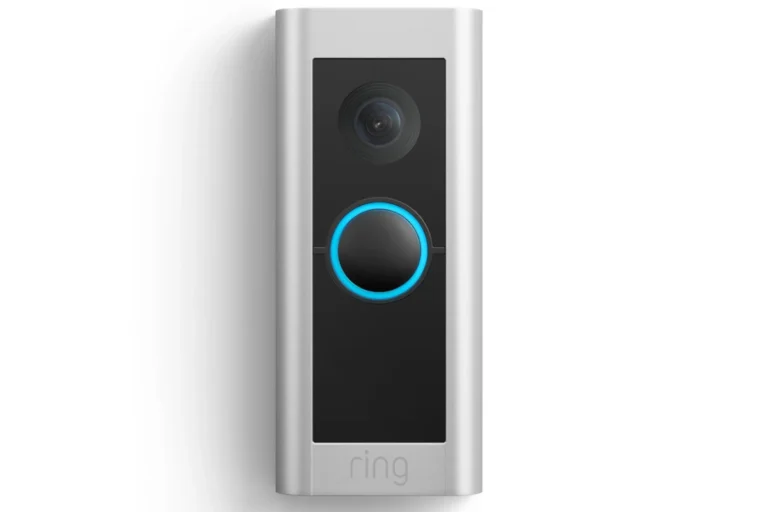
- Ring Video Doorbell Pro 2
- Nest Doorbell (Battery or Wired)
- Arlo Video Doorbell
- Eufy Video Doorbell
Cost range: $100-$300
Smart Locks
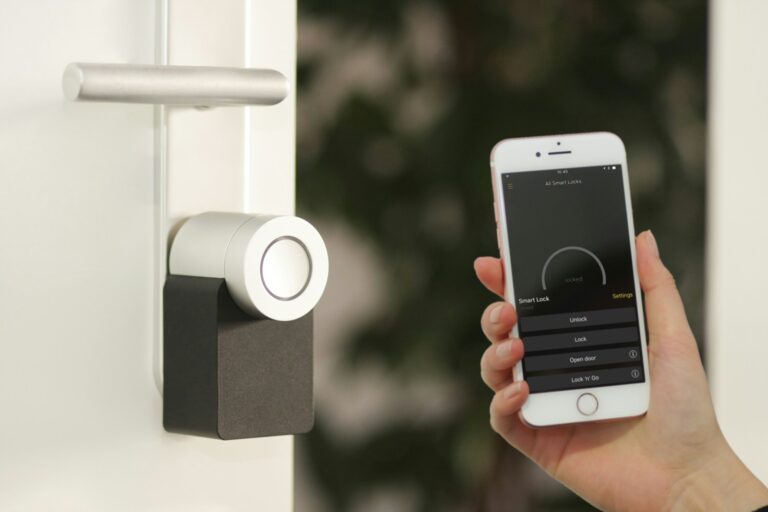
Why you need it: Keyless entry, remote access, temporary codes for guests, integration with other devices
Essential features:
- Multiple unlock methods (code, app, key, biometric)
- Auto-lock functionality
- Geofencing
- Temporary access codes
- Activity logs
- Works with existing deadbolt
Recommended models:
- August Wi-Fi Smart Lock
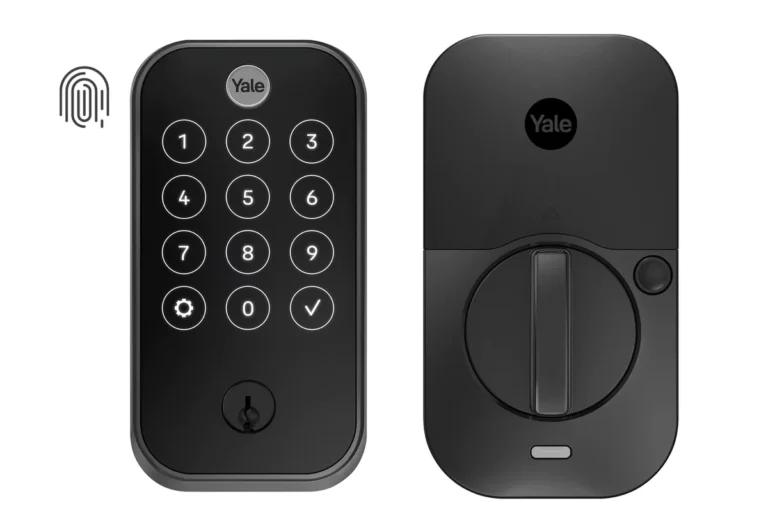
- Yale Assure Lock 2
- Schlage Encode Plus
- Kwikset Halo
Cost range: $150-$350
Security Cameras
Why you need it: Monitor your property 24/7, deter intruders, provide evidence if needed
Key specifications:
- Indoor and outdoor models
- Weather resistance (for outdoor)
- High-definition video (minimum 1080p)
- Night vision or color night vision
- Motion and sound detection
- Local and/or cloud storage
- Smart alerts (person, vehicle, animal detection)
Coverage recommendations:
- Front door/porch
- Backyard
- Driveway
- Side entrances
- Common areas inside (if desired)
Popular brands:
- Arlo Pro 4/5
- Ring Stick Up Cam
- Nest Cam
- Wyze Cam
- Reolink
Cost range: $50-$400 per camera
Smart Alarm System
Why you need it: Comprehensive home security with professional monitoring options
Components:
- Control panel/hub
- Door and window sensors
- Motion sensors
- Glass break sensors
- Panic buttons
- Environmental sensors (smoke, CO, water)
Top systems:
- SimpliSafe
- Ring Alarm Pro
- ADT Command
- Abode
Cost range: $200-$600 (equipment) + $10-$60/month (monitoring)
Smart Lighting: Set the Perfect Mood
Smart lighting is one of the most popular and impactful smart home upgrades (source: Crutchfield).
Smart Bulbs
Why you need it: Adjust brightness and color, create schedules, save energy, set scenes
Features to consider:
- Color temperature adjustable (warm to cool white)
- Full RGB color spectrum
- Dimming capabilities
- Voice control
- Scheduling and automation
- Energy monitoring
- Long lifespan (15,000+ hours)
Room-by-room recommendations:
- Living room: Color-changing bulbs for ambiance
- Bedroom: Warm dimmable bulbs for relaxation
- Kitchen: Bright white bulbs for tasks
- Bathroom: Daylight bulbs for grooming
- Outdoor: Weather-resistant smart bulbs
Popular brands:
- Philips Hue
- LIFX
- Wyze Bulbs
- Sengled
- Nanoleaf
Cost range: $10-$60 per bulb
Smart Light Switches
Why you need it: Control existing fixtures, no bulb replacement needed, more permanent solution
Advantages:
- Works with any bulb
- Controls multiple lights at once
- Maintains functionality even without internet
- Better for high-use areas
- Often more cost-effective for multiple bulbs
Key features:
- Neutral wire required (check compatibility)
- Dimming capabilities
- Scene setting
- Scheduling
- Voice control
- 3-way switch compatibility
Recommended brands:
- Lutron Caséta
- TP-Link Kasa
- GE Cync
- Leviton Decora
Cost range: $20-$80 per switch
Smart Outdoor Lighting
Why you need it: Enhanced security, energy efficiency, automated schedules, curb appeal
Types:
- Motion-activated floodlights
- Pathway lights
- Landscape lighting
- Porch lights
- String lights
Cost range: $25-$200 per fixture
Climate Control: Comfort and Efficiency
Smart Thermostat
Why you need it: Reduce energy bills by up to 23%, remote temperature control, learning capabilities (source: The Modest Man)
Must-have features:
- Learning algorithms
- Geofencing
- Room sensors (for multi-zone control)
- Energy reports
- HVAC compatibility check
- Voice control
- Remote access
- Scheduling
Top choices:
- Google Nest Learning Thermostat
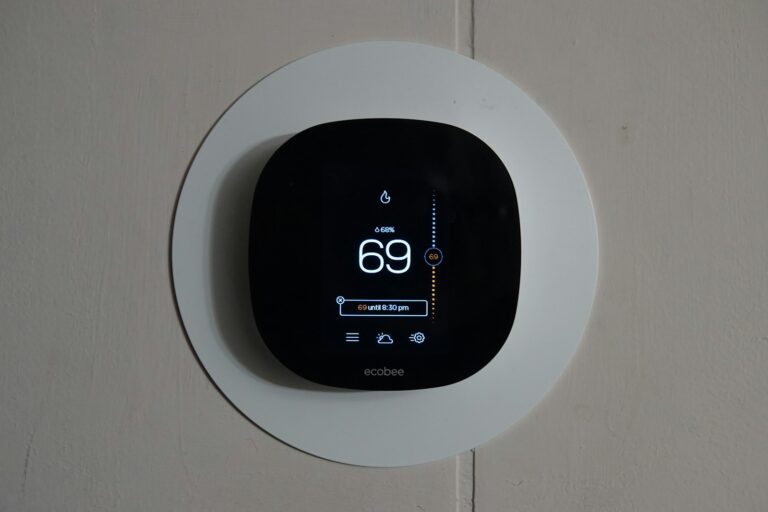
- Ecobee SmartThermostat
- Honeywell Home T9
- Amazon Smart Thermostat
Cost range: $100-$300
Annual savings: $150-$300 on energy bills
Smart Ceiling Fans
Why you need it: Energy-efficient climate control, voice and app control, scheduling
Features:
- Variable speeds
- Directional control
- Light integration
- Quiet operation
- Energy monitoring
Popular models:
- Hunter Symphony
- Big Ass Fans Haiku
- Modern Forms
Cost range: $200-$600
Smart Air Purifiers
Why you need it: Improved air quality, allergen reduction, automated operation
Key specifications:
- HEPA filtration
- Air quality sensors
- Auto mode based on air quality
- Filter replacement alerts
- Quiet operation
Recommended brands:
- Dyson Purifier
- Levoit
- Coway
Cost range: $100-$700
Smart Kitchen and Appliances
Smart Refrigerator
Why you need it: Inventory management, expiration tracking, family communication hub
Advanced features:
- Interior cameras
- Touchscreen display
- Grocery list creation
- Recipe suggestions
- Family calendar
- Music and entertainment
- Food freshness monitoring
Leading brands:
- Samsung Family Hub
- LG InstaView
- GE Profile
Cost range: $2,000-$4,500
Smart Oven/Range
Why you need it: Remote preheating, cooking monitoring, precise temperature control
Key capabilities:
- Remote start/stop
- Temperature monitoring
- Cooking notifications
- Recipe guidance
- Voice control
- Timer management
Cost range: $1,000-$3,000
Smart Dishwasher
Why you need it: Cycle notifications, energy monitoring, remote start
Features:
- Leak detection
- Detergent level monitoring
- Cycle status updates
- Energy usage tracking
- Delayed start scheduling
Cost range: $600-$1,500
Smart Coffee Maker
Why you need it: Wake up to fresh coffee, schedule brewing, customize preferences
Popular features:
- Scheduled brewing
- Voice control
- Strength customization
- Keep-warm settings
- Water level monitoring
Top picks:
- Hamilton Beach Alexa-enabled
- Atomi Smart Coffee Maker
- GE Profile Smart Mixer with Auto Sense
Cost range: $100-$300
Smart Plugs
Why you need it: Make “dumb” appliances smart, control any device remotely, energy monitoring
Use cases:
- Coffee makers
- Lamps
- Space heaters
- Fans
- Christmas lights
- Chargers
Essential features:
- Energy monitoring
- Scheduling
- Voice control
- Compact design
- Surge protection
Recommended brands:
- TP-Link Kasa
- Wemo Mini
- Amazon Smart Plug
- Wyze Plug
Cost range: $8-$30 per plug
Entertainment and Media
Smart TV
Why you need it: Streaming integration, voice control, seamless connectivity
Key features:
- 4K or 8K resolution
- HDR support
- Built-in streaming apps
- Voice assistant integration
- Screen mirroring
- Gaming capabilities
Cost range: $400-$3,000+
Smart Speakers
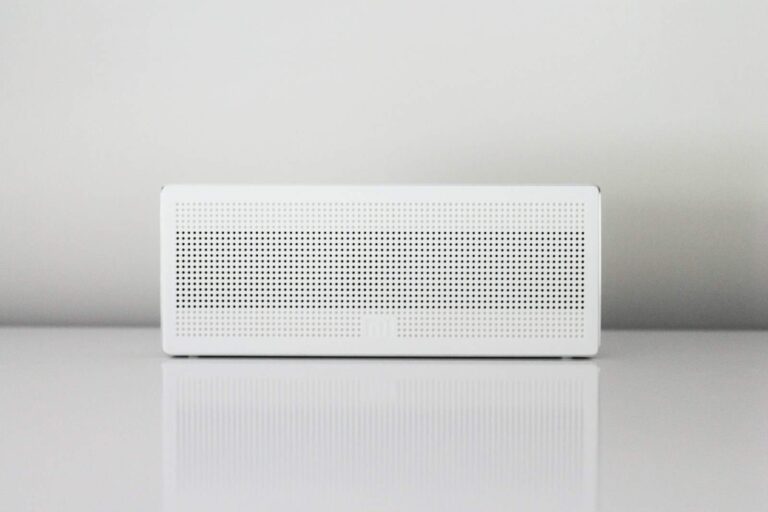
Why you need it: Voice control hub, music streaming, smart home control center
Placement recommendations:
- Kitchen: For timers, recipes, music
- Living room: Entertainment control
- Bedroom: Alarms, sleep sounds
- Home office: Productivity features
Popular options:
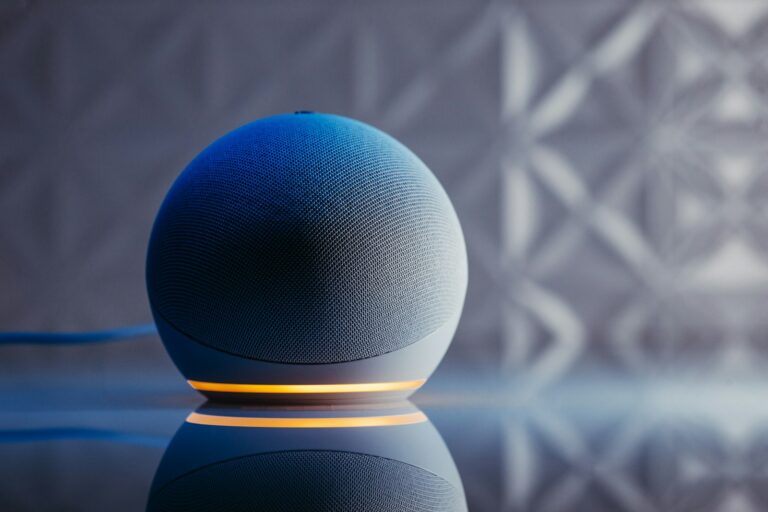
- Amazon Echo (various models)
- Google Nest Audio/Hub
- Apple HomePod
- Sonos One
Cost range: $50-$300 per speaker
Smart Displays
Why you need it: Visual feedback, video calls, recipe display, security camera viewing
Best uses:
- Kitchen: Recipe following
- Bedside: Alarm clock with info display
- Entryway: Security camera monitoring
- Living room: Photo frame and control center
Top choices:
- Amazon Echo Show
- Google Nest Hub Max
- Facebook Portal
Cost range: $80-$250
Universal Smart Remote
Why you need it: Control all entertainment devices, simplified interface, voice integration
Features:
- Multi-device control
- Custom buttons
- Voice control
- App integration
- Activity-based controls
Best options:
- Logitech Harmony Elite (if still supported)
- Sofabaton U1
- Amazon Fire TV Cube
Cost range: $100-$300
Bedroom and Bathroom Essentials
Smart Mattress/Bed
Why you need it: Sleep tracking, adjustable firmness, climate control
Advanced features:
- Sleep quality monitoring
- Dual-zone temperature
- Adjustable base control
- Snore detection and response
- Smart alarm
Premium brands:
- Sleep Number 360
- Eight Sleep Pod
- Tempur-Pedic Ergo
Cost range: $1,000-$5,000+
Smart Alarm Clock
Why you need it: Gentle wake-ups, sleep tracking, sunrise simulation
Key features:
- Sunrise/sunset simulation
- Sleep sound library
- Backup battery
- Voice
Key Takeaways
- A well-planned smart home checklist should begin with internet speed testing and identifying the core systems most important to your lifestyle.
- Smart home security elements like door locks and cameras require special consideration to ensure they work together properly and maintain home safety.
- Regular documentation of all connected devices, including manuals and manufacturer contacts, helps with troubleshooting and maintenance of your smart home ecosystem.
Understanding Smart Home Basics
Smart homes combine technology with everyday living to create spaces that respond to your needs automatically. The right setup can transform how you interact with your home while saving energy and money.
Defining a Smart Home
A smart home is a residence equipped with devices that can be controlled remotely via internet connection using a smartphone, tablet, or voice commands. These connected devices work together to automate routines and enhance daily living.
The foundation of any smart home is a reliable Wi-Fi network that reaches all areas of your house. Without good connectivity, smart devices won’t function properly. Before purchasing any gadgets, check how tech-friendly your home is, especially Wi-Fi coverage.
Smart homes typically include several key components:
- Hub or controller: Central system that connects devices
- Smart speakers: Voice-controlled assistants like Amazon Echo or Google Home
- Connected appliances: Refrigerators, washers, thermostats that can be monitored remotely
- Security devices: Cameras, doorbells, and locks with remote access
Benefits of a Smart Home
Smart homes offer numerous advantages that improve lifestyle while potentially reducing costs. The most immediate benefit is convenience – controlling lights, temperature, and entertainment systems without getting up from the couch.
For busy households, automation creates significant time savings. Imagine doors that lock automatically when you leave or lights that adjust based on the time of day.
Energy efficiency represents another major advantage. Smart thermostats learn your preferences and adjust heating and cooling automatically, potentially saving money on utility bills. Similarly, smart lighting can reduce electricity usage by turning off when rooms are unoccupied.
Enhanced security features like remote monitoring and automated alerts provide peace of mind, especially for travelers. The ability to check security cameras or receive notifications about unusual activity makes homes safer.
Planning Your Smart Home Checklist
Creating a smart home involves careful planning to ensure you get the most value from your investment. A well-thought-out approach helps avoid compatibility issues and unnecessary expenses while maximizing convenience and functionality.
Setting Goals and Priorities
Before purchasing any smart devices, identify what you want to achieve with home automation. Many homeowners focus on three main areas: security, convenience, and energy efficiency.
Security goals might include smart doorbells, cameras, and alarm systems. For convenience, consider voice assistants, automated lighting, or smart appliances. Energy efficiency can be achieved through smart thermostats and automated blinds.
Make a list of daily frustrations your smart home could solve. Do you frequently forget to turn off lights? A simple automation could fix this. Are you concerned about home security while traveling? Smart security systems might be your priority.
Rank these priorities based on what matters most to your household. This ranking will guide your purchasing decisions and implementation timeline.
Assessing Your Current Setup
Take inventory of your existing technology and home infrastructure. List your current devices, internet speed, and home network capabilities.
Check your Wi-Fi coverage throughout your home. Smart devices require reliable connections, and dead zones can cause frustration. Consider mesh networks if coverage is spotty.
Review your home’s electrical setup. Older homes might need updates to support certain smart devices. For example, smart switches often require neutral wires that might be absent in older electrical boxes.
Look at your current connected devices and their compatibility with smart home systems. Many existing appliances might already have smart capabilities you haven’t activated.
Make note of your home’s floor plan and room layout. This will help determine placement for hubs, sensors, and other devices.
Considering Your Budget
Smart home technology ranges from budget-friendly to extremely expensive. Set a realistic total budget, then allocate funds to your priority areas.
Start small with foundational elements. A smart speaker ($50-$100) or hub serves as the control center. Add compatible devices gradually as your budget allows.
Consider both upfront costs and ongoing expenses. Some systems require subscriptions for advanced features or cloud storage. A $200 security camera might cost an additional $10-$15 monthly for cloud recording.
Look for ecosystem compatibility to maximize value. Devices that work together within the same system often provide better functionality and fewer headaches than mixing different platforms.
Building your smart home in phases helps spread costs. Focus first on high-impact, high-priority items, then expand your system as budget permits.
Core Smart Home Systems
Building a smart home begins with selecting the right foundational systems. These core components work together to create convenience, security, comfort, and entertainment while potentially increasing your home’s value.
Home Security Essentials
A robust security system forms the backbone of any smart home setup. Start with a smart doorbell that offers video capabilities and two-way communication, allowing you to see and speak with visitors from anywhere. Popular options include Ring, Nest, and Eufy’s 2K wired doorbell.
Smart locks provide keyless entry through PIN codes, smartphones, or fingerprints. Many models integrate with other security devices to create automated routines, such as unlocking doors when trusted people approach.
Motion sensors and security cameras complete the package. Place cameras at entry points and vulnerable areas, ensuring they offer night vision and weather resistance. For comprehensive protection, consider a monitored security system that alerts authorities during emergencies.
Don’t forget window sensors and glass break detectors to create a complete security perimeter. Many systems now offer easy DIY installation with professional monitoring options.
Smart Lighting and Appliances
Smart lighting transforms how you interact with your home. Begin with smart bulbs in high-traffic areas like living rooms and kitchens. These bulbs can change brightness, color, and be controlled remotely via apps or voice commands.
For more permanent installations, consider smart switches that work with your existing fixtures. These are ideal for ceiling fans, outdoor lighting, and pendant lights. Create lighting scenes for different activities—bright for cooking, dim for movie nights.
Smart appliances streamline daily tasks. A smart refrigerator can track groceries and suggest recipes, while automated blinds and curtains adjust based on time of day or sunlight levels.
For laundry, smart washers and dryers allow remote monitoring and can start cycles during off-peak electricity hours. Small appliances like coffee makers, slow cookers, and robot vacuums can be programmed to operate on schedules that fit your lifestyle.
Climate Control and Thermostats
Smart thermostats stand out as one of the most practical and cost-effective smart home investments. These devices learn your schedule and preferences, automatically adjusting temperatures to save energy while maintaining comfort.
Leading options like Nest, Ecobee, and Honeywell offer features such as room sensors that detect occupancy and adjust heating or cooling accordingly. Many integrate with weather forecasts to optimize performance based on outside conditions.
Zone-based systems allow different temperature settings for separate areas of your home. This prevents wasting energy heating or cooling unused rooms while ensuring comfort where you spend most of your time.
For homes with existing HVAC systems, smart vents can direct airflow to specific rooms. Add smart fans and air purifiers that respond to air quality readings for a complete climate ecosystem. Many of these devices can reduce energy costs by 10-15% when properly configured.
Home Entertainment Components
A modern smart entertainment system centers around a smart TV with built-in streaming capabilities and voice control. These connect to your home network and support apps like Netflix, Hulu, and Disney+.
Smart speakers like Amazon Echo or Google Nest serve as both entertainment hubs and control centers. Place them strategically throughout your home for whole-house audio and convenient voice commands for your other smart devices.
For movie enthusiasts, consider a smart soundbar or surround sound system that integrates with your TV and streaming services. Many support voice control and automatic room calibration for optimal sound.
Gaming consoles like Xbox and PlayStation now double as entertainment centers with streaming capabilities. Complete your setup with smart lighting that syncs with on-screen content for an immersive experience.
Don’t forget to create an inventory of all your entertainment devices, including manuals and manufacturer information for easier troubleshooting and updates.
Selecting Smart Home Devices
Choosing the right smart devices for your home requires careful consideration of your specific needs, budget, and existing technology setup. The foundation of a secure and convenient smart home begins with reliable security options, access control systems, and sensor technologies.
Security Cameras and Video Doorbells
Security cameras and video doorbells form the frontline of home protection in a smart security setup. When selecting security cameras, homeowners should consider:
- Resolution: Look for at least 1080p for clear footage
- Field of view: Wider angles cover more area
- Night vision capabilities: Essential for 24-hour monitoring
- Weather resistance: IP65 or higher rating for outdoor cameras
- Storage options: Cloud vs. local storage
Video doorbells combine doorbell functionality with security cameras, allowing homeowners to see and speak with visitors remotely. These devices typically offer motion detection alerts and recording capabilities when someone approaches the door.
Most smart cameras now include AI features that can distinguish between people, animals, and vehicles, reducing false alerts. Consider compatibility with your existing smart home ecosystem before purchasing.
Smart Locks and Access Control
Smart door locks provide keyless entry and remote access control, enhancing both security and convenience. Key features to evaluate include:
Access Methods:
- PIN codes (with guest codes for temporary access)
- Fingerprint scanning
- Mobile app control
- Key fob/card compatibility
- Voice assistant integration
Battery life is crucial—most quality smart locks operate for 6-12 months before needing replacement batteries. Look for models with low-battery warnings sent to your phone.
Many systems allow homeowners to create schedules and logs of who enters and exits. This feature proves particularly valuable for monitoring service providers or children arriving home from school.
Consider whether the lock needs to integrate with other security systems or if it will operate independently. Some advanced systems offer geofencing to automatically unlock doors when authorized users approach.
Smart Sensors and Alarms
A comprehensive security setup includes various smart sensors working together to detect potential issues. Essential sensor types include:
- Motion sensors: Alert homeowners to unexpected movement
- Door/window sensors: Detect when entry points are opened
- Glass break sensors: Recognize the sound of breaking glass
- Smart smoke detectors: Provide remote alerts about fire or carbon monoxide
Water leak sensors can prevent costly damage by detecting leaks early. Temperature sensors can monitor specific areas like wine cellars or nurseries where maintaining certain conditions is important.
When selecting sensors, ensure they communicate effectively with your hub or app. Many modern systems allow for customizable automation—for example, having lights turn on when motion is detected or sending alerts when unusual activity occurs during specified hours.
Integration and Automation
The foundation of a truly intelligent home lies in how well your devices work together. Smart integration saves time, reduces frustration, and creates a more intuitive living environment that responds to your needs without constant management.
Creating a Seamless Smart Home Ecosystem
A well-integrated smart home ecosystem functions like a symphony rather than individual instruments playing separately. Start by ensuring device compatibility before purchasing new gadgets. Many leading manufacturers like Google, Amazon, and Apple design their products to work within their respective ecosystems.
Use routines or scenes to link multiple actions together. For example, a “Good Morning” routine could raise the blinds, adjust the thermostat, turn on lights, and start your coffee maker—all with a single command or at a scheduled time.
Seamless integration requires thoughtful placement of devices. Consider where sensors will be most effective and where voice assistants can easily hear commands throughout your home.
Wi-Fi dead zones can disrupt your smart home experience. Install mesh network systems to ensure consistent connectivity for all devices, especially in larger homes or those with thick walls.
Choosing the Right Smart Home Hub
A smart home hub serves as the command center for your connected devices. Popular options include:
- Amazon Alexa/Echo: Excellent voice control with wide device compatibility
- Google Home/Nest: Strong search capabilities and seamless Google service integration
- Apple HomeKit: Superior security features and privacy controls
- Samsung SmartThings: Extensive third-party device support
- Hubitat: Local processing for faster response times and privacy
When selecting a hub, consider which smart devices you plan to include in your automation setup. Some specialized devices may only work with specific platforms.
Voice assistant compatibility is crucial for hands-free control. Determine which assistant’s voice recognition and natural language processing works best for your household’s needs and accents.
For tech-savvy homeowners, look for hubs that offer advanced customization options through IFTTT (If This Then That) or API access for creating personalized automations beyond standard features.
Setting Up and Configuring Your Smart Home
A successful smart home setup requires careful planning of your network infrastructure, proper installation of devices, and thoughtful management of user accounts. These foundational elements ensure your smart home operates efficiently and securely.
Network and Internet Requirements
A robust Wi-Fi network forms the backbone of any smart home system. Most smart devices require a consistent internet connection to function properly and receive updates.
Internet speed is crucial – experts recommend at least 25 Mbps for homes with multiple connected devices. Higher speeds become necessary as you add more bandwidth-intensive devices like security cameras or video doorbells.
Consider a mesh Wi-Fi system for larger homes to eliminate dead zones. These systems use multiple access points to ensure consistent coverage throughout the property.
Router placement matters significantly. Position your router centrally and away from interference sources like microwaves and thick walls.
Separate IoT networks can improve security. Many modern routers offer guest network functionality that can isolate smart devices from your main network containing sensitive information.
Device Installation and Connection
Before installing devices, create an inventory document listing each device’s location, purpose, and connectivity requirements. This planning prevents complications later.
Read installation instructions thoroughly before mounting or connecting any device. Smart thermostats, doorbell cameras, and lighting systems often require specific wiring considerations.
Set up central hubs like Amazon Echo, Google Home, or Apple HomePod first. These will serve as command centers for your smart home ecosystem.
When connecting devices:
- Power the device on
- Download the manufacturer’s app
- Follow in-app instructions to connect to Wi-Fi
- Test functionality before finalizing installation
Label all devices physically and digitally for easier troubleshooting. This becomes invaluable as your smart home grows.
Consider professional installation for complex systems like whole-home audio or advanced security setups.
User Accounts and Permissions
Create a primary administrator account using a strong, unique password for your smart home ecosystem. This account should have complete control over all devices and settings.
Set up individual user accounts for household members with appropriate permission levels. For example, children might have limited access to certain functions or time restrictions.
Voice match technology in Google Home and Alexa devices can personalize responses based on who is speaking. Configure this for each household member.
Implement two-factor authentication wherever available. This adds a crucial layer of security to prevent unauthorized access.
Review third-party integrations carefully. Many smart devices request access to other services – only approve connections from trusted sources and regularly audit these permissions.
When sharing access with guests or service providers, use temporary codes or limited-time permissions instead of sharing primary credentials.
Smart Home Security Measures
Protecting a smart home requires both digital and physical security strategies. Modern smart homes need robust security to keep both data and physical property safe from threats.
Implementing Cybersecurity Practices
Strong passwords are the first line of defense for any smart home system. Create unique passwords for each device and account, avoiding common phrases or personal information. Experts recommend using a password manager to keep track of these credentials.
Two-factor authentication adds an extra layer of security beyond just passwords. This requires a second verification step, usually through a text message or authentication app, before granting access to your smart home system.
Regular updates are crucial for security. Many smart devices receive security patches to fix vulnerabilities. Set devices to update automatically when possible or create a monthly reminder to check for updates.
Network security matters too. Consider setting up a separate Wi-Fi network just for smart home devices. This isolates them from your main network where sensitive information is stored.
Physical Device Safety
Smart locks and security cameras form the foundation of physical smart home security. Position cameras to cover entry points and ensure they’re weather-resistant if installed outdoors. Many smart home security systems now offer motion detection with instant alerts.
Secure your hub or controller device. Place central control systems in locations that aren’t easily accessible to visitors or visible from windows.
Consider installing smart smoke detectors and carbon monoxide monitors. These devices can send alerts to your phone even when you’re away, potentially saving lives and property.
When moving into a new home, reset all access codes for alarm systems, gates, and garage door openers. Previous owners or builders might still have access otherwise.
Backup power solutions ensure security systems remain functional during outages. Battery backups for critical security components like cameras and alarm systems provide continuous protection.
Maintenance and Troubleshooting
Keeping smart home technology functioning properly requires regular attention and knowing how to handle problems when they arise. Proper maintenance extends device life while quick troubleshooting minimizes disruptions to the connected home experience.
Routine Check-ups for Devices
Smart home devices need regular maintenance to function at their best. Owners should keep all equipment clean and dry, avoiding placement in dirty or cluttered areas that can affect performance.
Battery-powered devices require special attention. Many smart locks, sensors, and remotes rely on batteries that need replacement every 3-6 months. Creating a battery replacement schedule prevents unexpected failures at inconvenient times.
Software updates are equally important for device health. Most connected devices should be kept updated with the latest firmware to ensure security patches and new features are installed. Many devices can update automatically, but some require manual intervention.
A quarterly maintenance checklist helps ensure nothing is overlooked:
- Check battery levels in all devices
- Clean camera lenses and sensors
- Verify all devices appear online in control apps
- Test critical systems like security cameras and locks
Handling Technical Issues
When smart home technology malfunctions, a systematic approach to troubleshooting saves time and frustration. The most common solution is surprisingly simple: power cycling. Turning devices off for 30 seconds before restarting often resolves connectivity issues.
Network problems frequently cause device failures. If multiple devices disconnect simultaneously, the home’s Wi-Fi router likely needs attention. Positioning the router centrally and away from interference sources can improve connection stability.
For persistent issues, consulting device documentation is essential. Homeowners should obtain and maintain an inventory of all connected devices including manuals and manufacturer contact information.
Security concerns require immediate action. Homeowners should reset all passwords for sensitive devices like smart locks, security cameras, and alarm systems if unauthorized access is suspected or after any household personnel changes.
When self-troubleshooting fails, manufacturer support channels typically offer the most device-specific assistance rather than general smart home forums.
Enhancing Your Smart Home Experience
Taking your smart home to the next level involves integrating advanced features that work seamlessly together. The right tools and connections can transform a basic setup into a truly responsive living space.
Voice Control and Virtual Assistants
Voice assistants serve as the backbone of many modern smart homes. Amazon Echo and Google Home devices act as central hubs that can control multiple devices through simple voice commands.
Setting up voice profiles for different household members allows for personalized experiences. Each person can access their own calendars, playlists, and preferences when the assistant recognizes their voice.
Privacy settings should be reviewed regularly. Most assistants include options to delete recordings, mute microphones when desired, and control what information is stored.
For multilingual households, both Amazon Alexa and Google Assistant support multiple languages, allowing everyone to interact naturally with devices. The coverage throughout the home can be expanded with satellite devices placed in different rooms.
Extending Automation with IFTTT and Others
Automation platforms like IFTTT (If This Then That) bridge gaps between devices that wouldn’t normally communicate. Creating custom “recipes” allows triggers from one device to activate actions in another.
Smart plugs and smart switches become more powerful when integrated with automation platforms. They can be programmed to respond to environmental factors:
- Lights dimming when a streaming device starts playing a movie
- Fans activating when temperatures rise above certain levels
- Coffee makers starting when your alarm goes off
Home automation platforms also allow for creating complex scenes that execute multiple commands simultaneously. “Movie night” could dim lights, lower blinds, and turn on the TV with one command.
Advanced Smart Home Features
Smart garage controllers add security and convenience by allowing remote access and monitoring. They can automatically close at set times or when everyone leaves the house.
Geofencing creates automated responses based on household members’ locations. The home can prepare itself—adjusting temperatures, turning on lights, and disabling alarms—when it detects you’re approaching.
Energy monitoring systems track usage patterns and suggest efficiency improvements. They can identify power-hungry devices and automate their operation during off-peak hours.
Security integration connects doorbell cameras, motion sensors, and smart locks into a cohesive system. Alerts can be customized based on recognition of familiar faces or unusual activity patterns.
Data dashboards provide insights into home operations, from water usage to air quality. This information helps homeowners make informed decisions about comfort and efficiency.
Frequently Asked Questions
Many homeowners have questions about setting up smart homes. These answers address common concerns about components, planning, security, compatibility, energy efficiency, and new technology trends.
What components are essential for setting up a smart home?
A reliable Wi-Fi network serves as the foundation of any smart home. Before buying any devices, check your home’s Wi-Fi signal strength in all rooms to ensure consistent connectivity.
Smart speakers or displays (like Amazon Echo or Google Nest Hub) act as central control points. These hubs allow voice control and can manage multiple devices from one interface.
Smart plugs, lights, and thermostats make excellent starter devices. They’re relatively inexpensive and provide immediate benefits in convenience and energy savings.
How do you plan an effective smart home automation system?
Start by identifying specific problems you want to solve or conveniences you want to add. This keeps your system purposeful rather than filled with gadgets you won’t use.
Consider your household makeup and daily routines when planning. A home with children, pets, or elderly residents may need different features than one without.
For new construction, plan early for smart home integration. This includes wiring considerations, outlet placement, and space for hubs and controllers.
What security measures should be included in a smart home?
Use unique, strong passwords for all smart devices and their associated accounts. Enable two-factor authentication whenever available for additional protection.
Regularly update firmware and software for all devices. Manufacturers frequently release security patches to address vulnerabilities.
Consider devices with local processing rather than cloud-dependent options for sensitive security applications like cameras and door locks. This reduces internet-based security risks.
Which smart home devices offer the best compatibility with other products?
Look for devices that support open standards like Matter, Zigbee, or Z-Wave. These protocols are designed to work across different brands and platforms.
Major ecosystems like Amazon Alexa, Google Home, and Apple HomeKit offer extensive compatibility with many third-party devices. Research which system supports your must-have devices before committing.
Hub-based systems like Samsung SmartThings provide excellent integration capabilities. They can connect diverse devices and create sophisticated automation routines across brands.
How can a homeowner incorporate energy efficiency into their smart home setup?
Smart thermostats learn household patterns and optimize heating and cooling cycles. Models from Nest, Ecobee, and others can reduce energy usage by 10-15% through intelligent scheduling.
Motion-sensing smart lights automatically turn off in empty rooms. Combined with LED bulbs, they substantially reduce electricity consumption.
Energy monitoring devices track power usage throughout the home. They identify energy-hungry appliances and help homeowners make informed decisions about usage patterns.
What are the latest trends in smart home technology?
AI-powered predictive automation is becoming more sophisticated. Systems now learn household patterns and proactively suggest or implement routines without manual programming.
Matter protocol adoption is expanding rapidly. This universal standard is simplifying device setup and improving cross-brand compatibility for a more seamless smart home experience.
Health-focused smart home features are growing in popularity. Devices now monitor air quality, sleep patterns, and even detect falls, making homes safer and healthier for occupants.