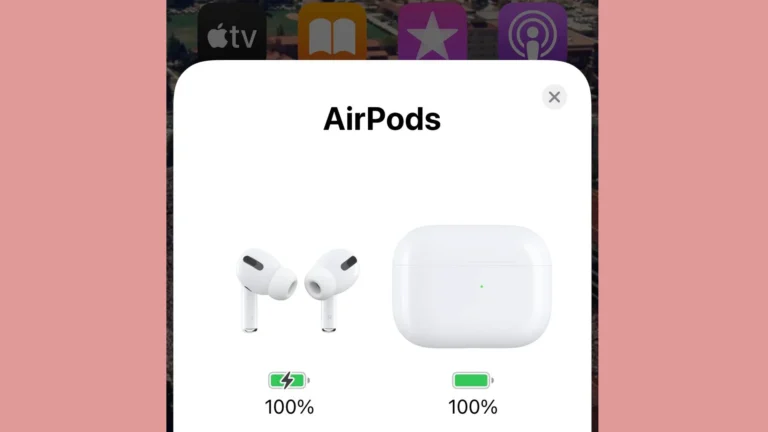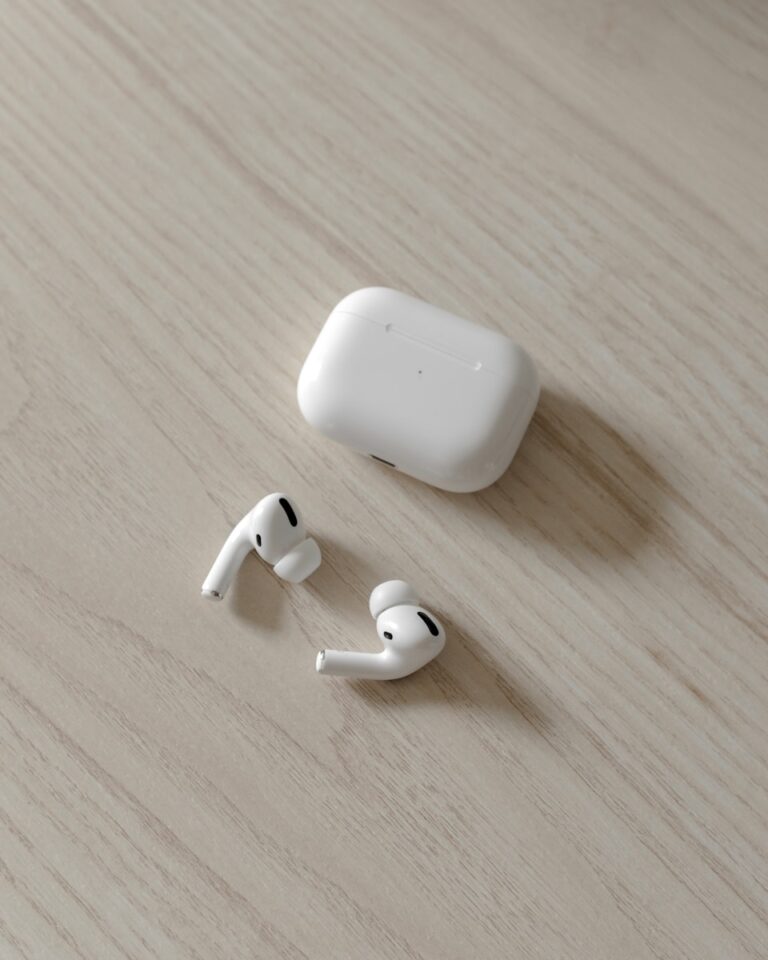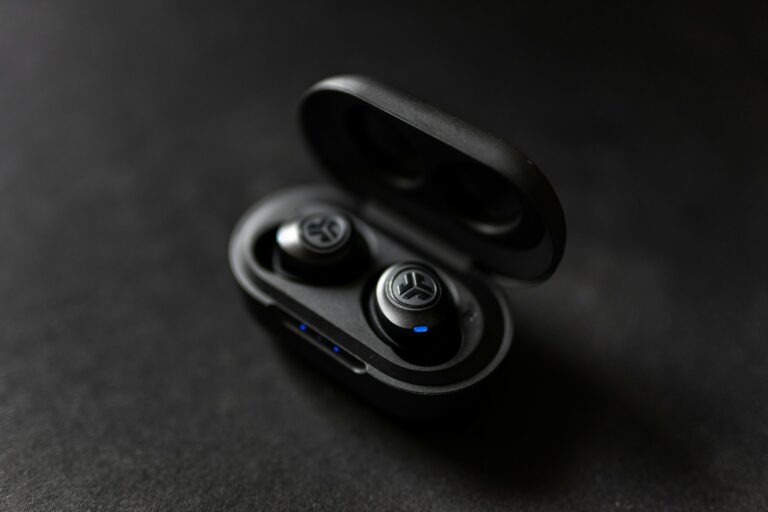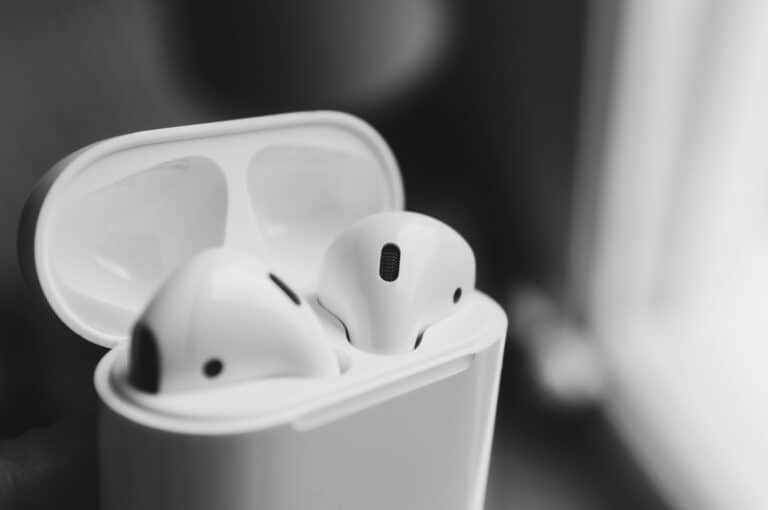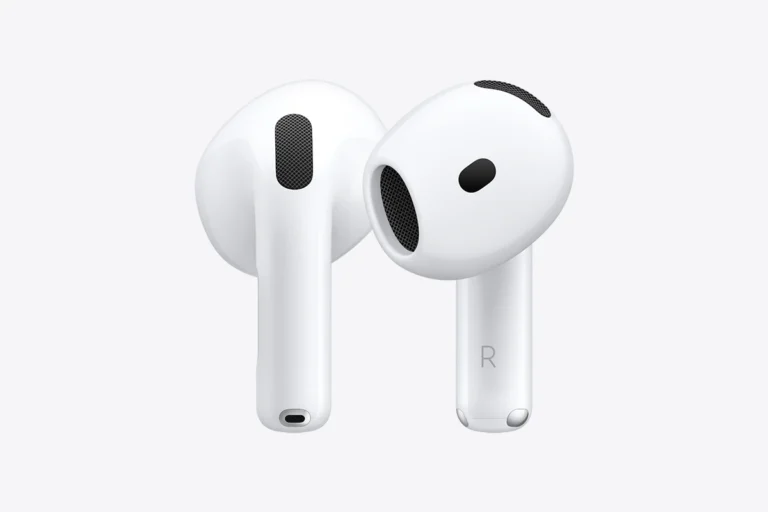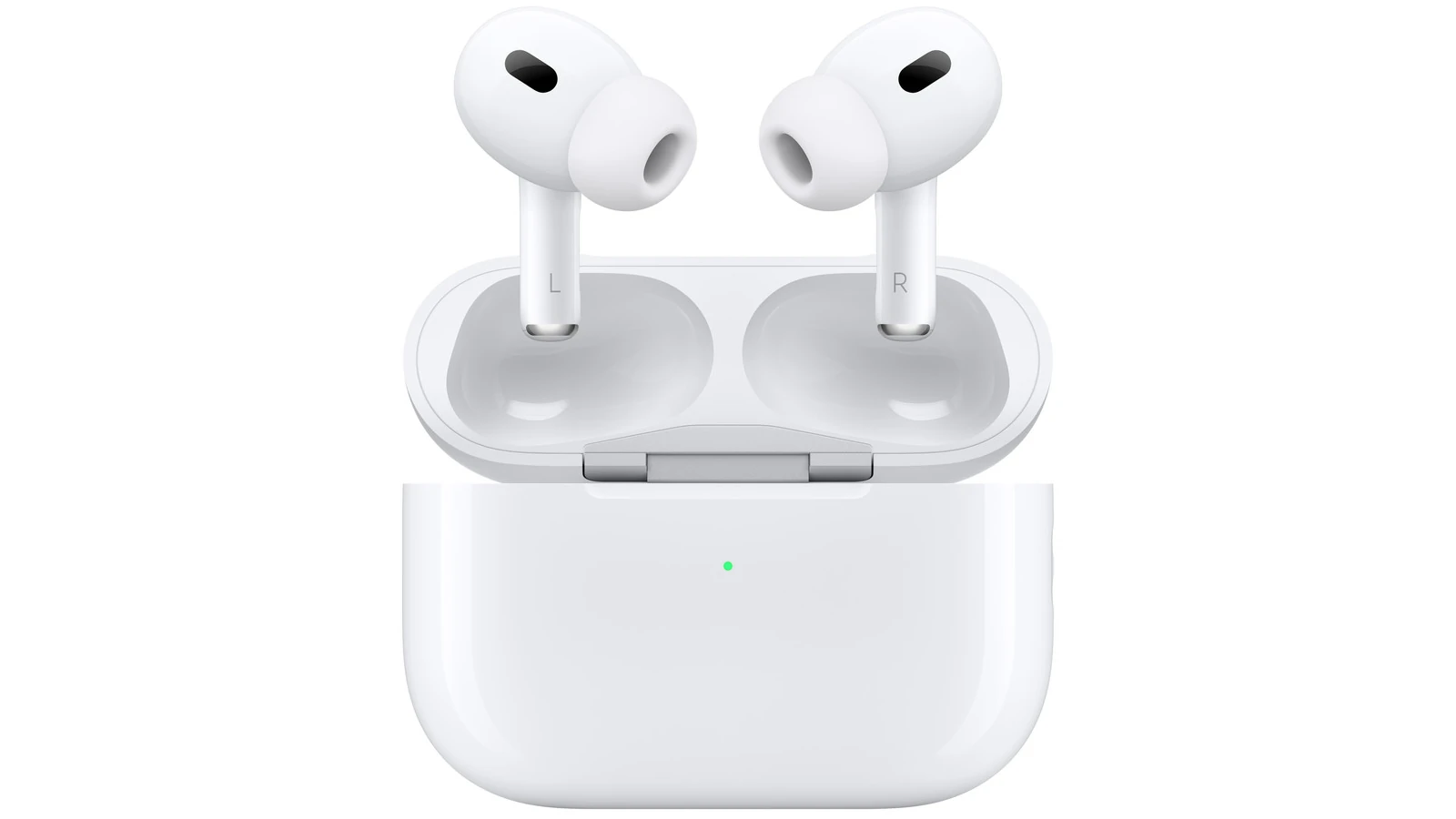
Wireless earbuds like AirPods have become essential daily companions, but they can quickly collect earwax, dirt, and bacteria that affect both sound quality and hygiene. These tiny devices require special care to keep them working properly. The safest way to clean AirPods and other wireless earbuds is to use a soft, dry, lint-free cloth for the exterior and a slightly dampened cloth with fresh water for stubborn marks, making sure to thoroughly dry them afterward.
For deeper cleaning challenges, specialized methods can restore even the grimiest earbuds. The mesh speakers often collect the most wax and debris, requiring gentle techniques to avoid damage. Some users have found success using hydrogen peroxide for silicone tips or disinfecting wipes for exterior surfaces, but caution must be exercised to prevent moisture from entering sensitive electronic components.
How to Clean Your AirPods and Other Wireless Earbuds Safely (2026 Guide)
Wireless earbuds collect earwax, sweat, dust, and bacteria quickly. Regular cleaning improves sound quality, microphone clarity, comfort, and longevity.
This guide shows you how to safely clean AirPods, AirPods Pro, Beats, and other wireless earbuds — without damaging them.
⚠️ Before You Start
- Turn off and disconnect your earbuds.
- Never run them under water.
- Avoid bleach, hydrogen peroxide, or harsh cleaners.
- Don’t insert metal objects into speaker grilles.
Apple specifically advises using a soft, dry, lint‑free cloth and avoiding liquid entry into openings (source: Apple Support – How to clean your AirPods).
What You’ll Need
✅ Microfiber cloth
✅ Soft dry toothbrush
✅ Wooden toothpick
✅ Cotton swabs
✅ 70% isopropyl alcohol (optional, light use only)
✅ Small brush (soft-bristled)
Part 1: How to Clean AirPods & Earbuds (Outer Surface)
Step 1: Wipe Them Down
Use a dry microfiber cloth to remove surface dirt.
For sticky residue:
- Lightly dampen the cloth with water.
- Wipe gently.
- Dry immediately.
Apple recommends avoiding excessive moisture (source: Apple Support).
Part 2: Cleaning the Speaker Grilles (Most Important Step)
Blocked speaker mesh can cause:
- Lower volume
- Muffled sound
- Poor call quality
Safe Method:
- Use a dry, soft toothbrush.
- Gently brush the speaker mesh.
- Use a wooden toothpick carefully to loosen visible debris.
- Brush again to remove loosened particles.
🚫 Never use sharp metal tools.
Part 3: Cleaning Silicone Ear Tips (AirPods Pro & Similar)
- Remove ear tips from the earbuds.
- Rinse ear tips with water only.
- Do NOT use soap.
- Dry completely with a lint‑free cloth.
- Let air dry fully before reattaching.
Apple confirms ear tips can be rinsed separately and must be completely dry before reassembly (source: Apple Support).
Part 4: Cleaning the Charging Case
The case often collects dust and lint.
Inside the Case:
- Use a dry cotton swab.
- Gently clean charging contacts.
- Avoid liquid in charging ports.
Charging Port:
- Use a wooden toothpick or plastic tool to remove lint.
- Never insert metal objects.
If needed:
- Lightly dampen a cloth with 70% isopropyl alcohol.
- Wipe exterior only.
Apple allows 70% isopropyl alcohol wipes on exterior surfaces but warns against moisture entering openings (source: Apple Support).
Part 5: Cleaning Earbuds After Workouts
Sweat can cause corrosion over time.
Apple recommends cleaning and drying AirPods after exposure to:
- Sweat
- Shampoo
- Sunscreen
- Lotion
- Soap
(source: Apple Support)
✅ Wipe them dry immediately after workouts.
✅ Let them air dry before placing in the case.
How Often Should You Clean Your Earbuds?
- Light users: Once every 2–3 weeks
- Daily users: Once per week
- After workouts: Wipe immediately
If sound becomes muffled, clean them immediately.
Common Cleaning Mistakes to Avoid
❌ Using sharp metal objects
❌ Soaking earbuds in water
❌ Using compressed air directly into mesh
❌ Using bleach or hydrogen peroxide
❌ Charging while still wet
Signs Your Earbuds Need Cleaning
- Lower volume
- Uneven sound between ears
- Muffled microphone during calls
- Case not charging properly
- Visible earwax buildup
How to Keep Earbuds Cleaner Longer
✅ Store in the case when not in use
✅ Keep case in a pocket without loose lint
✅ Clean ears regularly
✅ Avoid dropping them in dusty areas
✅ Wipe after workouts
What About Other Brands? (Sony, Samsung, Beats)
Most wireless earbuds follow the same rules:
- Avoid moisture in speaker mesh
- Use soft brushes only
- Remove and rinse silicone tips separately
- Keep charging contacts dry
Always check your manufacturer’s cleaning recommendations if unsure.
Quick Cleaning Checklist
✔ Disconnect and power off
✔ Wipe exterior with microfiber cloth
✔ Brush speaker mesh gently
✔ Rinse silicone tips separately
✔ Clean charging case with dry swab
✔ Let everything dry completely
Final Thoughts
Cleaning your AirPods or wireless earbuds regularly:
- Improves sound quality
- Prevents long-term damage
- Extends battery and hardware lifespan
- Improves hygiene
A 5‑minute cleaning routine once a week can keep your earbuds performing like new.
Key Takeaways
- Clean earbuds regularly with a soft, dry cloth to maintain sound quality and prevent buildup of wax and debris.
- Never submerge wireless earbuds in liquid, only use slightly dampened cloths for the main body and alcohol wipes for surface cleaning.
- Special care should be taken with speaker meshes using gentle methods like adhesive putty to lift debris without pushing it further inside.
Understanding the Importance of Cleaning
Regular cleaning of your AirPods and other wireless earbuds is vital for maintaining both their performance and your health. Proper maintenance prevents audio degradation and extends the lifespan of your valuable audio devices.
Impact on Sound Quality and Hygiene
Dirt, earwax, and debris can significantly affect how your earbuds function. When wax builds up on the speaker mesh of AirPods, it blocks sound waves from reaching your ears clearly. This blockage can make your music sound muffled or quieter than normal.
Beyond sound quality, dirty earbuds pose hygiene concerns. Earbuds collect bacteria and oils from your ears daily. When left uncleaned, these substances can cause:
- Ear infections
- Skin irritation
- Excessive earwax buildup
Studies show that regularly used earbuds can harbor significant amounts of bacteria. This becomes especially problematic when sharing earbuds with others or using them during workouts when sweat adds moisture.
Regular Maintenance for Longevity
Consistent cleaning helps extend the life of your wireless earbuds. Premium earbuds like AirPods represent a significant investment, and proper care ensures you get maximum value.
The small components in earbuds are sensitive to damage from debris. Earwax can actually seep into internal components over time, potentially causing permanent damage.
A simple cleaning routine includes:
- Wiping external surfaces with a soft, lint-free cloth
- Gently brushing speaker meshes with a dry, soft-bristled brush
- Cleaning charging contacts to ensure proper charging
Avoid using harsh chemicals like hydrogen peroxide, which can damage the materials. Instead, use only isopropyl alcohol when necessary, and always in minimal amounts.
Setting a weekly cleaning schedule helps prevent major buildup that might require more intensive cleaning methods.
Preparing for Cleaning
Before diving into cleaning your AirPods or wireless earbuds, proper preparation ensures you’ll clean them effectively without causing damage. Having the right tools and taking safety precautions will protect your valuable devices.
Gathering Necessary Tools
Start by collecting all necessary cleaning supplies in one place. A lint-free microfiber cloth is essential as it won’t leave behind fibers that could damage your earbuds. These cloths are gentle yet effective for wiping down surfaces.
For deeper cleaning, keep 70% isopropyl alcohol wipes handy. These are safe for electronics and recommended by Apple for cleaning AirPods. Avoid household cleaners as they may contain harsh chemicals.
Cotton swabs are perfect for reaching small crevices and mesh speakers. Choose ones with tightly-wound cotton heads that won’t shed fibers.
Some users find a dedicated earbud cleaning kit helpful. These often include specialized tools like small brushes and picks designed specifically for audio devices.
Make sure all tools are clean and dry before use. Keep water away from your workspace, as moisture can seriously damage electronic components.
Turning Off Devices
Always disconnect your earbuds from all devices before cleaning. This prevents accidental activation of touch controls during the cleaning process.
Place your AirPods or wireless earbuds back in their case and close it. Then open the lid and disconnect them from any paired devices through your Bluetooth settings.
For standard AirPods, simply powering them off through your device’s Bluetooth menu is sufficient. For AirPods Pro with active noise cancellation, ensure they’re completely powered down.
This safety step prevents potential electronic issues during cleaning. It also helps preserve battery life while you’re working on them.
Allow devices to fully power down before starting the cleaning process. This ensures all electronic components are inactive and less susceptible to damage from cleaning materials.
Cleaning the Earbuds Themselves
Regular cleaning of your wireless earbuds helps maintain sound quality and prevents ear infections. The process involves simple tools and techniques that protect the delicate components.
Wiping the Exterior
Start by gently wiping the exterior surface of your AirPods or wireless earbuds with a dry, lint-free microfiber cloth. This removes fingerprints, oils, and everyday dirt without scratching the plastic.
For stubborn dirt, slightly dampen the cloth with fresh water. Be extremely careful not to get water inside any openings, as moisture can damage electronics.
Important: Never submerge earbuds in water or use excessive moisture, even with water-resistant models. This can void warranties and permanently damage the devices.
For earbuds with removable ear tips (like AirPods Pro), detach the silicone tips and wash them separately with mild soap and water. Allow them to dry completely before reattaching.
Cleaning the Speaker Mesh
The speaker mesh often collects earwax and debris, which affects sound quality. Use a soft, dry brush (like a clean makeup brush or soft toothbrush) to gently sweep away debris from the mesh.
For stuck-on earwax, lightly tap the earbuds (mesh side down) against a dry cloth to dislodge particles. Avoid using sharp objects like toothpicks that could damage the mesh.
Some users recommend using a hairdryer on low heat to melt stubborn wax, followed by gentle brushing. Use this method carefully and briefly to prevent heat damage.
Tip: Clean the mesh regularly to prevent wax buildup that becomes harder to remove over time.
Disinfecting with Alcohol Wipes
To sanitize earbuds and kill germs, use 70% isopropyl alcohol wipes. Apple officially recommends these wipes for cleaning the exterior surfaces of AirPods and other wireless earbuds.
Gently wipe the outside surfaces, being careful not to let excess liquid seep into any openings. The alcohol evaporates quickly, reducing risks of liquid damage.
For regular maintenance, some users apply a few drops of isopropyl alcohol on a paper towel once weekly to clean both earbuds and their case.
Warning: Never use alcohol directly on speaker mesh or ear tips, as it may damage these components over time. Instead, use alcohol only on the hard plastic exterior surfaces.
Let earbuds air dry completely (about 5 minutes) before placing them back in their charging case or using them.
Cleaning the Ear Tips
The ear tips of your AirPods or wireless earbuds collect earwax and dirt over time. Regular cleaning helps maintain sound quality and prevents ear infections.
Removing Ear Tips
Start by carefully removing the ear tips from your AirPods Pro or other wireless earbuds. For AirPods Pro, pull firmly but gently on the ear tip until it detaches from the stem with a click.
Different earbuds have different removal methods, so check the manufacturer’s instructions if unsure. Be careful not to damage the small mesh screens underneath.
Place the removed ear tips on a clean surface. It’s best to clean one at a time to avoid mixing up different sizes if your earbuds came with multiple tip options.
Remember that ear tips are delicate. Excessive pulling or twisting may tear the silicone material.
Washing with Soapy Water
The most effective method for cleaning ear tips is using mild soap and water. Mix a few drops of gentle dish soap with warm (not hot) water in a small container.
Submerge the ear tips in the soapy solution for 2-3 minutes. Gently rub them between fingers to remove stubborn earwax or debris.
For particularly dirty tips, some users have found success submerging them in hydrogen peroxide for about a minute, followed by rinsing thoroughly with water.
Alternatively, isopropyl alcohol wipes (70%) can be used for quick cleaning between deep cleanings. Simply wipe the surface of the ear tips.
After cleaning, rinse the ear tips thoroughly with clean water and pat them dry with a lint-free cloth. Allow them to air dry completely before reattaching to your earbuds.
Addressing the Charging Case
The charging case needs regular cleaning to prevent dirt buildup and maintain proper functionality. Proper care ensures both the case’s appearance and charging capabilities remain optimal.
Exterior Cleaning
The exterior of your AirPods or wireless earbuds charging case can collect fingerprints, dust, and grime over time. To clean it safely, use a lint-free cloth slightly dampened with isopropyl alcohol. Apple recommends using “70-percent isopropyl alcohol wipes or 75-percent ethyl alcohol wipes” for effective exterior cleaning.
For stubborn marks, gently wipe the surface without applying excessive pressure. Be careful not to use abrasive materials that could scratch the case’s finish.
Let the case dry completely before placing the earbuds back inside or connecting it to a power source. This prevents moisture damage and ensures safe operation.
Interior and Charging Port
The interior and charging ports require delicate attention to prevent damage to the electrical components. Use a dry, soft-bristled brush or clean cotton swab to gently remove debris from the charging ports and internal sections where the earbuds sit.
For the charging ports specifically, be extremely cautious about moisture. Never get liquid inside the case’s charging ports as this could cause permanent damage to the electronics.
If compressed air is available, use short, gentle bursts to dislodge stubborn dirt particles from difficult-to-reach areas. Hold the case with the lid open and facing downward while cleaning to allow debris to fall out rather than further into the case.
Regular maintenance prevents buildup that could affect charging efficiency and battery life.
Drying and Reassembling
After cleaning your earbuds, proper drying and reassembly are crucial steps to prevent damage and ensure optimal performance. Patience during this phase helps avoid potential moisture-related issues that could affect sound quality or battery life.
Air Drying Components
Always allow your AirPods or wireless earbuds to air dry completely before reassembling or using them. Place the components on a clean, lint-free cloth in a well-ventilated area away from direct sunlight.
The drying process typically takes 2-3 hours, but it’s best to wait overnight if the earbuds were exposed to significant moisture. Never use heat sources like hair dryers, as excessive heat can damage sensitive electronics inside the earbuds.
For hard-to-reach areas, a dry cotton swab can help absorb remaining moisture. Gently dab—don’t push—into openings to avoid forcing moisture deeper into the device.
Charging cases should be left open to dry thoroughly, as trapped moisture can damage charging contacts.
Reattaching Ear Tips
Once completely dry, reattach the ear tips to your wireless earbuds. For AirPods Pro, align the ear tips with the oval connectors and press firmly until you hear them click into place.
When working with silicone ear tips, ensure they’re properly oriented before attaching. Many have left/right markings or unique shapes that only fit correctly one way.
For foam tips, gently compress them before attaching to make installation easier. After attaching, check that:
- Tips are securely fastened
- No gaps exist between the tip and earbud body
- Tips are aligned properly with sound channels
If ear tips appear damaged or worn during reassembly, consider replacing them to maintain optimal sound quality and comfort.
Testing Functionality
Before regular use, test your dried and reassembled earbuds to ensure everything works properly. Connect them to your device and play audio at a low volume to check sound quality from both sides.
Test the microphones by making a voice recording or call. For AirPods and many wireless earbuds, verify that touch controls or squeeze functions still work correctly.
If one side sounds quieter or doesn’t work, it may still contain moisture. Disconnect and allow additional drying time. For persistent issues after proper drying, the internal components might be damaged.
Check that the charging case recognizes the earbuds and that they charge normally. The indicator lights should function as expected when earbuds are placed in the case.
Best Practices for Regular Maintenance
Keeping your AirPods and wireless earbuds clean through regular maintenance extends their life and ensures optimal audio quality. Simple habits can prevent dirt buildup and potential damage.
Routine Wiping
AirPods and other wireless earbuds should be wiped down after each use to prevent wax and oil buildup. Use a soft, dry, lint-free cloth to gently clean the exterior surfaces of the earbuds. For tougher spots, the cloth can be slightly dampened with 70% isopropyl alcohol.
Never use harsh chemicals, soaps, or abrasive materials that could damage the delicate components of the earbuds. These can destroy the water-resistant seals in some models.
The speaker meshes require special attention. Users should use a dry cotton swab or a soft-bristled brush to carefully remove any debris without pushing it further into the openings.
For the charging contacts, ensure they remain clean by wiping them gently with a dry cloth. This maintains a proper connection between the earbuds and the charging case.
Safe Storage
When not in use, wireless earbuds should always be stored in their charging case. This protects them from dust, damage, and loss while keeping them charged.
The charging case itself needs regular cleaning. Wipe the exterior with a microfiber cloth and use a soft brush for the charging ports and crevices.
Avoid storing earbuds in extremely hot or cold environments, as temperature extremes can degrade battery performance. A room temperature location away from direct sunlight is ideal.
Many experts recommend leaving the charging case slightly open periodically to allow any trapped moisture to evaporate, especially after workouts or in humid conditions.
Keep earbuds away from items that could scratch or damage them, such as keys or coins in pockets or bags.
Avoiding Moist Environments
Most wireless earbuds, including AirPods, are resistant to sweat and water but not waterproof. Users should avoid exposing them to excessive moisture.
Never wear wireless earbuds in the shower, while swimming, or during heavy rain. Water damage is often not covered under warranty and can permanently damage the electronics.
After workouts, wipe away sweat immediately using a dry microfiber cloth. Allow earbuds to air dry completely before placing them back in the charging case.
If earbuds get wet, dry them thoroughly with a soft cloth before returning them to the case. Using a fan for air circulation can help dry them faster, but avoid heat sources like hair dryers.
For earbuds used during workouts, consider models specifically designed with higher water resistance ratings for active users.
Recommended Products and Accessories
Keeping your wireless earbuds clean requires the right tools for safe and effective maintenance. The market offers specialized options that help remove debris without damaging sensitive components.
Brand-Specific Cleaning Kits
Apple provides official guidance for cleaning AirPods but doesn’t sell dedicated cleaning kits. However, several companies have filled this gap with Apple-certified accessories.
Belkin offers an AirPods Cleaning Kit that includes antimicrobial cleaning solution and specialized brushes designed specifically for AirPods’ unique shape. These kits typically cost between $15-20 and include non-abrasive tools safe for the delicate mesh speakers.
KeyBudz EarBuddi Pro is another popular option designed for AirPods and AirPods Pro. It features:
- Antimicrobial cleaning solution
- Dual-ended cleaning tool
- Microfiber cloth
- Carrying case
These brand-specific kits ensure compatibility with particular earbud models and reduce the risk of damage during cleaning.
Universal Cleaning Tools
For those with various wireless earbuds or who prefer multipurpose cleaning tools, several universal options exist. A quality universal cleaning kit typically includes:
- Soft-bristled brushes: Perfect for gently removing debris from speaker meshes and microphone openings
- Microfiber cloths: Ideal for wiping down surfaces without scratching
- Cleaning putty: Helps extract stubborn debris from hard-to-reach areas
- Isopropyl alcohol wipes: For disinfecting exterior surfaces
OXO Electronics Cleaning Brush and HAGIBIS Cleaning Pen offer precision cleaning with dual-ended tools featuring brushes, silicone tips, and microfiber pads. These universal tools typically range from $8-15 and work effectively on most wireless earbud brands.
Handling Common Issues
Even with regular cleaning, wireless earbuds can develop specific problems that require special attention. These issues typically involve stubborn wax buildup and performance problems after cleaning.
Dealing with Stubborn Earwax
Earwax buildup is one of the most common problems with AirPods and other wireless earbuds. When regular cleaning methods aren’t effective, try using a soft-bristled brush designed for babies or a clean, soft toothbrush to gently loosen hardened debris.
For mesh screens clogged with wax, use a dry cotton swab with very gentle pressure. Never use sharp objects that could damage the mesh.
Stubborn buildup might require slightly dampening a cloth with isopropyl alcohol. Apple suggests using disinfecting or alcohol wipes for exterior surfaces only.
Compressed air can help dislodge debris, but use it sparingly and at a distance to avoid damaging internal components. Hold the earbuds with the mesh facing downward while spraying to let gravity help remove the loosened wax.
Troubleshooting After Cleaning
If audio quality decreases after cleaning, check for remaining moisture. Allow earbuds to completely dry for 2-3 hours before reconnecting to your iPhone or other devices.
Sound distortion might indicate water damage. Place earbuds in a dry area with good airflow, not in direct sunlight or near heat sources.
Connection problems often occur when charging contacts aren’t properly cleaned. Use a dry cotton swab to gently clean these metal contacts on both the earbuds and charging case.
If one earbud is quieter than the other, it might still have blockage. Try another gentle cleaning focusing on the mesh speaker area.
For persistent issues with AirPods specifically, users can check battery health and connection status through their iPhone’s Bluetooth settings.
Upcoming and Current Models
Apple continues to innovate in the wireless earbud market with new features and designs that improve user experience. Proper cleaning methods remain important for these devices regardless of their generation.
Features of the Apple AirPods 4
The AirPods 4 represent Apple’s latest advancement in wireless audio technology. These earbuds include a redesigned shape that improves fit for more ear types without requiring silicone tips.
The new model features upgraded active noise cancellation that performs better than previous generations. Users will appreciate the improved battery life, offering up to 6 hours of listening time on a single charge.
Apple has also enhanced the sound quality with new drivers that deliver more balanced audio across all frequencies. The charging case now supports both Lightning and USB-C connections for greater flexibility.
Touch controls have been refined to be more responsive and less prone to accidental activation. This makes controlling music and calls easier while wearing gloves or during exercise.
The AirPods 4 are also more resistant to sweat and water, though Apple still recommends careful cleaning after exposure to moisture. The case remains compact but includes stronger magnets to secure the earbuds.
Frequently Asked Questions
Proper cleaning techniques can extend the life of your wireless earbuds and maintain sound quality. These common questions address specific cleaning challenges that many AirPod and wireless earbud users face.
What is the best method to remove ear wax from AirPods without causing damage?
The safest way to remove ear wax from AirPods is to use a soft, dry, lint-free cloth to gently wipe the exterior surfaces. For stubborn ear wax, lightly dampen a cotton swab with fresh water and carefully clean around the speaker mesh.
Never use sharp objects like toothpicks or pins as these can push debris further into the speaker mesh or cause permanent damage to the delicate components.
A small, soft brush, like a clean makeup brush or unused toothbrush, can help remove debris without causing damage. Gentle brushing works well for dislodging dried wax from speaker openings.
Can alcohol wipes be safely used to clean AirPods and other wireless earbuds?
Yes, 70% isopropyl alcohol wipes can be safely used to clean the exterior surfaces of AirPods and other wireless earbuds. Apple officially recommends using disinfecting wipes for cleaning the outer shell.
However, avoid getting excess moisture into any openings. Too much liquid can damage the internal electronics.
For the charging case, a slightly dampened cloth with isopropyl alcohol works well. Allow the case to dry completely before placing earbuds inside or charging.
What are the recommended steps to clean the mesh of AirPods for improved sound quality?
To clean the mesh speakers, start with a dry, soft-bristled brush to gently remove loose debris. This helps prevent pushing wax deeper into the mesh during cleaning.
For more thorough cleaning, use a clean cotton swab very lightly dampened with isopropyl alcohol. Carefully dab at the mesh without applying pressure that could push debris further in.
Allow the earbuds to dry completely before using or storing them. Regular cleaning of the mesh helps maintain sound quality and prevents volume reduction caused by blocked speaker mesh.
How can one clean and maintain the AirPods Pro silicone tips to prevent discoloration?
Remove the silicone tips from the AirPods Pro and rinse them with clean water only. Avoid using soap or cleaning products that might cause deterioration of the material.
Gently wipe the tips with a soft, dry cloth to remove any moisture. Allow them to air dry completely before reattaching to the earbuds.
For discoloration prevention, clean the tips weekly and avoid using them with makeup, hair products, or sunscreen on the ears. Regular maintenance prevents buildup that leads to permanent staining.
What techniques are suggested for cleaning the case of AirPods to maintain hygiene?
The AirPods charging case should be cleaned with a soft, dry, lint-free cloth. For more stubborn marks or dirt, slightly dampen the cloth with isopropyl alcohol.
Pay special attention to the charging ports and the area where the AirPods rest. Use a soft brush or dry cotton swab to remove dust and debris from these areas.
For the case hinge and seams, a careful cleaning with a dry cotton swab helps remove accumulated dirt. Avoid getting moisture in the charging ports or electrical contacts.
How should one approach cleaning over-ear headphones, such as the AirPods Max, to ensure longevity?
For AirPods Max ear cushions, lightly dampen a lint-free cloth with fresh water and gently wipe the cushions. Avoid soaking the fabric or using harsh cleaning agents.
The headband and metal parts can be wiped with a slightly damp cloth followed by a dry cloth. For the mesh canopy, use a soft brush to remove dust without stretching or deforming the material.
Remove the ear cushions for more thorough cleaning of the speaker mesh. The magnetic attachment makes this process simple, allowing separate cleaning of both the cushions and the internal speakers.