Turning your home into a smart home can be both exciting and overwhelming. Today’s technology offers countless ways to make your living space more convenient, secure, and energy-efficient through connected devices. Working with experienced smart home installation services ensures your devices work together seamlessly without the frustration of compatibility issues or complex setup procedures.
The smart home market has exploded with options from video doorbells and smart thermostats to complete home automation systems. Companies like Control4 can connect these devices to work in unison, creating a truly intelligent living environment that responds to your needs. Whether you’re looking to install a single device or create a comprehensive system, understanding the basics will help you make informed decisions about your smart home journey.
Smart Home Installation Tips and FAQs
Creating a smart home can make your life more convenient, secure, and energy-efficient. Whether you’re starting small or planning a fully connected home, this guide will help you avoid common pitfalls and get the most out of your devices.
Smart Home Installation Tips
1. Start with a Clear Plan
Before buying devices, decide:
- What problems you want to solve (security, energy savings, convenience)
- Which rooms you want to automate first
- Your budget and long-term expansion goals
Starting with a plan prevents incompatible purchases and unnecessary expenses.
2. Choose a Smart Home Ecosystem
Most smart devices work best within a single ecosystem, such as:
- Amazon Alexa
- Google Home
- Apple HomeKit
Check compatibility before purchasing devices to ensure smooth integration.
3. Ensure Strong Wi‑Fi Coverage
A reliable network is essential for smart homes.
- Place your router centrally
- Consider a mesh Wi‑Fi system for larger homes
- Keep devices within recommended range
Weak Wi‑Fi is one of the most common causes of smart device issues.
4. Start Small and Expand Gradually
Begin with easy-to-install devices like:
- Smart plugs
- Smart bulbs
- Smart speakers
Once you’re comfortable, move on to more complex installations like thermostats, cameras, or door locks.
5. Label and Organize Devices
As your system grows:
- Rename devices clearly in your app (e.g., “Living Room Lamp”)
- Group devices by room
- Keep a list of login credentials and setup notes
This makes troubleshooting and future upgrades much easier.
6. Prioritize Security and Privacy
Protect your smart home by:
- Using strong, unique passwords
- Enabling two-factor authentication
- Keeping device firmware updated
- Reviewing app permissions regularly
Security is just as important as convenience.
7. Test Automations Thoroughly
After setting up routines or schedules:
- Test them at different times of day
- Check how devices behave after power or internet outages
- Adjust timing and conditions as needed
Small tweaks can greatly improve reliability.
Smart Home Installation FAQs
Q: Do I need professional installation?
A: Many smart devices are DIY-friendly. However, professional installation is recommended for:
- Hardwired smart thermostats
- Smart electrical panels
- Whole-home security systems
If wiring or electrical work is involved, safety comes first.
Q: Can smart devices work without the internet?
A: Some devices can operate locally (via Bluetooth or a hub), but most require internet access for:
- Remote control
- Voice assistants
- Software updates
Basic functionality may still work during outages, depending on the device.
Q: Are smart homes expensive to maintain?
A: Not necessarily. After the initial setup:
- Most devices use minimal electricity
- Many help reduce energy costs
- Some services (like cloud storage for cameras) may have monthly fees
Q: How do I know if a device is compatible?
A: Check:
- The manufacturer’s website
- Compatibility badges (Alexa, Google Home, HomeKit)
- User reviews and support forums
Compatibility is key to a seamless experience.
Q: What happens if I move homes?
A: Most smart devices can be:
- Reset and reinstalled in a new location
- Taken with you easily (plugs, bulbs, speakers)
Hardwired devices may require reinstallation or professional help.
Q: How often should I update my smart devices?
A: Update devices whenever firmware updates are available. These updates often:
- Improve performance
- Fix bugs
- Patch security vulnerabilities
Final Thoughts
A smart home doesn’t have to be complicated. By starting with a solid plan, choosing compatible devices, and focusing on security and reliability, you can build a system that grows with your needs. Take it step by step, and enjoy the convenience of a connected home.
Key Takeaways
- Professional smart home experts can save time and ensure proper integration of various devices for optimal performance.
- Smart home technology improves daily life through enhanced security, energy efficiency, and convenience.
- Planning your smart home system before installation helps avoid compatibility issues and creates a more cohesive automated experience.
Understanding Smart Home Technology
Smart home technology transforms ordinary houses into interactive, efficient living spaces through connected devices and automated systems. These technologies work together to create a seamless experience that can be controlled remotely.
The Evolution of Home Technology
Home technology has evolved dramatically over the past few decades. What began with simple programmable thermostats has transformed into fully integrated systems that can manage entire homes.
In the early 2000s, individual smart devices entered the market, operating mostly as standalone products. By 2010, smartphones became central control hubs, making home automation more accessible to average consumers.
Today’s smart home technology uses advanced protocols like Wi-Fi, Zigbee, and Z-Wave to create interconnected systems that communicate seamlessly. The introduction of voice assistants like Amazon Alexa, Google Assistant, and Apple HomeKit has further simplified how people interact with their homes.
Modern systems now incorporate AI and machine learning to adapt to homeowners’ habits and preferences automatically.
Components of a Smart Home Ecosystem
A complete smart home ecosystem consists of several key components working together:
Smart Hub/Controller: The central brain of the system that allows devices to communicate with each other and enables remote access.
Connected Devices: These include:
- Smart lighting (bulbs, switches, dimmers)
- Climate control (thermostats, HVAC systems)
- Security devices (cameras, door/window sensors, alarms)
- Entertainment systems (speakers, TVs)
- Kitchen appliances (refrigerators, ovens)
Network Infrastructure: A reliable Wi-Fi network is crucial, with many devices requiring specific frequencies (typically 2.4 GHz or 5 GHz).
Control Interfaces: Smartphone apps, voice assistants, wall-mounted panels, and remotes that allow users to monitor and manage their systems.
Benefits of Smart Home Installation
Smart home technology offers numerous advantages that extend beyond mere convenience:
Enhanced Energy Efficiency: Smart thermostats and lighting systems can reduce energy consumption by 10-25% by optimizing usage based on occupancy and habits.
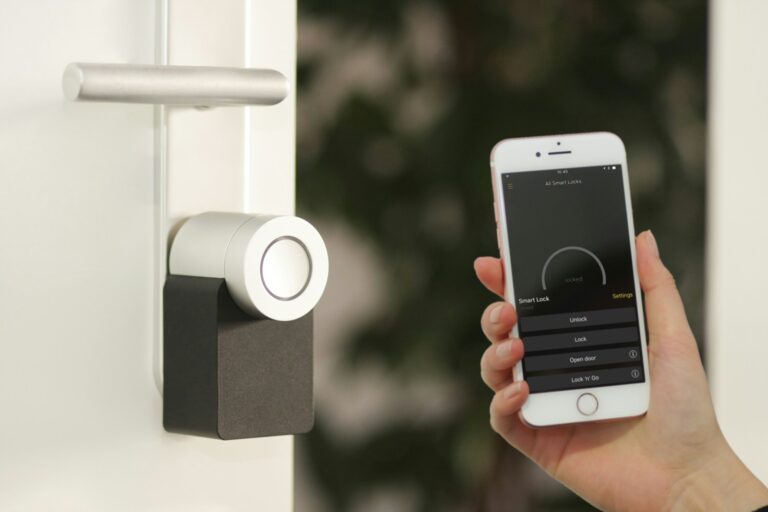
Improved Security: Integrated security systems provide real-time monitoring and alerts, giving homeowners peace of mind whether they’re home or away. Video doorbells, smart locks, and motion sensors create a comprehensive security network.
Convenience and Comfort: Automated routines eliminate repetitive tasks. Lights can turn on automatically at sunset, thermostats can adjust before residents arrive home, and coffee machines can start brewing at wake-up time.
Accessibility Benefits: Voice control and automated systems make homes more accessible for elderly individuals or those with mobility challenges, promoting independent living.
Property Value Increase: Homes with properly installed smart technology often command higher resale values, making it a worthwhile investment.
Planning Your Smart Home Installation
Planning is the foundation of a successful smart home setup. Taking time to assess your needs, select compatible products, and create a structured installation plan will save you headaches and ensure your system works properly from day one.
Assessing Your Home’s Needs
Before purchasing any smart devices, evaluate what problems you want to solve in your home. Do you want to improve security, save energy, or simply add convenience? The first step in smart home installation is planning that aligns with your specific requirements.
Consider your daily routines and pain points. Perhaps you frequently forget to turn off lights or would like to adjust your thermostat remotely.
Also assess your home’s physical attributes:
- Internet connectivity: Check Wi-Fi coverage throughout your home
- Available power outlets: Count accessible outlets for devices
- Space limitations: Measure areas for larger devices like hubs or speakers
- Existing infrastructure: Note compatibility with current systems (HVAC, lighting)
Don’t forget about household members’ preferences and technical abilities. A too-complex system might frustrate less tech-savvy family members.
Choosing the Right Smart Home Products
Selecting compatible devices is crucial for a seamless smart home experience. Many homeowners start with a central hub or controller that connects multiple devices. Choose a hub compatible with the devices you want to use and fits your budget.
Research which ecosystems work best together:
- Amazon Alexa: Wide compatibility, strong voice control
- Google Home: Great for those using Google services
- Apple HomeKit: Excellent security, seamless Apple integration
- Samsung SmartThings: Broad third-party support
Consider starting with essentials like:
- Smart speakers or displays
- Smart lighting
- Smart thermostats
- Security devices (cameras, locks, doorbells)
Don’t overlook connectivity requirements. Some devices use Wi-Fi, while others require Zigbee, Z-Wave, or Bluetooth. Ensure your chosen products can communicate with each other and your hub.
Creating a Smart Home Installation Plan
A methodical approach to installation prevents frustration and ensures proper functionality. Take time to research and plan your smart home setup, considering factors like device compatibility and integration with existing systems.
Start by gathering necessary tools and equipment:
- Smartphone or tablet for setup
- Screwdrivers and mounting hardware
- Network information (Wi-Fi passwords)
- User manuals for all devices
Create an installation schedule breaking the project into manageable phases:
Phase 1: Set up your hub and core infrastructure
Phase 2: Install essential devices (lights, thermostats)
Phase 3: Add secondary devices (sensors, entertainment)
Phase 4: Configure automation rules and scenes
Document your network details, device credentials, and configuration settings in a secure location. This information proves invaluable for troubleshooting or when adding new devices.
Consider whether certain installations require professional installation services for complex wiring or optimal placement.
Selecting Smart Home Devices
Choosing the right devices forms the foundation of a functional smart home system. The best selections will match your specific needs, home setup, and budget while providing reliable performance.
Thermostats and Climate Control
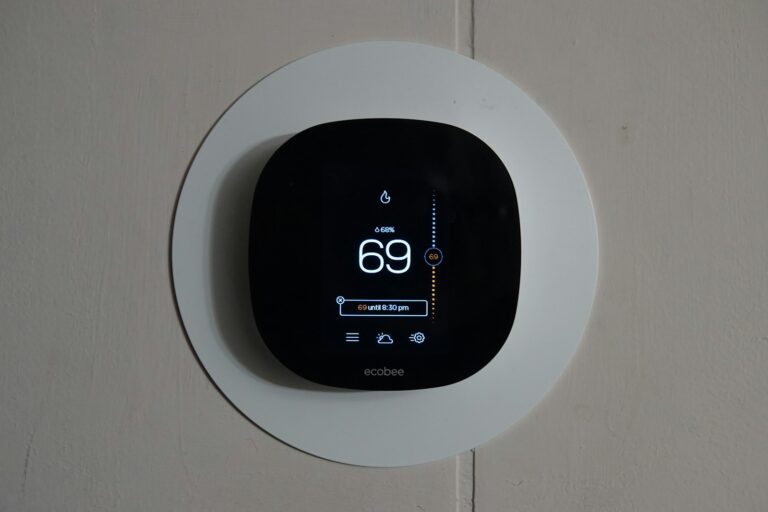
Smart thermostats offer both comfort and energy savings through intelligent temperature management. The Nest Thermostat stands out for its learning capabilities, automatically adjusting to your preferences over time. Most models save between 10-15% on heating and cooling costs annually.
When selecting a thermostat, compatibility is crucial. Check whether it works with:
- Your existing HVAC system
- Your preferred smart home platform
- Other devices you plan to include
Installation requirements vary between models. Some require a C-wire for power, while others can work without it. For homes without proper wiring, battery-operated or adapter solutions exist.
Look for features like geofencing, which adjusts temperatures when you leave or approach home, and remote access through smartphone apps for on-the-go adjustments.
Smart Speakers and Voice Assistants
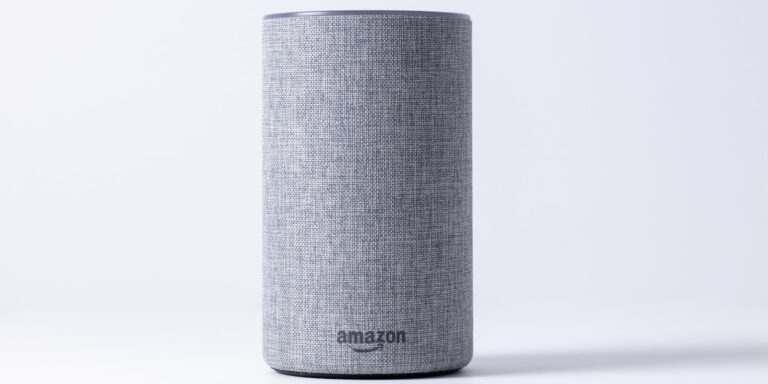
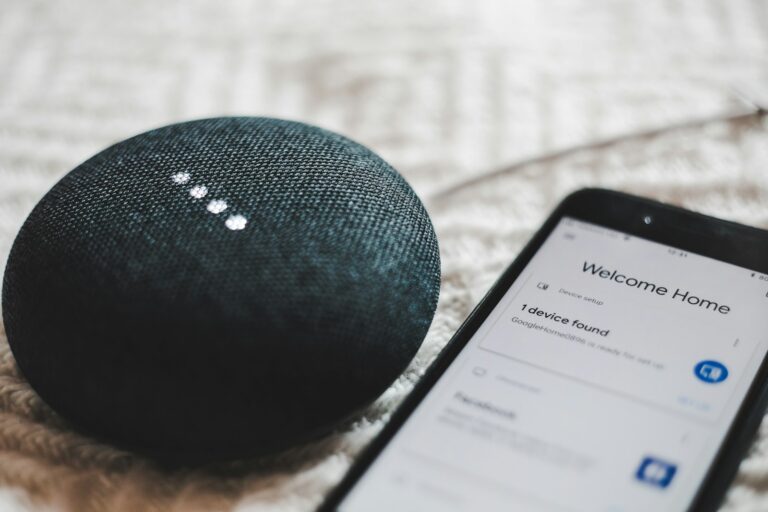
Smart speakers serve as control centers for the entire smart home ecosystem. Popular options include Amazon Echo and Google Home devices, each offering different voice assistants and feature sets.
When choosing a smart speaker, consider:
- Compatibility with other smart devices
- Sound quality if music playback is important
- Privacy features like mute buttons and data controls
- Size and placement options for your space
Voice assistants can control lights, thermostats, and door locks through simple commands. They also provide weather forecasts, news updates, and can set timers or reminders.
For larger homes, a multi-speaker setup may be necessary. Many manufacturers offer smaller, more affordable models for extending coverage to additional rooms.
Security Cameras and Video Doorbells
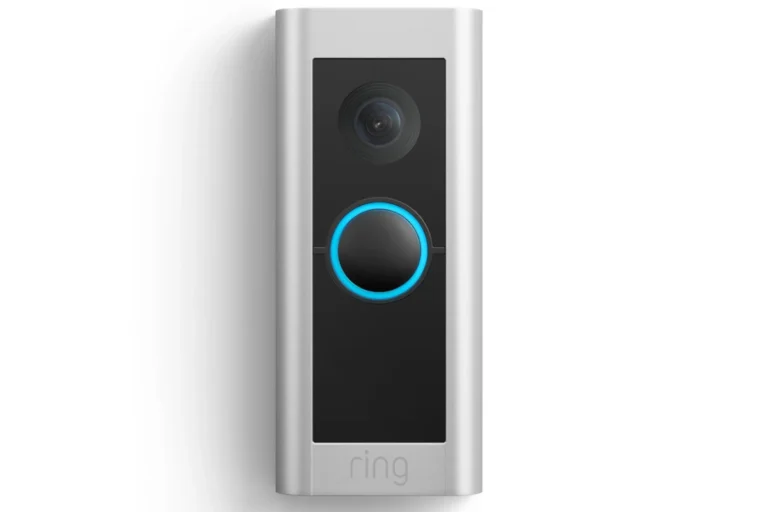
Home security devices provide peace of mind through monitoring and alerts. Video doorbells allow homeowners to see and speak with visitors remotely, while security cameras monitor indoor and outdoor spaces.
Key features to consider include:
- Resolution quality (1080p minimum recommended)
- Field of view (wider angles capture more area)
- Night vision capabilities
- Storage options (cloud vs. local)
- Subscription requirements for advanced features
Many systems offer motion detection with customizable zones to prevent false alerts. Two-way audio allows communication with visitors or potential intruders.
Before purchasing, check power requirements—some cameras require hardwiring while others use batteries. Weather resistance ratings are essential for outdoor installations.
Installation Process for Smart Home Devices
Setting up smart home technology requires careful planning and execution. The right approach depends on your comfort level with technology and the complexity of the devices you’re installing.
Professional vs. DIY Installation
Some smart home devices require electrical work, including hardwiring into your home’s electrical system. These installations are often best left to professionals who understand electrical codes and safety requirements.
Professional installation services typically offer:
- Safety assurance with proper wiring techniques
- Warranty protection that might be voided with DIY attempts
- System integration expertise for complex setups
DIY installation works well for:
- Smart speakers and displays
- Plug-and-play smart plugs
- Battery-powered sensors
- Wireless security cameras
The decision often comes down to complexity, cost, and confidence. Professional installation might cost $100-$300 per device but provides peace of mind for complex systems.
Step-by-Step Installation Guide
Download the companion app for your smart device, as this is typically the first step recommended in setup guides.
Put the device in pairing mode according to manufacturer instructions. This usually involves pressing a button or specific sequence.
Connect the device to your network by following the app’s instructions. This often requires entering your Wi-Fi password.
Assign a location or name to the device within the app for easier identification and control.
Test functionality immediately after installation to ensure proper operation.
For hardwired devices like smart switches or thermostats, turn off power at the circuit breaker before installation. Take photos of existing wiring before disconnecting anything.
Safety and Compliance Considerations
Always prioritize safety when installing connected devices in your home. For electrical installations, ensure power is completely off at the circuit breaker before beginning work.
Smart home devices should comply with relevant safety standards and regulations. Look for certification marks like UL, ETL, or CE on products and packaging.
Consider these important safety factors:
- Electrical load compatibility – Ensure switches and outlets can handle the connected load
- Network security – Change default passwords and enable two-factor authentication
- Weatherproofing for outdoor devices
- Proper ventilation for devices that generate heat
Always follow manufacturer guidelines precisely. Some homeowner insurance policies may require professional installation for certain connected devices to maintain coverage.
Integrating Smart Home Devices
Successfully setting up a smart home requires more than just purchasing devices. The integration process connects your smart products into a functioning system that works together seamlessly.
Establishing a Connected Home Network
A reliable network forms the foundation of any smart home system. Most smart devices connect through Wi-Fi, which comes in two main frequencies: 2.4 GHz and 5 GHz. The 2.4 GHz band offers better range but slower speeds, while 5 GHz provides faster connections over shorter distances.
For larger homes, mesh Wi-Fi systems help eliminate dead zones. These systems use multiple access points to create consistent coverage throughout the property.
Smart home hubs can also enhance connectivity by providing a central control point. Popular options include Amazon Echo, Google Home, and Samsung SmartThings. These hubs help create a cohesive ecosystem where devices can communicate effectively.
It’s important to secure the network with strong passwords and regular firmware updates to protect connected devices from unauthorized access.
Device Compatibility and Interoperability
Before purchasing smart home products, checking compatibility with existing systems prevents frustrating integration issues. Many devices work with major platforms like Google Home, Amazon Alexa, or Apple HomeKit.
Smart home integration involves merging various devices into a cohesive ecosystem controlled from a central interface. This might include:
- Smart speakers and displays
- Lighting systems
- Thermostats and HVAC controls
- Security cameras and sensors
- Entertainment systems
Open standards like Matter and Zigbee help improve interoperability between different brands. These protocols allow devices from various manufacturers to communicate smoothly.
For complex installations with multiple systems, professional smart home integrators can ensure everything works together correctly. They help design comprehensive systems that meet specific needs.
Customizing Device Settings
Once devices are connected to the home network, customization transforms them from individual gadgets into a cohesive smart home ecosystem. Most devices require mobile apps for initial setup and ongoing management.
Start by naming devices logically (e.g., “Living Room Lamp” rather than “Smart Bulb 1”). This makes voice commands more intuitive and device management easier.
Creating routines automates multiple actions with a single command. For example, saying “Goodnight” could lock doors, turn off lights, lower thermostats, and arm security systems simultaneously.
Geofencing uses smartphone location to trigger actions when residents arrive or leave home. Lights can turn on automatically upon arrival, or thermostats can adjust when everyone leaves.
Voice control configuration should be personalized for each household member. This allows everyone to interact naturally with the system using their preferred commands.
Smart Home System Management
Managing your smart home system effectively ensures your connected devices work properly and your home technology stays secure. Regular upkeep helps avoid common issues and keeps everything running smoothly.
Routine Maintenance
Smart home systems require regular care to function at their best. Set a monthly schedule to check if all connected devices are working properly. This includes testing motion sensors, cameras, and smart locks.
Clean physical components like touchscreens and camera lenses with microfiber cloths. Dust can interfere with sensors and reduce their effectiveness.
Check battery levels in wireless devices regularly. Many smart home hubs have battery monitoring features that send alerts when levels are low.
Review your automation routines quarterly to ensure they still match your lifestyle. As seasons change, you may need to adjust lighting schedules or thermostat settings.
Organize your cables and connections to prevent damage and make troubleshooting easier. Labeled cables save time when you need to identify specific connections.
Software Updates and Security
Regular software updates are crucial for smart home technology security. Most devices offer automatic updates, but it’s wise to check manually once a month for any missed installations.
Set strong, unique passwords for all accounts linked to your smart home system. Consider using a password manager to keep track of these credentials securely.
Security Best Practices:
- Enable two-factor authentication when available
- Regularly review access logs for unusual activity
- Create separate guest networks for visitors
- Update default usernames and passwords immediately
Review which third-party services have access to your smart home data. Remove permissions for apps you no longer use to maintain privacy.
Perform routine network security checks by scanning for unauthorized devices connected to your home network.
Troubleshooting Common Issues
When smart devices become unresponsive, try these basic fixes:
- Restart the device
- Check Wi-Fi connectivity
- Ensure the device has power
- Verify the app is updated
- Restart your router
Interference problems often occur with multiple wireless devices. Moving your smart hub to a central location can improve connectivity throughout your home.
Document error codes that appear on your devices for faster troubleshooting in the future. Most manufacturers provide online guides for common issues.
Slow response times often indicate network congestion. Consider upgrading your router if you have many connected devices or separating IoT devices onto their own network.
Keep a backup of your system configuration. This makes recovery much easier if you need to reset a device or replace your hub.
Best Practices for Smart Home Privacy and Security
Protecting your smart home requires multiple layers of security and privacy precautions. The right approach combines network protection, data management, and understanding legal considerations.
Securing Your Smart Home Network
Setting up a secure network forms the foundation of smart home security. Start by creating a separate guest network for your smart devices to isolate them from your main network with sensitive data. This network isolation adds a crucial security layer.
Change default passwords on all devices immediately after installation. Use strong, unique passwords for each device and consider a password manager to keep track of them.
Enable two-factor authentication wherever available for added protection.
Keep all devices updated with the latest firmware. Many vulnerabilities are patched through updates, so setting devices to update automatically ensures you’re always running the most secure versions.
Router Security Checklist:
- Change default admin credentials
- Enable WPA3 encryption
- Disable remote access
- Turn off WPS
- Check connected devices regularly
Understanding and Managing Data Collection
Smart home products often collect significant amounts of data. Before purchasing, research which devices offer ongoing security patches and long-term manufacturer support.
Create and maintain an inventory of all connected devices. This helps track what’s connected and identify any unauthorized devices on your network.
Review privacy settings for each device and disable unnecessary features that collect data. Many smart speakers and cameras have physical mute buttons or covers you should use when privacy is needed.
Consider local processing options where possible. Some smart home technology now offers local data processing rather than cloud-based solutions, significantly reducing privacy risks.
Regularly audit and delete stored data in device apps and accounts. Many manufacturers allow you to download or delete your historical data.
Dealing with Trademark and Licensing Issues
When setting up smart home devices, be aware of potential trademark and licensing complications. Some smart home systems require ongoing subscriptions or licenses to maintain full functionality.
Read the terms of service carefully before purchasing. Many smart home products become less functional if the company discontinues support or changes its business model.
Verify compatibility between different branded products before installation. Not all devices work together despite similar standards, and some companies restrict interoperability through trademark or licensing restrictions.
Consider open-source alternatives for critical home security functions. These often provide more transparency and longevity without licensing concerns.
Document all purchases with receipts and warranty information. This documentation proves ownership and helps resolve trademark disputes if they arise during service calls or system updates.
Future Trends in Smart Home Technology
Smart home technology continues to evolve rapidly with innovations in connectivity, artificial intelligence, and device functionality reshaping how we interact with our living spaces. These advances promise more intuitive, efficient, and secure home environments.
Emerging Smart Home Technologies
The smart home ecosystem is expanding beyond basic automation to include more sophisticated technologies. Health monitoring devices are gaining traction, allowing residents to track vital signs and wellness metrics without visiting medical facilities.
Environmental sustainability is becoming a core focus with new devices that optimize energy usage. Smart thermostats now incorporate weather forecasting and occupancy detection to reduce heating and cooling costs significantly.
Water management systems detect leaks and monitor usage patterns, potentially saving thousands of gallons annually. These systems can automatically shut off water flow when leaks are detected, preventing costly damage.
Connected appliances are evolving beyond simple remote control to offer predictive maintenance alerts. Refrigerators can now track food inventory and suggest recipes based on available ingredients, reducing food waste.
The Impact of AI on Smart Home Innovation
Artificial intelligence represents the backbone of future smart home technology. Advanced AI systems are moving beyond simple voice commands to understand context and user preferences through natural language processing.
Predictive algorithms learn household routines to automate systems without explicit programming. For example:
- Lighting adjusts based on time of day and occupancy patterns
- Temperature controls anticipate when residents return home
- Security systems distinguish between normal and suspicious activity
Voice and gesture control is becoming more sophisticated, eliminating the need for physical interaction with devices. Homeowners can control entire scenes with simple gestures or conversational commands.
AI-driven energy management systems optimize electricity usage by balancing grid demands with household needs. These systems can schedule energy-intensive tasks during off-peak hours automatically.
Considerations for Scaling Your Smart Home
As smart home technology advances, thoughtful planning becomes crucial for creating expandable systems. Investing in easy-to-use platforms that accommodate future devices prevents technological dead-ends.
Interoperability standards like Matter and Thread are enabling seamless integration between devices from different manufacturers. This reduces dependence on single-vendor ecosystems and allows for more flexibility in device selection.
Network infrastructure requires careful consideration when scaling. Dedicated Wi-Fi networks for smart home devices help maintain performance and enhance security by isolating potentially vulnerable devices.
Advanced security systems with biometric authentication and AI-based threat detection provide robust protection as the number of connected devices increases. Multi-factor authentication is becoming standard for critical home systems.
Privacy concerns should inform purchasing decisions. Homeowners should evaluate data collection policies and local processing capabilities when selecting devices for expanded smart home systems.
Frequently Asked Questions
Smart home installation involves many considerations from costs and finding qualified professionals to selecting the right control systems. These common questions address the key aspects homeowners need to understand before starting their smart home journey.
What factors influence the cost of smart home installation services?
The complexity of your desired smart home system greatly impacts installation costs. Basic setups with a few devices typically range from $300-$500, while comprehensive systems can cost several thousand dollars.
The type of devices you choose also affects pricing. Smart thermostats and lighting generally cost less to install than advanced security systems or whole-home automation.
Labor costs vary by location and the installer’s expertise level. Professional installers with specialized certifications typically charge more but provide higher quality work and better system integration.
How do I find reputable smart home installation providers near me?
Start by searching online directories specifically for smart home or home automation companies in your area. Many professional installers have detailed websites showcasing their previous projects and expertise.
Ask for recommendations from friends or family who have recently had smart home systems installed. Personal experiences can provide valuable insights into an installer’s reliability and quality of work.
Check multiple review platforms like Google Business, Yelp, and specialized home service sites to get a complete picture of different companies’ reputations. Local experts often have established track records in your community.
What qualifications should I look for when hiring a smart home installation professional?
Look for technicians with certifications from recognized industry organizations such as CEDIA (Custom Electronic Design & Installation Association) or specific manufacturer certifications for the devices you want installed.
Experience matters significantly. Professionals with several years of installation experience are more likely to understand complex system integration issues and potential compatibility problems.
Ask potential installers about their knowledge of network security protocols. A good installer should emphasize the importance of strong passwords and other security measures to protect your smart home system.
How do customer reviews impact the selection of a smart home installation company?
Customer reviews provide real-world insights into an installer’s reliability, professionalism, and quality of work. Look for consistent positive feedback about completed projects similar to yours.
Pay special attention to reviews that mention post-installation support and troubleshooting. Quality installers should offer ongoing assistance and responsive customer service after the initial setup.
Reviews highlighting an installer’s ability to explain complex systems in understandable terms indicate good communication skills. This is crucial for ensuring your smart home system meets your specific needs.
Which smart home control systems are recommended for seamless home automation?
Popular hub-based systems like Samsung SmartThings, Amazon Alexa, and Google Home offer extensive device compatibility and user-friendly interfaces. These platforms continue to expand their ecosystem of supported devices.
For more advanced users, systems like Home Assistant provide greater customization options and support for a wider range of devices, though they require more technical knowledge to set up and maintain.
Voice control integration is now considered essential for most systems. The ability to control multiple devices through simple voice commands significantly enhances the convenience of any smart home setup.
What job opportunities exist in the smart home installation industry?
Entry-level positions include installation technicians who handle basic device setup and integration. These roles typically require basic electrical knowledge and strong troubleshooting skills.
System designers create comprehensive smart home plans tailored to client needs. This role combines technical expertise with customer service and often requires certification and several years of installation experience.
Sales consultants with technical knowledge help homeowners select appropriate systems. These positions require understanding various automation options and translating customer needs into specific product recommendations.