Gaming PCs have become essential for serious players who want smooth gameplay and stunning graphics. A great setup combines powerful hardware with the right accessories to create an immersive experience. Finding the right gaming PC setup can dramatically improve your performance and enjoyment without breaking the bank.
When building your perfect gaming station, you’ll need to consider everything from the computer itself to monitors, keyboards, and sound systems. The market offers options for every budget and need, from pre-built systems to custom builds. You’ll want to balance power, price, and future upgradability when making your choices.
Best Gaming PC Setup Guide
1. Graphics Card (GPU)
- Top Pick: NVIDIA GeForce RTX 5090
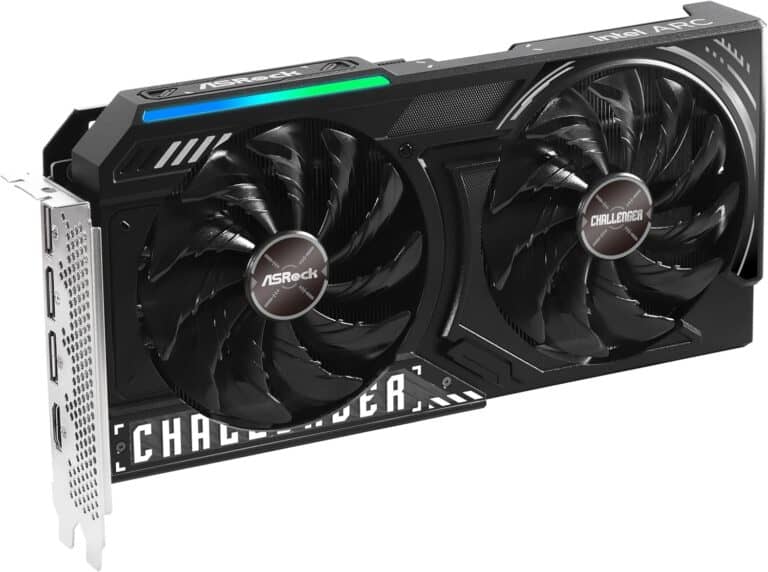
The RTX 5090 is currently the flagship GPU for gaming, delivering unparalleled 4K performance, ray tracing, and AI-accelerated features. It excels at ultra settings in modern AAA titles and supports advanced technologies like DLSS 3.- Ideal for 4K gaming and VR
- Exceptional thermals and quiet operation in high-end builds
- Future-proof for upcoming games and workloads
(Source: Ofzenandcomputing, Siriuspowerpc)
2. Processor (CPU)
- Recommended AMD CPU: AMD Ryzen 7 9950X3D
This CPU features AMD’s 3D V-Cache technology, which significantly boosts gaming performance by increasing cache size, reducing latency, and improving frame rates, especially in CPU-bound games.- 16 cores / 32 threads
- Excellent single-thread and multi-thread performance
- Great balance of gaming and productivity power
- Alternative High-End: AMD Ryzen 9 7950X for workloads beyond gaming, like streaming or content creation
(Source: Ohhmua)
3. Motherboard
- Choose a motherboard with the latest chipset supporting PCIe 5.0 and DDR5 RAM for future-proofing. Popular choices include:
- AMD X670E or B650E chipsets for Ryzen 7000 series
- Features to look for: robust VRM, multiple M.2 slots, USB 4.0, and Wi-Fi 6E
4. Memory (RAM)
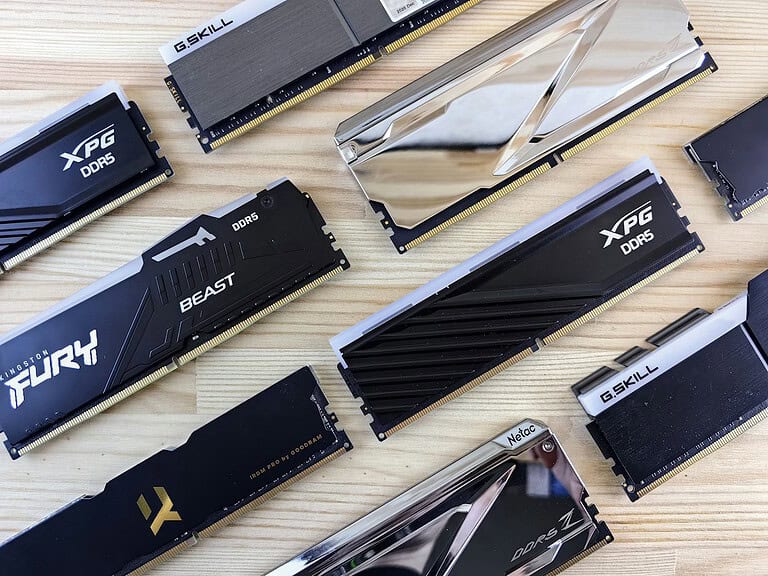
- Minimum 32GB DDR5 RAM (6000MHz or faster) for smooth multitasking and gaming
- 16GB can suffice for gaming only, but 32GB is recommended for streaming, editing, and future-proofing
5. Storage
- NVMe SSD (at least 1TB) for OS and games for lightning-fast load times
- Optional secondary SATA SSD or HDD for additional storage
6. Power Supply (PSU)
- At least 850W, 80+ Gold or Platinum certified to ensure stable power delivery to the RTX 5090 and Ryzen 7 9950X3D setup
7. Cooling
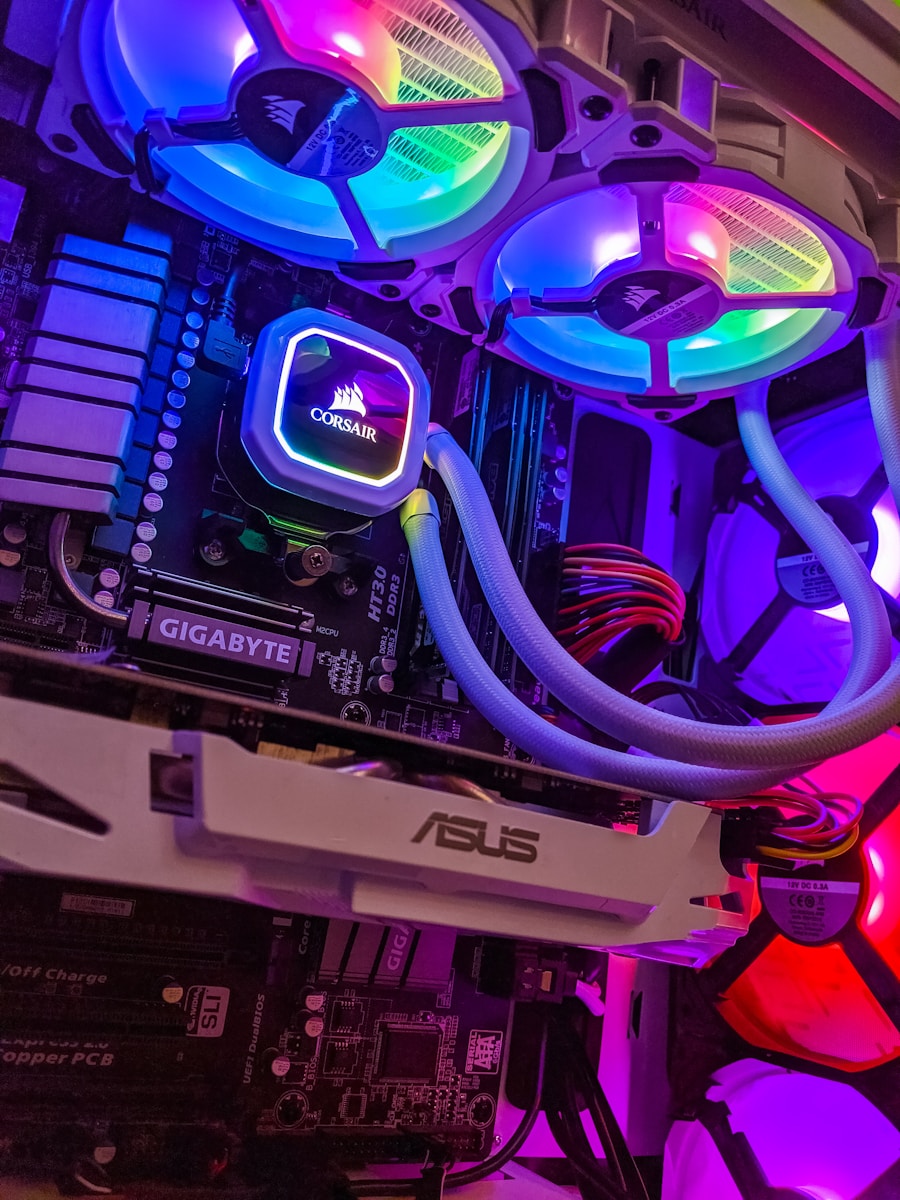
- High-quality AIO liquid cooler (360mm radiator) or custom loop recommended for Ryzen 7 9950X3D to maintain optimal temperatures under load
- Good case airflow with multiple fans to cool GPU and other components
8. Case
- Mid-tower or full-tower case with good airflow and cable management
- Tempered glass panels and RGB lighting are optional based on preference
9. Peripherals
- High-refresh-rate monitor (144Hz or higher) with 1440p or 4K resolution to fully leverage the RTX 5090
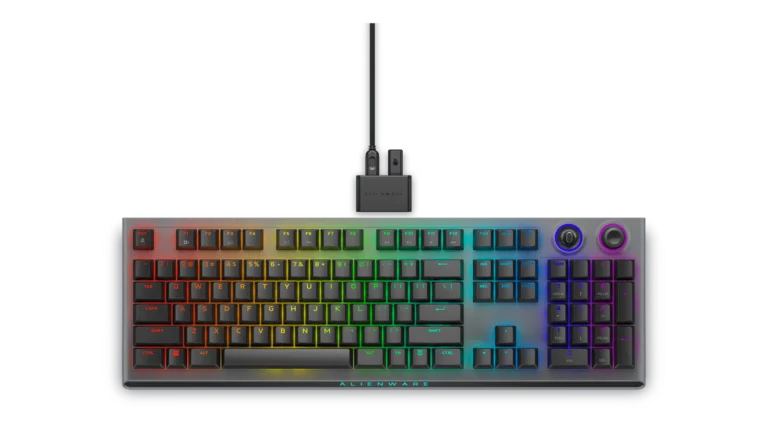
- Mechanical keyboard and gaming mouse tailored to your style
- Quality headset or speakers for immersive sound
Example Build Summary:
| Component | Model/Specification |
|---|---|
| GPU | NVIDIA RTX 5090 |
| CPU | AMD Ryzen 7 9950X3D |
| Motherboard | AMD X670E chipset motherboard |
| RAM | 32GB DDR5 6000MHz |
| Storage | 1TB NVMe SSD + 2TB SATA SSD (optional) |
| PSU | 850W 80+ Gold |
| Cooling | 360mm AIO Liquid Cooler |
| Case | Mid/full tower with good airflow |
This setup is designed to deliver top-tier gaming performance in 2025 and beyond, with excellent 4K gaming, streaming, and content creation capabilities.
If you want prebuilt options or more detailed build guides, I can provide those too!
Sources:
- Ofzenandcomputing – Best Gaming PCs with RTX 5090
- Ohhmua – High-End Gaming PC Build 2025
- Siriuspowerpc – Building the Best RTX 5090 PC
1: Corsair One i500
The Corsair One i500 is a high-end pre-built gaming PC designed with premium components in a compact form factor. You’ll find it equipped with a 14th Gen Intel Core processor and an NVIDIA GeForce RTX 40-series graphics card, all housed within a sleek chassis.
For those seeking top-tier performance, the i500 offers impressive hardware configurations. The high-end model comes with a Core i9-14900K processor, an RTX 4090 graphics card, and 64GB of DDR5 RAM, priced at $4,699.
You might appreciate the i500’s space-saving design that utilizes a micro-ATX motherboard. This makes it an attractive option if you’re looking for powerful gaming capabilities without a bulky tower dominating your desk space.
However, you should be aware that some reviews have been critical of the i500’s performance relative to its premium price tag. Gamer’s Nexus found significant issues with the pre-built system that didn’t align with Corsair’s marketing claims.
When considering this setup for your gaming needs, you’ll need to weigh the convenience and compact design against potential performance concerns and the high cost. The i500 represents a luxury option in the pre-built gaming PC market with its Mercedes-like positioning as a premium product.
2: iBuyPower RDY Y40 Valorant
The iBuyPower RDY Y40 Valorant is considered one of the best gaming PCs currently on the market. It’s specifically designed to handle competitive gaming with ease, making it perfect for Valorant players.
Priced at $1,649, this gaming PC comes with a comprehensive warranty that includes 3 years for labor and 2 years for parts. You also get a gaming keyboard included in the package, adding extra value to your purchase.
What makes the Y40 stand out is its ability to deliver smooth performance even with demanding setups. Some users have successfully run dual 1440p monitors at 165Hz with this system, though you might notice some FPS drops in certain configurations.
The RDY Y40 features a PNY brand GPU that powers through graphics-intensive games. Its aesthetic design has also received praise from users who appreciate both its performance and appearance.
For Valorant specifically, this PC is optimized to meet the demanding standards of competitive gaming. You’ll be able to run the game at high frame rates, giving you that competitive edge.
To get the most out of your Y40 with Valorant, you might want to check out iBuyPower’s guide on the best Valorant PC settings. This covers everything from mouse sensitivity to graphics configurations that can help maximize your performance.
3: HP Omen 35L
The HP Omen 35L is a stylish and powerful gaming PC that deserves your attention. Its sleek design features glass panels on the front and left sides, giving you a clear view of your gaming components while adding a touch of elegance to your setup.
This mid-tower desktop offers excellent performance for gamers at an affordable starting price. You’ll find various configurations available, including models with AMD Ryzen processors and NVIDIA GeForce RTX graphics cards.
The Omen 35L shines when it comes to cooling options. You can equip it with up to 240mm of AIO liquid cooling, which is ideal for those intense gaming sessions when your system heats up. Adding extra case fans is also recommended for optimal performance.
Temperature management is thoughtfully designed with a grid on top where two additional fans work to keep everything running cool. This ensures your gaming sessions can go on for hours without thermal throttling.
One of the Omen 35L’s biggest advantages is its upgradeability. You can easily swap out components as your gaming needs evolve, making this a PC that can grow with you over time.
Recent models feature impressive specs like the AMD Ryzen 5 8500G processor, 16GB DDR5 memory, and RTX 4060 graphics. These components deliver a smooth gaming experience for most modern titles at high settings.
4: Maingear Zero Ruby
The Maingear Zero Ruby stands out as an excellent gaming PC that delivers powerful performance without unnecessary extras. This prebuilt system comes with a clean Windows installation and zero bloatware that might compete with your gaming performance.
For mid-range gaming, the Zero Ruby configuration offers impressive capabilities. Users report it handles 1440p and 4K gaming with ease, making it suitable for most modern games at high settings.
What makes the Ruby particularly appealing is its processor options. You can configure it with the AMD 7800X3D, a chip that was specifically designed for gaming. Paired with options like the RTX 4070 Super, you get a combination that delivers exceptional gaming experiences.
Pricing for the Maingear Zero starts at $1,399 for basic configurations with a Core i5-14400F and RTX 4060. You can scale up from there based on your needs and budget for more powerful components.
Maingear has built its reputation on being a boutique PC integrator with over 20 years of experience. This expertise shows in the build quality and component selection of the Zero Ruby.
When considering your gaming setup, the Zero Ruby provides a solid foundation. Its clean design and powerful internals make it an attractive option if you’re looking for a prebuilt system that doesn’t compromise on performance.
5: Lenovo Legion Tower 5I
The Lenovo Legion Tower 5I offers an excellent foundation for your gaming setup. This desktop comes equipped with Intel Core processors that deliver strong performance for most modern games.
You’ll appreciate the redesigned chassis with mesh venting that improves airflow. This feature is crucial when you’re playing demanding games that can generate significant heat.
The Tower 5I includes up to 150W air cooling to keep your system running smoothly during intense gaming sessions. This cooling capacity helps prevent throttling that could impact your gaming experience.
For those new to PC gaming, the Legion Tower 5I makes a great first gaming computer. Users report excitement with its performance, especially when paired with a quality gaming monitor.
The base configuration provides respectable specs for 1080p gaming. While the Intel Core i5-14400F isn’t the most powerful processor available, it handles most gaming needs effectively.
You can customize your system with options like the NVIDIA GeForce RTX 4070 graphics card. This GPU provides excellent performance for your gaming needs.
Many reviewers consider the Legion Tower 5I a solid choice for 1080p gaming. The system strikes a good balance between performance and price for entry-level gamers.
6: MSI Codex R2
The MSI Codex R2 offers excellent value for gamers looking for a pre-built system. This desktop PC provides a solid foundation for your gaming setup without breaking the bank, typically priced under $1,000.
You’ll find several configuration options with the R2 series, including models featuring Intel’s 12th and 14th Gen processors. The newer 14th Gen models deliver better performance for your gaming and multitasking needs.
Most Codex R2 systems come with 16GB of memory, which is sufficient for most modern games. Storage typically includes a 500GB SSD, giving you quick loading times for your favorite titles.
For graphics, the R2 commonly features an NVIDIA GeForce RTX 3050, which handles 1080p gaming well. This card provides enough power for popular competitive games at high frame rates.
One advantage of the Codex R2 is its standardized components. You can easily upgrade parts later as your gaming needs evolve, extending the lifespan of your investment.
The latest models feature WiFi 7 connectivity, which is 4.8 times faster than WiFi 6. This upgrade significantly improves your online gaming experience by reducing lag.
The Codex R2’s sleek design fits well in any gaming setup. Its compact tower doesn’t demand excessive desk space while still providing adequate airflow for cooling during intense gaming sessions.
Many gamers report the Codex R2 handles demanding gaming environments well, making it a reliable choice for your first gaming PC or as an upgrade from older hardware.
7: Corsair Vengeance i7600
The Corsair Vengeance i7600 offers premium performance for your gaming setup with exceptional build quality. This high-end gaming PC stands out with its quiet operation and excellent gaming performance, making it perfect for your intensive gaming sessions.
You’ll appreciate the powerful hardware inside this machine. The system comes equipped with an Intel Core Ultra processor that delivers ultra-smooth gameplay and improved power efficiency.
Configuration options include models with the Intel Core Ultra 7 265K paired with an RTX 4070 Super, or you can step up to the Ultra 9 285K with an RTX 4080 Super for maximum performance.
Each model comes with 32GB of DDR5 RAM and a 1TB M.2 SSD, giving you plenty of memory and storage for your games and applications. Windows 11 Home comes pre-installed, so you’re ready to play right out of the box.
The Vengeance i7600 is part of Corsair’s high-end gaming PC lineup engineered for reliability and powerful performance. The system is backed by a comprehensive two-year warranty, providing peace of mind with your investment.
For your setup, the i7600 works perfectly as both a gaming rig and workstation, handling demanding games while also supporting productivity tasks when needed.
8: HP Victus 15L
The HP Victus 15L is a compact gaming desktop that offers solid performance for everyday gamers. Its small footprint makes it ideal for users with limited desk space, fitting easily into your gaming setup without taking over.
With Windows 11 compatibility and nine USB ports, you’ll have plenty of connectivity options for all your gaming peripherals. The Victus 15L also offers up to 2TB of storage, giving you ample room for your game library and media files.
For budget-conscious gamers, this PC presents an attractive option. Some configurations come with an Intel i5 processor and discrete graphics at reasonable price points, making it accessible for those just getting into PC gaming.
You may need to consider upgrading certain components depending on your specific needs. For instance, some models come with 8GB of RAM that you might want to swap for 16GB to improve performance in more demanding games.
Users report that the Victus handles gaming, graphic design, and video editing tasks well. Its performance-to-price ratio makes it worth considering when shopping for a pre-built gaming desktop.
The clean aesthetic and modern design of the Victus 15L will complement your gaming station nicely. You’ll appreciate its straightforward setup and reliable performance for both casual and moderate gaming sessions.
9: iBuyPower Y60
The iBuyPower Y60 gaming desktop offers impressive performance for serious gamers looking to upgrade their setup. This eye-catching PC features a unique case design that’s sure to stand out in your gaming space.
This prebuilt system comes with powerful components including an Intel Core i9 processor, which handles demanding games and multitasking with ease. You can find models with the i9-14900F or i9-14900KF depending on the configuration.
For graphics, the Y60 typically includes an NVIDIA GeForce RTX 4060 Ti or RTX 4070, providing excellent frame rates for modern games. The 8GB or 12GB of video memory ensures smooth performance even with graphics-intensive titles.
Memory is generous with 32GB of DDR5 RGB RAM, giving you plenty of headroom for gaming while streaming or running background applications. Storage options include 1TB or 2TB NVMe SSDs, offering quick loading times for your game library.
The Y60 excels in cooling performance compared to competitors, which helps maintain consistent performance during long gaming sessions. The premium case design not only looks impressive but also provides good airflow.
You’ll appreciate the professionally assembled components that work together for high performance whether you’re gaming, streaming, creating content, or rendering videos. This versatile machine delivers higher FPS in your favorite games without the hassle of building your own system.
10: Intel Core i9-14900K
The Intel Core i9-14900K stands as a powerhouse for gaming PC setups. With its impressive 24-core architecture and 3.2 GHz base clock speed, this processor delivers exceptional performance for both gaming and content creation.
When building a PC around the i9-14900K, you’ll need adequate cooling solutions. Many enthusiasts opt for a 360mm AIO liquid cooler to manage the heat output from this high-performance chip.
For an optimal gaming experience, pairing this CPU with a top-tier graphics card makes sense. You might consider either an RTX 4080 Super or RTX 4090 for the ultimate build, depending on your budget and performance goals.
Memory compatibility is excellent with the 14900K. You’ll want at least 32GB of DDR5 RAM to take full advantage of this processor’s capabilities.
The i9-14900K especially shines in custom water-cooled builds, where thermal management allows the chip to maintain higher boost clocks for longer periods during intense gaming sessions.
For professionals who use demanding applications alongside gaming, the i9-14900K represents an excellent investment. It handles multitasking with ease, letting you stream, record, and play simultaneously without performance hiccups.
You’ll find this processor featured in many completed high-end builds, showing its popularity among enthusiasts seeking top-tier performance.
Understanding Gaming PC Components
Putting together the ideal gaming PC means knowing what each part does and how it affects your gaming experience. The right combination of components will determine how well your games run and look.
Central Processing Unit (CPU)
The CPU is the brain of your gaming PC. It handles all the calculations and instructions needed to run your games and other programs.
When planning your gaming build, start with choosing the right CPU because it determines your system’s overall performance and compatibility with other parts.
For gaming, you’ll want to consider these factors:
- Core count: Most modern games use 4-6 cores effectively
- Clock speed: Higher speeds (measured in GHz) mean better performance
- Cache size: Larger cache helps with quick data access
- Compatibility: Must match your motherboard socket type
Intel and AMD offer different CPU options at various price points. High-end gaming usually benefits from at least a mid-tier CPU with good single-core performance.
Graphics Processing Unit (GPU)
The GPU is the most important component for gaming performance. It handles the rendering of images, videos, and animations that you see on your screen.
Your GPU choice heavily impacts gaming, especially at higher resolutions and settings. A powerful GPU lets you play the latest games with better visuals and smoother framerates.
Key considerations for choosing a gaming GPU:
- VRAM: 6GB minimum for 1080p gaming, 8GB+ for 1440p, 10GB+ for 4K
- Performance tier: Match to your target resolution and refresh rate
- Power requirements: Ensure your power supply can handle it
- Physical size: Must fit in your case with proper clearance
NVIDIA and AMD are the main GPU manufacturers, with options ranging from budget to ultra-high-end cards.
Random Access Memory (RAM)
RAM provides temporary storage for data your PC needs to access quickly. More RAM allows your system to handle multiple tasks simultaneously without slowing down.
For gaming PCs, RAM affects how smoothly games run, especially those with large open worlds or complex simulations.
RAM specifications to consider:
- Capacity: 16GB is the sweet spot for most gaming builds
- Speed: Higher MHz ratings provide better performance
- Timing/Latency: Lower CL numbers mean faster response
- Channels: Dual-channel setups offer better performance than single-channel
DDR4 is currently the standard, though newer systems are moving to DDR5. When buying RAM, make sure it’s compatible with your motherboard and CPU.
Optimizing Your Gaming PC Setup
A well-optimized gaming PC goes beyond just powerful components. Proper organization and thermal management are crucial for maintaining peak performance during intense gaming sessions.
Cable Management Techniques
Cable management isn’t just about aesthetics—it directly impacts your system’s airflow and maintenance. Start by routing cables behind the motherboard tray whenever possible. This keeps the main compartment clean and improves airflow.
Use cable ties or velcro straps to bundle similar cables together. This prevents tangling and creates organized pathways for air to flow through your case.
For power supply cables, consider investing in cable extensions or custom sleeves. These not only look cleaner but often make cables more flexible for routing.
Label your cables with small tags if you have multiple peripherals. This makes future upgrades much easier as you’ll know exactly what each cable connects to.
Consider investing in cable combs for your visible power cables. They create perfectly parallel lines that enhance the professional look of your setup.
Cooling Solutions
Effective cooling is essential for maintaining consistent gaming performance. At minimum, ensure your case has intake fans at the front and exhaust fans at the rear to create proper airflow.
Consider these cooling options:
- Air cooling: Affordable and reliable with quality CPU coolers like Noctua or Be Quiet!
- AIO liquid cooling: Offers better CPU cooling with cleaner aesthetics
- Custom water loops: Provides maximum cooling potential for both CPU and GPU
Don’t overlook your thermal paste application. Replace it every 1-2 years for optimal heat transfer from components to coolers.
Fan placement matters significantly. Follow the front-to-back, bottom-to-top airflow principle. This mimics natural heat convection and helps hot air exit efficiently.
Monitor your temperatures using software like HWiNFO or MSI Afterburner. Ideal gaming temperatures are below 80°C for your CPU and below 85°C for your GPU.
Frequently Asked Questions
Gaming computers come with many options and technical details that can feel overwhelming. Here are answers to some common questions about gaming PC setups to help you make informed decisions.
What components should be prioritized for a high-performance gaming PC?
For the best gaming experience, you should focus on six critical components: CPU, GPU, RAM, storage, motherboard, and power supply. The GPU (graphics card) typically deserves the largest portion of your budget.
Your processor (CPU) is the next most important component. Look for current generation Intel Core i5/i7 or AMD Ryzen 5/7 processors for optimal performance in modern games.
RAM is also crucial – 16GB is now considered the minimum for serious gaming, while 32GB offers more future-proofing. Don’t skimp on storage either; an SSD will dramatically improve load times compared to traditional hard drives.
How does the choice of GPU impact gaming performance?
The GPU is vital for gaming performance as it handles all graphical processing. It directly determines what resolution and frame rates you can achieve in games.
Higher-end GPUs like those in the NVIDIA RTX 4000 series or AMD Radeon RX 7000 series can handle 4K gaming with ray tracing. Mid-range cards work well for 1440p gaming, while budget options are suitable for 1080p gaming.
Your choice should match your monitor’s capabilities. There’s little benefit to purchasing an expensive GPU if your monitor can’t display the higher resolutions or refresh rates.
What are the pros and cons of building a custom gaming PC versus buying a prebuilt one?
Building your own PC gives you complete control over component selection and often results in better value. You also learn about PC hardware and gain the ability to upgrade individual parts later.
However, prebuilt systems like the iBuyPower models offer convenience and come with warranties covering the entire system. Manufacturers like HP (Omen 35L) and Lenovo (Legion Tower 5I) provide well-optimized systems with professional assembly.
Many gamers recommend reinstalling Windows on prebuilt systems to remove bloatware for a cleaner experience.
What are the essential features to look for in a gaming PC for beginners?
As a beginner, you should look for a balanced system with room to grow. A current-generation mid-range CPU paired with at least a mid-tier GPU provides a solid foundation.
Ensure your system has at least 16GB of RAM and an SSD for your operating system and favorite games. SSD storage dramatically improves loading times compared to traditional hard drives.
Good airflow and cooling are often overlooked but crucial for maintaining performance during long gaming sessions. Cases with multiple fans and proper cable management help keep temperatures down.
What are the top gaming PC brands recommended by experts?
Several brands consistently receive positive reviews for their gaming systems. Corsair (with the One i500) offers compact, powerful systems with excellent build quality.
iBuyPower’s RDY series, including the Y40 Valorant, provides good value with name-brand components. HP’s Omen line (like the 35L) balances performance with reliability and support.
Boutique builders like Maingear (Zero Ruby) offer premium systems with excellent cooling solutions and customization options. Lenovo’s Legion series provides solid mid-range options with good upgradeability.
How important is the cooling system in a gaming PC setup?
Cooling is extremely important for maintaining consistent performance in gaming PCs. Modern CPUs and GPUs generate significant heat under load and will automatically reduce performance (throttle) if they get too hot.
Air cooling with quality fans works well for most mid-range systems. For high-performance setups or overclocking, consider liquid cooling solutions that offer better thermal management.
Case design matters too—look for cases with mesh fronts and multiple fan mounts. Proper cable management improves airflow and contributes to overall system temperature control.