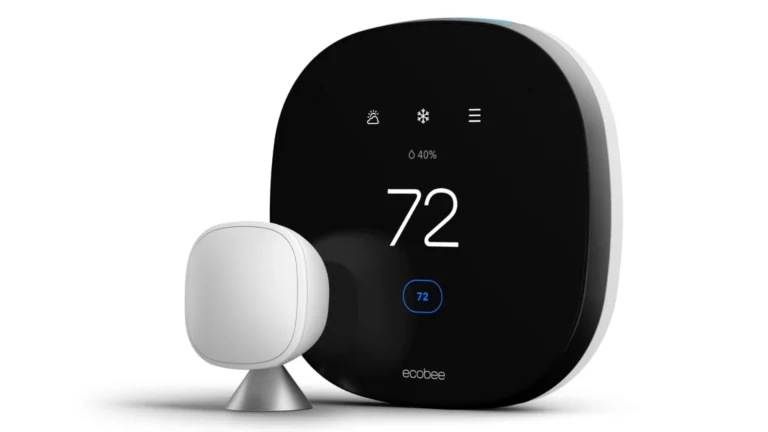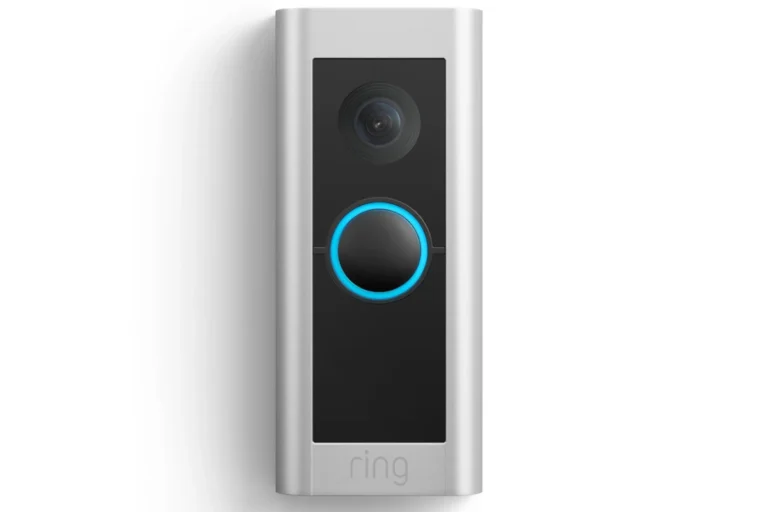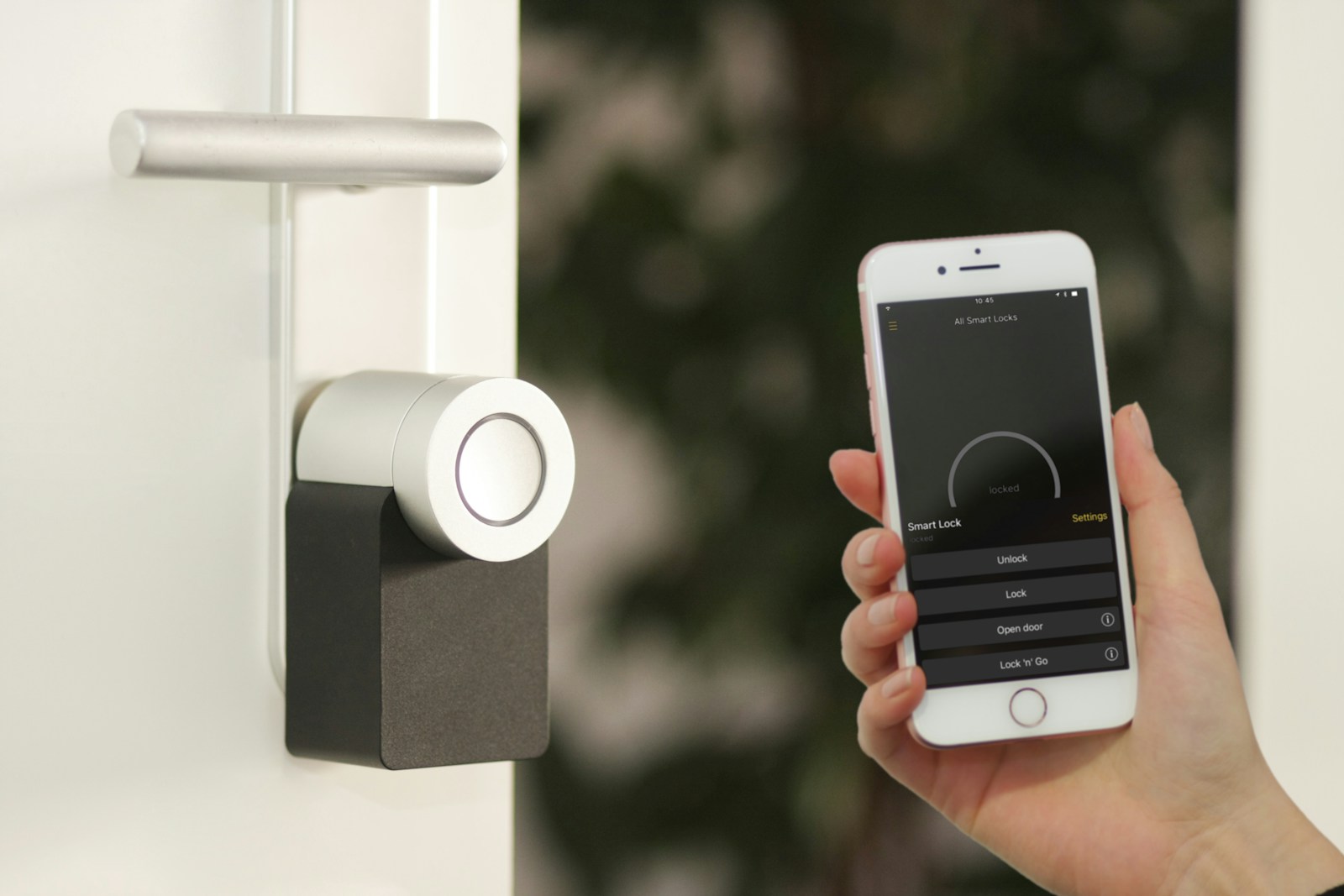
Smart homes offer convenience but can create security risks when not properly protected. With the rise of connected devices like smart speakers, cameras, and doorbells, hackers have more entry points into your home network than ever before. Setting up strong passwords, using two-factor authentication, and regularly updating your devices are essential steps to protect your smart home from unauthorized access.
Even your video conferencing isn’t immune to security threats. Zoombombing—when unwanted participants disrupt your virtual meetings—became widespread during the pandemic. Keeping your smart home secure requires a comprehensive approach that includes securing your Wi-Fi network and placing smart devices on a separate network from your personal computers and phones.
Protecting your security cameras and other devices doesn’t have to be complicated. Simple preventative measures like enabling firewall protection and avoiding default passwords can significantly reduce your vulnerability to cyberattacks and keep your family’s data safe.
How to Secure Your Smart Home from Hackers and Zoom‑Bombing
Smart homes offer convenience, comfort, and automation—but they also introduce new security risks. From hacked smart cameras to unwanted intrusions during video calls, cybercriminals are increasingly targeting connected homes.
This guide explains how hackers access smart homes, what Zoom‑bombing is, and the best ways to secure your devices, network, and online meetings.
What Are the Biggest Smart Home Security Risks?
Smart homes rely on internet‑connected devices, which can be vulnerable if not properly secured.
Common threats include:
- Hacked smart cameras and doorbells
- Unauthorized access to smart locks
- Voice assistant eavesdropping
- Wi‑Fi network intrusions
- Zoom‑bombing during video calls
- Data theft and identity fraud
1. Secure Your Home Wi‑Fi Network First
Your Wi‑Fi network is the gateway to every smart device in your home.
Best practices:
- Change your router’s default username and password
- Use WPA3 (or WPA2 if WPA3 isn’t available)
- Disable WPS (Wi‑Fi Protected Setup)
- Rename your Wi‑Fi network (avoid using your name or address)
✅ Tip: Create a separate guest network for smart devices.
2. Update Firmware and Software Regularly
Outdated software often contains known security vulnerabilities.
What to update:
- Router firmware
- Smart cameras and doorbells
- Smart TVs
- Smart speakers and hubs
- Mobile apps controlling devices
✅ Enable automatic updates whenever possible.
3. Use Strong, Unique Passwords for Every Device
Reusing passwords makes hacking easier.
Password tips:
- Use a unique password for each device and account
- Make passwords 12–16 characters long
- Use a password manager to keep track
- Avoid default device passwords entirely
✅ Enable two‑factor authentication (2FA) on all smart home accounts.
4. Lock Down Smart Cameras and Microphones
Smart cameras are a major target for hackers.
How to protect them:
- Change default login credentials immediately
- Turn off remote access if not needed
- Disable microphones when not in use
- Position cameras away from private areas
- Use devices with end‑to‑end encryption
✅ Check device logs to monitor unusual access.
5. Secure Smart Locks and Entry Devices
Smart locks can be safe—but only if configured correctly.
Best practices:
- Enable auto‑lock
- Use temporary or guest access codes
- Review access logs regularly
- Remove old users immediately
- Keep a physical key as backup
6. Protect Yourself from Zoom‑Bombing
Zoom‑bombing happens when uninvited individuals join video calls to disrupt or spy.
How to prevent it:
- Require meeting passwords
- Enable the waiting room
- Disable screen sharing for participants
- Lock meetings once all attendees join
- Avoid sharing meeting links publicly
✅ Update Zoom (or other video apps) frequently.
7. Separate Work Devices from Smart Devices
If you work from home, keep work data protected.
Smart security setup:
- Use a separate Wi‑Fi network for work devices
- Avoid installing smart apps on work laptops
- Use a VPN for remote work connections
8. Monitor Your Network for Suspicious Activity
Early detection can stop hackers quickly.
What to watch for:
- Devices you don’t recognize
- Slow internet with no explanation
- Smart devices turning on/off unexpectedly
- Frequent login alerts
✅ Consider using:
- Router security tools
- Network monitoring apps
- Firewalls built into modern routers
9. Review Privacy Settings Regularly
Many smart devices collect more data than necessary.
What to check:
- App permissions
- Voice recordings
- Cloud storage settings
- Data‑sharing preferences
✅ Delete stored voice recordings and activity history periodically.
10. Educate Everyone in the Household
Security is only as strong as the weakest link.
Teach family members to:
- Avoid clicking suspicious links
- Recognize phishing emails
- Use secure passwords
- Lock video meetings
Quick Smart Home Security Checklist
✔ Change default passwords
✔ Use strong Wi‑Fi encryption
✔ Enable 2FA everywhere
✔ Update firmware regularly
✔ Secure video meetings
✔ Monitor device activity
Key Takeaways
- Strong unique passwords and regular firmware updates significantly reduce smart home security vulnerabilities.
- Separating smart devices onto their own network segment prevents hackers from accessing personal devices if smart home security is compromised.
- Using built-in firewall protection and enabling two-factor authentication creates multiple security layers that effectively block most unauthorized access attempts.
Understanding Smart Home Vulnerabilities
Smart homes are convenient but they come with security risks that many homeowners overlook. These vulnerabilities can expose personal data and allow unauthorized access to your home systems.
Common Security Flaws in Smart Home Devices
Many smart home devices ship with weak default passwords that users never change. This is one of the biggest security threats lurking in our everyday devices. Manufacturers often prioritize ease of use over security, creating devices with outdated software and limited update capabilities.
Other common flaws include:
- Lack of encryption for data stored on devices
- Insufficient authentication methods
- Outdated firmware that doesn’t receive security patches
- Excessive permissions that collect more data than necessary
Many budget-friendly smart devices also use poorly coded apps that can be easily exploited. These vulnerabilities give hackers multiple entry points to your home network.
Voice assistants can sometimes be triggered by similar-sounding words or sounds from TV, potentially executing commands you didn’t intend.
Risks Posed by Insecure Network Connections
Your home network is only as secure as its weakest device. When smart devices connect to unsecured Wi-Fi networks, they create opportunities for hackers to intercept data or gain access to your entire system.
Experts recommend putting your smart home devices on a separate network from your personal devices. This network segmentation prevents hackers who breach one device from accessing everything.
Unencrypted communications between devices and cloud servers can be intercepted. This is especially concerning for security cameras and door locks that transmit sensitive information.
Public Wi-Fi usage with smart home apps creates additional risks. Controlling your home systems while on unsecured networks can expose your credentials to anyone monitoring that network.
The Impact of Data Breaches on Personal Information
Smart home devices collect vast amounts of personal data about your habits, preferences, and daily routines. This information becomes valuable to both legitimate companies and malicious actors.
When breaches occur, hackers can access:
- Home occupancy patterns (when you’re away)
- Voice recordings from assistants
- Video footage from security cameras
- Personal conversations and activities
- Financial information linked to accounts
The potential vulnerabilities in everyday devices mean that intimate details of your life could be exposed. This data can enable sophisticated phishing attempts that use your personal information to appear legitimate.
Even without a direct breach, some companies may legally sell your usage data to third parties for advertising purposes. Always review privacy policies before installing new smart home technology.
Fundamentals of Smart Home Security
Protecting your smart home requires understanding essential security principles and implementing them consistently. The foundation of smart home security rests on proper encryption, strong password practices, and additional verification methods.
Importance of End-to-End Encryption
End-to-end encryption serves as a critical barrier against unauthorized access to your smart home devices. This security feature ensures that data transmitted between your devices remains private and secure from outside threats.
When shopping for smart home products, look for devices that specifically mention end-to-end encryption in their specifications. This technology scrambles your data so only authorized parties can interpret it.
Many manufacturers now highlight encryption capabilities on product packaging. However, some budget devices may cut corners in this area. Always verify encryption standards before purchasing.
For video doorbells and security cameras, encryption prevents hackers from viewing your live feeds. Similarly, encrypted smart speakers protect your voice commands and sensitive conversations from being intercepted.
Utilizing Strong, Unique Passwords
Password strength forms the first line of defense for smart home security. Using the same password across multiple devices creates significant vulnerability if one device becomes compromised.
A strong password typically includes:
- At least 12 characters
- Mix of uppercase and lowercase letters
- Numbers and special symbols
- No personal information
Password managers can generate and store complex passwords, eliminating the need to remember them all. This tool enables using unique credentials for each smart device without the hassle of memorization.
Change default passwords immediately after installing new devices. Manufacturers often ship products with generic passwords that hackers can easily guess or find online.
Schedule regular password updates every 3-6 months for critical systems like home security and Wi-Fi networks.
Benefits of Two-Factor Authentication
Two-factor authentication (2FA) adds a crucial second layer of protection beyond passwords. This security feature requires users to verify their identity through a second method before gaining access.
Most smart home systems support 2FA through:
- SMS verification codes
- Email verification links
- Authentication apps like Google Authenticator
- Biometric verification (fingerprints or facial recognition)
According to security experts, enabling 2FA can prevent 99.9% of automated attacks. This simple step dramatically reduces vulnerability even if passwords become compromised.
Smart home hubs and app-controlled devices typically offer 2FA options in their security settings. Take time to activate this feature for all compatible devices, prioritizing those that control locks, security systems, and cameras.
When setting up video conferencing on smart displays, always enable 2FA to prevent unauthorized access and potential “Zoombombing” incidents.
Protecting Your Video Conferencing
As video calls become central to remote work and communication, securing these virtual spaces from unwanted visitors is essential. Proper configuration and good habits can prevent most security issues before they happen.
Securing Zoom and Other Videoconferencing Tools
Start by keeping your video conferencing apps updated. Many security issues plague Zoom and other platforms, but regular updates patch vulnerabilities quickly.
Always use meeting passwords. This simple step prevents random people from joining by requiring a password for meeting access. Generate random meeting IDs instead of using your personal meeting ID for public events.
Consider these additional security measures:
- Enable “Join Before Host” setting only when necessary
- Lock meetings once all participants have joined
- Use the web client instead of downloaded apps for occasional meetings
- Review privacy settings before important calls
- Disable unnecessary features like participant annotation
Never share meeting links on public forums or social media, as this is a primary way hackers find meetings to disrupt.
Using Waiting Rooms to Manage Meeting Access
Waiting rooms function as virtual lobbies where participants wait until the host admits them. This feature prevents Zoom-bombing, where unauthorized users join meetings to cause disruption.
To use waiting rooms effectively:
- Enable the feature in your account settings before meetings
- Join meetings early to process waiting participants
- Assign a co-host to manage admissions during larger meetings
- Verify participant identities before admission
For recurring meetings with the same participants, create an approved participants list. This streamlines the process while maintaining security.
Be cautious with participant admission in public-facing events. When possible, require registration beforehand to verify attendee information and limit waiting room confusion.
Best Practices for Screen-Sharing and File Transfer
Control who can share their screen during meetings. Default settings should restrict screen-sharing to hosts only, especially for public events. This prevents unwanted content from being displayed by unauthorized participants.
When sharing screens:
- Close sensitive documents and browser tabs before sharing
- Use “Share Application” instead of entire screen when possible
- Disable notifications during presentations
- Preview what others will see before sharing
For file transfers, avoid sending sensitive documents through chat features. Instead, use secure file-sharing platforms and send links before meetings.
Be careful with recording permissions. Always inform participants when recording and store recordings securely with proper access controls. Consider whether cloud storage of sensitive meeting content aligns with your organization’s privacy and security needs.
Mitigating Risks of Zoombombing
Zoombombing presents a serious security threat to virtual meetings, especially as more people work and socialize online. These disruptions can range from annoying to harmful, potentially exposing sensitive information or subjecting participants to offensive content.
Strategies to Prevent Unauthorised Meeting Entry
Setting up proper security measures before meetings start is essential for protection against unwanted guests. One of the most effective methods is to enable the waiting room feature, which allows hosts to screen participants before admitting them to the meeting.
Password protection serves as another crucial defense layer. Hosts should:
- Create unique, complex meeting passwords for each session
- Avoid using their personal meeting ID (PMI) for public meetings
- Update meeting settings to automatically require passwords
Authentication requirements can add an extra security layer by ensuring only verified users can join. This is particularly important for recurring meetings or those with sensitive content.
Host controls should be utilized fully during meetings. The host can:
- Lock meetings once all participants have joined
- Remove disruptive participants immediately
- Restrict screen sharing to host only
Importance of Controlling Meeting Links and Chat Access
Careful distribution of meeting information plays a critical role in preventing zoombombing incidents. Meeting links should never be shared on public platforms or unrestricted social media channels where anyone can access them.
Instead, send meeting invitations directly to participants through secure channels like email or private messaging. For large public events, requiring registration creates an additional verification step and allows organizers to review attendee lists beforehand.
Chat features within meetings need careful management too. Hosts can:
- Disable file sharing in chat to prevent malware distribution
- Restrict private messaging to prevent harassment
- Monitor chat activity during meetings
These precautions are especially important for educational settings and public events with many participants. Regular updates to meeting links and passwords for recurring meetings will further reduce unauthorized access risks.
Keeping Your Smart Home Safe from Malware and Fraud
Protecting your smart home from digital threats requires a proactive approach to security. Smart devices can become entry points for hackers if not properly secured against malware and various fraud attempts.
Recognizing and Avoiding Phishing Attacks
Phishing remains one of the most common ways hackers gain access to smart home networks. These deceptive messages often appear to come from legitimate companies, asking you to verify account information or update passwords.
Warning signs of phishing:
- Requests for personal information or credentials
- Urgent or threatening language
- Suspicious links or attachments
- Poor grammar or spelling errors
- Mismatched or slightly altered email addresses
Always verify communications through official channels before clicking links. Set up two-factor authentication for all your smart home accounts when available. This adds an extra layer of protection even if credentials are compromised.
Check the sender’s email address carefully before responding to requests. Legitimate companies will never ask for your password via email or text message.
Precautions Against Fake Zoom Apps and Malicious Files
As video conferencing becomes essential for both work and socializing, hackers have created convincing fake versions of popular platforms like Zoom.
Smart protection steps:
- Download apps only from official sources (App Store, Google Play, official websites)
- Verify app permissions before installation
- Keep all smart home apps updated automatically
- Use antivirus software that scans for malicious files
- Be wary of “free” or “cracked” versions of paid apps
Experts recommend limiting how many smart devices you connect to your network. Each additional device creates another potential entry point for hackers.
Regularly review installed applications and remove any that are no longer needed. Old, outdated apps often contain security vulnerabilities that hackers exploit.
Understanding and Implementing a Robust Privacy Policy
Every smart home needs clear privacy guidelines to protect sensitive information from being compromised.
Essential privacy practices:
- Review and adjust default privacy settings on all devices
- Understand what data each device collects and where it’s stored
- Disable unnecessary features like always-on microphones when not needed
- Regularly delete stored recordings from voice assistants
- Segment your network to isolate smart devices from personal computers
Consider using a dedicated guest network for smart home devices. This prevents compromised devices from accessing sensitive information on your main network.
Read the privacy policies of smart device manufacturers before purchase. Companies with reputable smart home technology brands typically have stronger security practices and regular security updates.
Comprehensive Smart Home Security Checklist
Protecting your smart home requires a systematic approach to security. This checklist will help you safeguard your devices and personal information from potential hackers.
Network Security
- Create a strong, unique Wi-Fi password (12+ characters with mixed types)
- Separate your network into guest and smart home segments
- Enable WPA3 encryption if available
- Disable remote access when not needed
Device Management
- Change default usernames and passwords on all devices
- Update firmware regularly on all smart devices
- Disable unused features and services
- Unplug devices that aren’t in regular use
Account Protection
- Use unique passwords for each device and service
- Enable two-factor authentication when available
- Limit access permissions to necessary household members only
- Regularly review connected apps and services
Privacy Safeguards
- Review privacy settings on all devices
- Disable unnecessary data collection features
- Cover or unplug cameras when not in use
- Be cautious about sharing device information on social media
Homeowners should conduct a security audit every 3-6 months using this checklist. Many security breaches happen because of outdated software or forgotten devices.
For video conferencing security, create unique meeting IDs, use waiting rooms, and lock meetings once all participants have joined to prevent unwanted access.
Remember that the weakest link determines overall security strength in smart home systems. Regular maintenance and vigilance are essential components of effective protection.
Frequently Asked Questions
Smart home security requires specific steps to guard against intruders and protect personal data. These practical measures can significantly reduce the risk of hacking and unauthorized access to your connected devices and virtual meetings.
What steps can I take to prevent unauthorized access to my smart home devices?
Always change default passwords on all smart devices to strong, unique passwords. Use different passwords for each device to prevent hackers from accessing multiple systems if one is compromised.
Enable two-factor authentication whenever available. This adds an extra layer of security beyond just passwords.
Regularly check for and install firmware updates for all devices. Manufacturers often release updates to fix security vulnerabilities.
Consider creating a separate guest network for visitors to use. This keeps them from accessing your primary network where smart devices operate.
What are the best practices for securing Wi-Fi networks in a smart home environment?
Change the default router name and password immediately after installation. Default credentials are well-known to hackers and present an easy entry point.
Use WPA3 encryption if your router supports it, or at minimum WPA2. Avoid older encryption methods that have known vulnerabilities.
Keep your router’s firmware updated to protect against newly discovered security flaws. Most modern routers can check and install updates automatically.
Position your router centrally in your home. This reduces the strength of the signal that extends beyond your property and makes it harder for outsiders to connect.
How can I protect my privacy and personal data from smart home vulnerabilities?
Review and adjust privacy settings on all smart devices and associated apps. Limit data collection to only what’s necessary for device functionality.
Disable microphones and cameras when not in use. Some devices have physical switches or covers that can prevent recording even if hacked.
Audit device permissions regularly to ensure apps aren’t accessing more information than needed. Remove permissions that seem unnecessary for normal function.
Research the privacy policy of manufacturers before purchasing new smart devices. Companies with strong privacy commitments are less likely to misuse your data.
What measures should I implement to prevent smart home devices from being compromised?
Implement network segmentation by creating a separate network specifically for smart home devices. This isolates them from computers with sensitive personal information.
Purchase devices from reputable manufacturers with good security track records. Cheaper alternatives may save money but often lack security features.
Disable remote access features when not needed. Only enable these functions when you’ll actually use them from outside your home.
Consider using a dedicated smart home hub that centralizes security rather than connecting devices individually to the internet.
How can I safeguard my IoT devices against potential cyber attacks?
Regularly scan your network for unknown devices that might indicate a breach. Many routers have built-in tools to show connected devices.
Use a VPN when accessing your smart home remotely. This encrypts communications and makes them much harder to intercept.
Consider adding a network-level security solution. These monitor traffic patterns and can alert you to suspicious activities.
Disable UPnP (Universal Plug and Play) on your router if you don’t need it. While convenient, this feature can create security holes.
What approaches can I take to shield my virtual meetings from unauthorized participants and disruptions?
Require meeting passwords for all video conferences. This simple step prevents most unauthorized access attempts.
Use waiting room features to screen participants before admitting them to meetings. The host can verify identities before allowing entry.
Limit screen sharing capabilities to hosts only. This prevents unwanted content from being displayed by unauthorized participants.
Update video conferencing software regularly. Security patches frequently address newly discovered vulnerabilities that could be exploited.