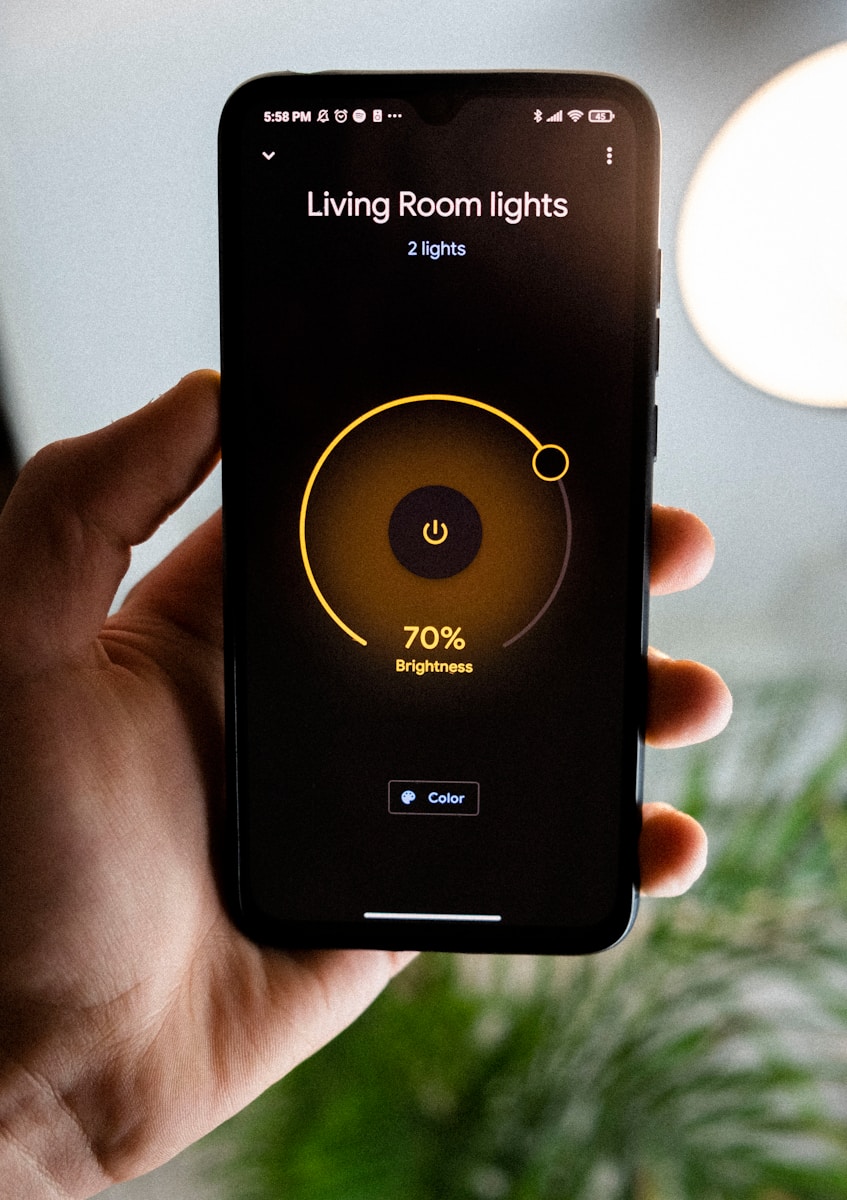
Syncing your smart lights with music can transform your living space into an immersive entertainment experience. Modern smart lighting systems offer various ways to create dynamic light shows that respond to the beat and mood of your music. Most smart light systems like Philips Hue and Cync allow you to sync lights to music through their dedicated apps, which use your phone’s microphone to detect sounds or connect directly to your music source.
Setting up these light shows is surprisingly simple. You can place your phone near a speaker playing music or connect devices like the Philips Hue HDMI sync box to create surround lighting effects. Many apps offer preset light shows or allow you to customize your own patterns, colors, and sensitivity levels to match different music genres and moods.
How to Sync Smart Lights with Music
Syncing your smart lights with music can transform your space into an immersive, dynamic environment—perfect for parties, gaming, workouts, or relaxing at home. This guide walks you through the tools you need and the step‑by‑step process for syncing lights with music.
What You’ll Need
Before you start, make sure you have:
- ✅ Smart lights (Philips Hue, Govee, Nanoleaf, LIFX, etc.)
- ✅ A smartphone, tablet, or computer
- ✅ The manufacturer’s app installed
- ✅ A stable Wi‑Fi or Bluetooth connection
- ✅ A music source (Spotify, Apple Music, YouTube, local files, etc.)
Method 1: Sync Using the Smart Light’s Official App
Most major smart lighting brands offer built‑in music sync features.
General Steps
- Open the smart light app
- Navigate to Music Sync, Entertainment, or Scenes
- Enable microphone access (required to detect sound)
- Choose a music or audio mode
- Play music and watch the lights respond in real time
Popular Apps
- Philips Hue → Hue Sync (mobile or desktop app)
- Govee → Music Mode
- Nanoleaf → Rhythm / Music Visualizer
- LIFX → Music Visualizer
💡 Tip: Desktop apps often provide smoother syncing than mobile apps.
Method 2: Sync Using a Desktop App (Best for Accuracy)
Desktop syncing uses your computer’s audio output for better timing.
Example: Philips Hue Sync (Windows/macOS)
- Install Hue Sync from the official website
- Open the app and connect your Hue Bridge
- Choose Music mode
- Select intensity and color palette
- Play music on your computer
This method is ideal for:
- Gaming
- Home theaters
- DJs and streamers
Method 3: Sync Using Third‑Party Apps
If your lights don’t support music sync natively, third‑party apps can help.
Popular Third‑Party Apps
- iLightShow (iOS)
- Hue Disco (Android)
- Light DJ
- Sync Color
- OpenRGB (PC)
How It Works
- Install a compatible third‑party app
- Connect your smart lights
- Grant microphone or audio permissions
- Select music‑responsive effects
⚠️ Always check compatibility and reviews before installing third‑party apps.
Method 4: Sync Using Smart Speakers
Some smart speakers can trigger lighting effects.
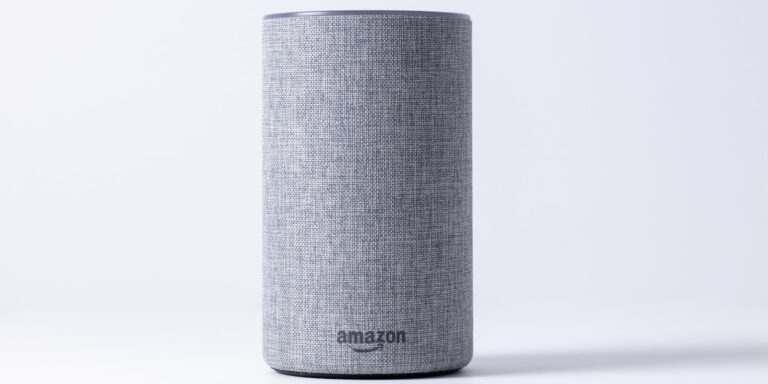
Example: Alexa Music Routines
- Open the Alexa app
- Go to Routines
- Create a new routine
- Choose a music trigger
- Add smart light actions (color, brightness, motion)
This method is simpler but less precise than audio‑based syncing.
Customization Tips
- 🎨 Adjust color palettes to match music genres
- 🔊 Change sensitivity levels for calmer or more energetic effects
- 💡 Limit the number of lights for smoother performance
- 🎧 Use external speakers for clearer audio detection
Troubleshooting Common Issues
Lights not responding to music?
- Check microphone permissions
- Increase audio volume
- Move your phone closer to the speakers
Lag or delay?
- Use a desktop sync app instead of mobile
- Ensure strong Wi‑Fi connectivity
Colors flickering randomly?
- Lower sensitivity
- Reduce background noise
Key Takeaways
- Smart bulbs from brands like Philips Hue and Cync can sync with music using smartphone microphones or direct connections to create responsive light shows.
- Most systems offer both preset light patterns and customizable options to match different music styles and room atmospheres.
- Setting up music sync typically requires grouping smart bulbs in the same room and selecting music sync mode in the manufacturer’s app.
Understanding Smart Lights
Smart lights combine intelligent technology with energy-efficient lighting to create customizable environments in your home. These connected devices offer more than just illumination—they provide flexibility, control, and creative possibilities.
Types of Smart Bulbs
Smart bulbs come in several varieties to suit different needs and preferences. Standard A19 bulbs fit most traditional fixtures and are the most common type. Specialty shapes include BR30 floodlights for recessed fixtures, candle bulbs for chandeliers, and tube lights for unique installations.
Most smart bulbs connect via WiFi, Bluetooth, or Zigbee protocols. WiFi bulbs connect directly to your home network, while Bluetooth bulbs pair with your phone when in range. Zigbee bulbs require a hub but create a more reliable mesh network.
Many smart bulbs offer up to 16 million colors for endless customization options. Some homeowners prefer tunable white bulbs that adjust from warm yellow to cool blue tones, mimicking natural daylight patterns.
Advantages of LED Technology
LED technology forms the foundation of most smart lighting systems, providing significant benefits over traditional incandescent or fluorescent options. The energy efficiency of LEDs reduces electricity consumption by up to 75% compared to incandescent bulbs while lasting 15-25 times longer.
The color rendering index (CRI) of premium smart LEDs often exceeds 90, ensuring colors appear natural and vibrant. This makes them ideal for areas where color accuracy matters, such as kitchens and art spaces.
LED smart bulbs generate minimal heat, making them safer for homes with children and pets. Their solid-state design also means greater durability—no filaments to break or glass to shatter.
The color-changing capabilities of LED smart bulbs enable seamless integration with music, movies, and games. This technology allows for dynamic lighting experiences that conventional bulbs simply cannot provide.
Setting Up Your Smart Lighting System
Before you can enjoy music-synchronized light shows, you need to set up your smart lighting system properly. The right foundation ensures smooth operation and maximum enjoyment when your lights pulse to the beat.
Getting Started with Installation
Smart light installation begins with choosing compatible bulbs or light panels. Popular options include Philips Hue and Cync smart lighting. These systems offer dedicated music sync features right out of the box.
For basic installation:
- Replace existing bulbs with smart alternatives
- Download the manufacturer’s app to your smartphone
- Follow setup instructions within the app
Most smart bulbs connect via Bluetooth or Wi-Fi. Wi-Fi bulbs typically offer greater range and don’t require a separate hub, while Bluetooth provides easier initial setup.
For advanced setups like the Philips Hue system, you’ll need a Hue Bridge. This central hub connects to your router and allows for more complex lighting arrangements and better music synchronization.
Pairing Devices for Group Control
Creating light groups allows multiple bulbs to work together, enhancing your music sync experience. When lights work as a unit, the visual effect becomes more immersive.
To set up group control:
- Open your lighting system’s app
- Find the “Rooms” or “Zones” section
- Select the bulbs you want to group
- Name the group based on location (e.g., “Living Room”)
Most systems let you assign different roles to each light. For example, some bulbs can respond to bass beats while others react to treble notes.
Cync’s system allows custom light shows that can be applied across multiple grouped devices. This creates a cohesive experience when syncing with music throughout your home.
Connecting to Smart Home Assistants
Integrating with Alexa, Google Assistant, or other smart home platforms expands control options for your music-synced lights. Voice commands let you activate light shows without opening an app.
To connect with assistants:
- Open your assistant’s app (Alexa or Google Home)
- Go to “Add Device” or similar option
- Follow instructions to discover your lighting system
- Complete the authorization process
Once connected, try commands like “Alexa, sync my lights to music” or “Hey Google, start party mode in the living room.”
Digital Trends notes that some systems like Philips Hue can directly connect to music services such as Spotify. This creates tighter synchronization between songs and lighting effects without needing additional hardware.
Syncing Lights with Music
Creating an immersive music experience with synchronized lights can transform any space into a personal entertainment zone. Modern smart lighting solutions offer various ways to match colors and patterns to your favorite tunes.
Choosing Compatible Lights and Systems
Smart lights that sync with music require specific technology to detect and respond to sound. Philips Hue offers robust music syncing capabilities through their HDMI sync box, which connects to your entertainment devices and creates surround lighting effects.
Other popular options include:
- Wi-Fi enabled bulbs: Brands like Cync offer full-color bulbs and light strips
- Bluetooth-enabled lights: Perfect for smaller setups with fewer bulbs
- Dedicated systems: Complete kits designed specifically for music synchronization
When selecting a system, check for compatibility with existing home automation setups. Some systems require specific hubs or controllers, while others work independently.
The number of lights also matters. For the most immersive experience, consider placing multiple lights around the room at different heights and positions.
Using Mobile Apps for Music Sync
Most smart lighting systems offer dedicated mobile applications for controlling light synchronization. iLightShow is particularly popular for syncing Philips Hue lights with music and receives strong recommendations from users.
The Aidot app is another option that allows for customizable light shows synchronized to music. These apps typically work by:
- Detecting music through your device’s microphone
- Analyzing the beat, tempo, and energy
- Translating those elements into light patterns
Many apps offer integration with music streaming services like Spotify, allowing direct connection rather than relying on microphone input. This creates more precise synchronization between the music and lighting effects.
Advanced apps also let users create custom scenes for different music genres or specific songs.
Adjusting Settings for Optimal Experience
Fine-tuning your music-synced lighting creates the best possible atmosphere. Start by adjusting sensitivity settings to match your music’s volume and bass levels.
For dance music or energetic songs, try these settings:
- Higher sensitivity: Captures subtle beats
- Faster color transitions: Creates energetic atmosphere
- Brighter colors: Enhances the visual impact
For relaxing music, consider:
- Lower sensitivity: Less frequent color changes
- Gentler transitions: Smooth, gradual shifts
- Softer colors: Blues, purples, and greens
Experiment with brightness levels and color palettes based on time of day and music type. Many apps offer preset modes like “Flashing” for intense experiences or “Gentle” for background ambiance.
Position lights strategically around your space—behind TVs, under furniture, or in corners—to create depth and dimension rather than harsh direct lighting.
Voice Control and Automation Features
Voice commands and automatic schedules make controlling your music-synced lights easier and more convenient. These features eliminate the need to use apps constantly and help create seamless experiences for different activities.
Configuring Voice Commands with Alexa and Google Assistant
Setting up voice control for your music-reactive lighting creates a hands-free experience. To get started with Alexa, open the Alexa app, go to “Devices,” and add your smart lights. Create custom phrases like “Alexa, start music light show” to trigger specific lighting scenes.
Google Assistant offers similar functionality through the Google Home app. Users can set up basic voice-controlled lighting automation synchronized to music. Enable commands such as “Hey Google, sync lights to music” by creating routines in the app settings.
For the best results, place smart speakers in the same room as your lighting setup. Consider creating different voice commands for various music genres or moods. Voice assistants can also adjust brightness, colors, and patterns while music is playing.
Setting Up Schedules and Timers
Automating your music-synced lighting with schedules ensures your system activates at ideal times without manual intervention. Most smart lighting platforms provide scheduling features through their dedicated apps, allowing lights to turn on before evening gatherings or off after bedtime.
Create timer-based automations for specific events, such as a 30-minute music and light show for dinner parties. For Philips Hue users with the HDMI Sync Box, schedules can automatically engage music sync mode at predetermined times.
Many systems allow condition-based automation, such as activating music-reactive lighting only when specific speakers are playing. Try setting up gradual transitions, where lights slowly shift to music-reactive mode rather than changing abruptly.
Smart lighting schedules can also be linked to sunrise/sunset times or synchronized with smart home routines that include music playback from streaming services.
Maximizing Efficiency and Savings
While creating an impressive light show synced to your music is exciting, it’s also important to consider energy usage. Smart lighting systems offer several ways to reduce power consumption without sacrificing the entertainment experience.
Measuring Power Consumption
Smart lights vary significantly in their energy usage. LED-based systems like Philips Hue consume far less electricity than traditional bulbs while offering dynamic lighting effects. A typical smart LED bulb uses 7-10 watts when at full brightness, compared to 60 watts for an incandescent bulb.
To track consumption accurately, users can:
- Install a smart plug with energy monitoring capabilities
- Use the manufacturer’s app if it provides power usage statistics
- Set up a dedicated energy monitor for whole-system analysis
Many modern smart hubs also provide detailed reports on which devices consume the most power. This data helps identify energy-hungry components that might need adjustment or replacement.
Implementing Energy Saving Habits
Smart home devices can significantly reduce energy waste through automation and thoughtful usage patterns. When syncing lights with music, enable smart dimming features that adjust brightness based on the music’s intensity rather than keeping all lights at maximum brightness.
Create specific scenes for different scenarios:
| Scenario | Recommended Setting |
|---|---|
| Background music | Low brightness, fewer active lights |
| Party mode | Full brightness, all lights active |
| Relaxing evening | Warm colors, medium brightness |
Schedule automatic shutoffs after music sessions end. Many users forget to turn systems off, wasting energy unnecessarily. Smart light energy savings can be maximized by using motion sensors to ensure lights only activate when people are present.
Utilize dimmable features not just for ambiance but for conservation. A light dimmed to 50% can use up to 40% less electricity while still providing satisfactory illumination during music sync sessions.
Customization and Personalization Options
Smart light systems offer extensive customization features that let users create exactly the ambiance they want. These options range from preset scenes to fine control over colors and brightness levels.
Creating Preset Scenes for Different Moods
Most smart lighting apps allow users to create and save preset light shows that match different moods or activities. Users can design scenes for relaxation, parties, movie nights, or focus time.
To create a preset:
- Open the smart light app
- Select the room or lights to customize
- Adjust colors, brightness, and sync settings
- Save the configuration with a descriptive name
Philips Hue offers both Classic and Pulse styles with four intensity levels to personalize music sync experiences. The Classic style provides smoother transitions while Pulse creates more dramatic effects.
Some apps even let users share their custom presets with friends or download popular presets created by others.
Exploring the 16 Million Color Spectrum
Modern RGB smart lights can produce up to 16 million distinct colors, giving users unprecedented control over their home lighting atmosphere.
When syncing with music, users can select specific color palettes that complement their décor or match the mood of the music. Many apps offer color wheels or sliders to fine-tune:
- Hue (the actual color)
- Saturation (color intensity)
- Brightness (light output)
- Transition speed between colors
Tunable white options let users adjust from warm yellowish tones to cool bluish whites. This feature is particularly useful for creating subtle lighting changes that respond to gentler music genres.
Apps like iLightShow provide additional customization through their interface, allowing users to create light shows that respond precisely to different frequencies in the music being played.
Troubleshooting and Customer Support
When your smart lights won’t sync with music, several common issues might be causing the problem. Knowing how to troubleshoot these issues yourself can save time before contacting customer support.
Addressing Common Issues with Smart Lights
If your Philips Hue lights aren’t syncing with music properly, first check that all your devices are on the same Wi-Fi network. Sometimes, your phone and smart lights might connect to different networks in your home.
Make sure your smart light app is updated to the latest version. For example, Cync Dynamic Effects lights require the latest firmware to use music sync features.
Check your microphone permissions. Most music sync features require access to your phone’s microphone to detect sound. Go to your phone settings and ensure the smart light app has permission to use the microphone.
For Wi-Fi light bulbs that stop responding, try:
- Turning them off and on at the wall switch
- Restarting your Wi-Fi router
- Moving your router closer to the lights
Seeking Help from Customer Support
When troubleshooting doesn’t solve the problem, reaching out to customer support is the next step. Most brands offer multiple support channels:
For Amazon smart bulbs and similar products, support is available through:
- The manufacturer’s website (chat support)
- Email support
- Phone helplines
- Community forums
Before contacting support, gather important information:
- Model numbers of your smart lights
- App version you’re using
- Screenshots of any error messages
- Steps you’ve already tried
Many issues with music sync features are documented in support articles or community forums. Check these resources first, as they often contain solutions for common problems like lights turning a single color instead of syncing with music.
Frequently Asked Questions
Smart lighting systems offer multiple ways to sync with music through different technologies and platforms. Users can create immersive experiences with various lighting products that respond to sound.
What are the necessary steps to synchronize Philips Hue lights with music?
To sync Philips Hue lights with music, start by ensuring your Hue Bridge and lights are properly set up. Download the Philips Hue app and connect your lights to the system.
For advanced music syncing, you may need the Hue Sync Box which connects your HDMI devices and provides surround lighting that syncs with music. The box detects audio from connected devices and transforms it into light effects.
Create an entertainment area in the Hue app by selecting the lights you want to sync. Choose different color schemes and intensity levels to match your preferences for music visualization.
How can you set up outdoor smart lighting to pulsate in time with music?
For outdoor smart lighting, choose weather-resistant smart lights compatible with music syncing features. Many outdoor lighting systems use similar technology to indoor options but with weatherproof housing.
Place a music sync box near a speaker inside the house to detect audio. The sync box listens to the music and sends signals to the outdoor lights to create synchronized effects.
Control zones can be set up to create different lighting effects in various outdoor areas, allowing for a customized light show that extends from your home to your yard.
Is it possible to connect smart LED lights with music through Bluetooth?
Yes, many smart LED lights offer Bluetooth connectivity for music syncing. These systems typically use the microphone in your smartphone to detect music playing in the room.
The smart light app analyzes the audio and sends signals to your lights via Bluetooth. This creates real-time light effects that match the beats and rhythm of your music.
Bluetooth-connected systems are generally easier to set up than hub-based systems but may have range limitations compared to Wi-Fi-based options.
Which mobile applications can control and match smart lights to music beats?
The Cync app offers music sync for their Dynamic Effects products. Users need to ensure their lights have the latest firmware updates to access this feature.
The Govee app provides dedicated music sync modes for their lighting products, with options to customize sensitivity and color schemes.
The Roku Smart Home mobile app allows users to select their light strips or lighting groups and tap the Music option to activate sync features with different modes available.
Can Amazon Alexa be incorporated to automate smart lights with musical rhythms?
Amazon Alexa can control many smart lighting systems with music sync capabilities through voice commands. Users can ask Alexa to activate specific light scenes or music sync modes.
Some systems allow users to create routines in the Alexa app that trigger music and lighting effects simultaneously. This creates a hands-free way to start a synchronized light show.
Integration depends on the specific lighting brand, with many major manufacturers like Philips Hue, LIFX, and Govee offering Alexa compatibility for their music sync features.
How do you configure DJ lighting systems to automatically react to musical changes?
Professional DJ lighting systems use DMX (Digital Multiplex) controllers to program light responses to audio input. These systems analyze audio frequencies and translate them into lighting patterns.
Most DJ setups include a dedicated controller with sound-active modes. These modes use built-in microphones to detect beat, tempo, and volume changes in music.
For home use, simplified versions of these systems are available that connect to smart home platforms, creating immersive media experiences without complex programming knowledge.